

Stova Lead Capture
Stova Group, LLC Business
Capture event leads via QR/NFC scan, surveys, offline sync & cloud upload
- Downloads
- 84+
- on Google Play
- Price
- Free
- No in-app purchases
- Updated
- Sep 24
- 2026 · v1.3.4
Screenshots


About Stova Lead Capture
Stova Lead Capture is the mobile app for trade show and event exhibitors to collect, manage, and sync attendee leads directly from the show floor.
Designed for exhibitors who purchase Stova lead retrieval services, the app connects to your Stova event portal and helps your team capture qualified leads quickly and reliably—even when venue Wi‑Fi is unreliable.
KEY FEATURES
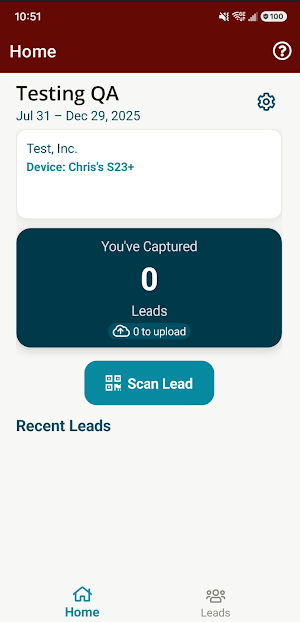
• Badge scanning — Scan attendee badges using your device camera (QR code) or NFC tap
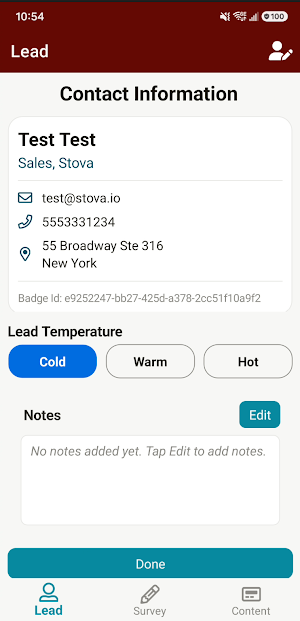
• Lead management — View, search, and manage captured leads from the Leads tab
• Manual lead entry — Add leads manually when enabled for your event
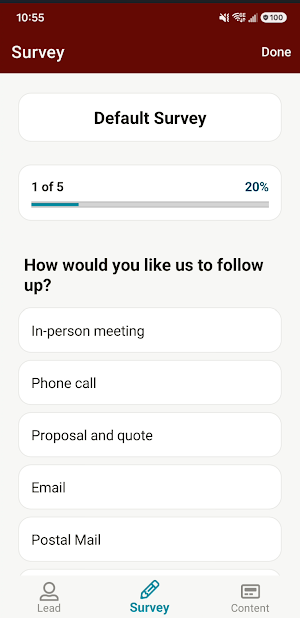
• Custom surveys — Collect qualification data with event-configured surveys
• Digital content — Deliver brochures and content tied to scanned leads
• Offline-first — Capture leads without connectivity; data is stored locally with encryption
• Cloud sync — Upload leads to the Stova portal when a network connection is available
• Push notifications — Receive event and device updates from your organizer
• Multi-event support — Activate and switch between events you are registered for
• Help & support — In-app help, user guide, and support request options
HOW IT WORKS
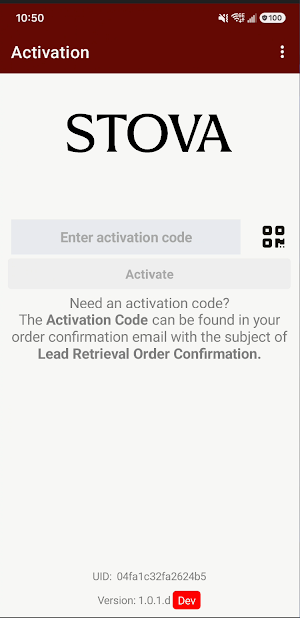
1. Activate the app with your exhibitor activation code provided by your event organizer
2. Scan attendee badges at your booth using QR or NFC
3. Add notes, surveys, and content as configured for your event
4. Leads sync to your Stova exhibitor portal for download and follow-up
REQUIREMENTS
• A valid Stova lead retrieval activation code for your event
• Android 12 or later
• Camera permission for QR badge scanning
• NFC-capable device (NFC is required for full badge capture functionality)
• Internet connection for activation, sync, and portal integration
PRIVACY & SECURITY
Lead data is processed in connection with your event’s Stova services. Local data is stored using encrypted storage. For details on how Stova handles personal information, see our Privacy Policy.
SUPPORT
• Website: https://stova.io
• User guide: https://na.eventscloud.com/slc-help-and-support/
• Email: [email protected]
Stova Lead Capture is intended for registered exhibitors and event staff. It is not a general-purpose consumer app.
Designed for exhibitors who purchase Stova lead retrieval services, the app connects to your Stova event portal and helps your team capture qualified leads quickly and reliably—even when venue Wi‑Fi is unreliable.
KEY FEATURES
• Badge scanning — Scan attendee badges using your device camera (QR code) or NFC tap
• Lead management — View, search, and manage captured leads from the Leads tab
• Manual lead entry — Add leads manually when enabled for your event
• Custom surveys — Collect qualification data with event-configured surveys
• Digital content — Deliver brochures and content tied to scanned leads
• Offline-first — Capture leads without connectivity; data is stored locally with encryption
• Cloud sync — Upload leads to the Stova portal when a network connection is available
• Push notifications — Receive event and device updates from your organizer
• Multi-event support — Activate and switch between events you are registered for
• Help & support — In-app help, user guide, and support request options
HOW IT WORKS
1. Activate the app with your exhibitor activation code provided by your event organizer
2. Scan attendee badges at your booth using QR or NFC
3. Add notes, surveys, and content as configured for your event
4. Leads sync to your Stova exhibitor portal for download and follow-up
REQUIREMENTS
• A valid Stova lead retrieval activation code for your event
• Android 12 or later
• Camera permission for QR badge scanning
• NFC-capable device (NFC is required for full badge capture functionality)
• Internet connection for activation, sync, and portal integration
PRIVACY & SECURITY
Lead data is processed in connection with your event’s Stova services. Local data is stored using encrypted storage. For details on how Stova handles personal information, see our Privacy Policy.
SUPPORT
• Website: https://stova.io
• User guide: https://na.eventscloud.com/slc-help-and-support/
• Email: [email protected]
Stova Lead Capture is intended for registered exhibitors and event staff. It is not a general-purpose consumer app.
What’s new
Version 1.3.4 · Updated September 24, 2026
Bug fixes for lead upload, surveys, help chat, and notifications. Stability and UI improvements.
Alternatives to Stova Lead Capture
Looking for apps like Stova Lead Capture? Here are 6 similar Android apps on Google Play. The highest rated is High Dive Apparel (5.0/5), and all 6 are free to download.






| App | Rating | Price | Installs | Last updated | Compare |
|---|---|---|---|---|---|
| Stova Lead Capture | – | Free | 50+ | Sep 24, 2026 | |
| Jostle | 3.3 / 5 | Free | 50,000+ | Mar 24, 2026 | Compare |
| OPERI | – | Free | 5,000+ | Aug 31, 2026 | Compare |
| High Dive Apparel | 5.0 / 5 | Free | 5,000+ | Jun 19, 2026 | Compare |
| MyAccountability Plus | 4.8 / 5 | Free | 10,000+ | Jul 13, 2026 | Compare |
| Volcom | 4.7 / 5 | Free | 10,000+ | Sep 25, 2026 | Compare |
| MyUnum for Members | 4.8 / 5 | Free | 500,000+ | Oct 16, 2026 | Compare |
Compare Stova Lead Capture with the top alternatives: ratings, updates, ASO score and keyword gaps →