
Smart Switch - Transfer Data
Productivity Contains ads
Send file photos videos easily.
- Rating
- 4.2
- 5 ratings
- Downloads
- 1K+
- on Google Play
- Price
- Free
- No in-app purchases
- Updated
- May 28
- 2026 · v1.12
Screenshots
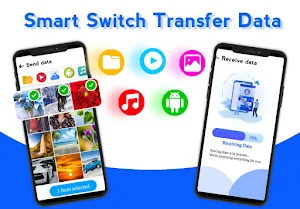

About Smart Switch - Transfer Data
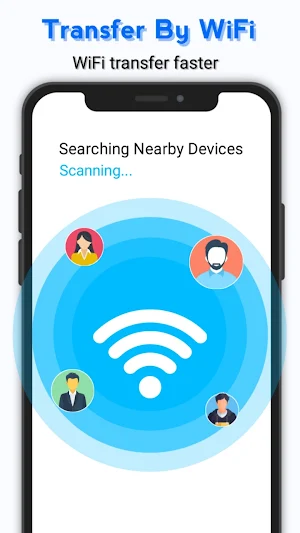
Smart Switch: Transfer Data: Copy all data and phone clone helps you switch phone data by transfer, clone and copy your data from phone to another over Wi-Fi network. You just need both phones to be connected to the same Wi-Fi network source, and then follow the instructions in switch mobile transfer app. Connection to the actual data transfer. No fear of any data loss during data transfer by using Smart switch mobile.
When you choose to transfer data, Smart Switch: Transfer Data: Copy all data, phone clone will find your nearby Android device running our phone clone.
Checkout our switch mobile transfer App If your android smart phone is old and you want to copy your data smartphone and save your contacts, photos, and videos to the new android smart phone just use this to easily copy data in a few easy steps.
What can be transferred?
Smart switch mobile offers a complete backup and restore data, music playlists, images, songs and videos.
Why use transfer app
- Switch mobile transfer No complicated network
- Reliable phone content transfers that can be resumed later in case it was interrupted or failed
- This Smart switch mobile application has the ability to transfer phone content selected files only
- No upper limit for files sizes or number of contacts for unlocked version
- Optimized for ease of use and short self-explaining UI
How to use backup and restore app :
1. Select the New Phone for QR code generation in New Phone.
2. Select the Old Phone for QR scanner in Old Phone.
3. Scan the QR code and wait for the successful connection.
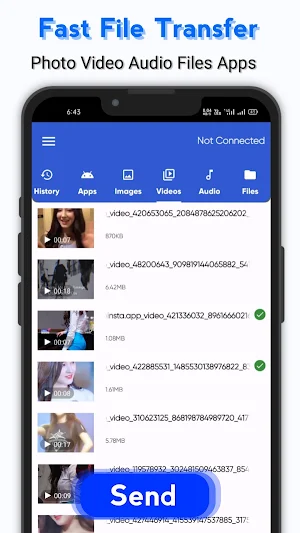
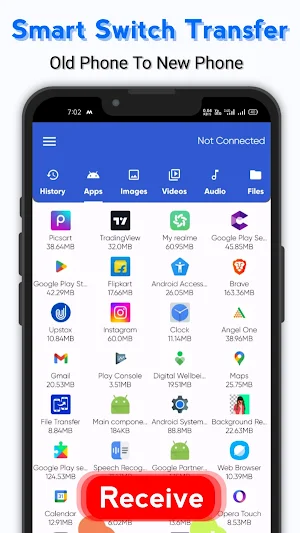
4. Once the connection has established, the list of all files and folders will appear.
5. Choose the files or folders you want to share through the list of options.
6. Tap the ‘Start Receiving button when you’re done selecting files or folders.
7. Sit back and let the app to transfer data by smart cloning.
8. The cloning App will show you the progress of the files being sent in a list.
9. Tap the ‘Done’ button on the sending screen when the data transfer is done.
Transfer All Data
You can now transfer all data from your mobile to other mobile within seconds. All you have to do is to just connect your mobile to other mobile having Smart Switch: Transfer Data: Copy all data app, select data you want to transfer and your mobile will transfer all data within seconds.
Smart Data Transfer:
You can now smartly transfer data and this can be done just by few clicks. Use this app and save a lot of time by smart switch data transfer feature that helps you to send any kind of data from one mobile to another. There are many Smart Data Transfer apps but it is the fast data transfer app because it send data quickly and securely. Just Switch Data and Send Data
Phone to Phone Transfer:
We developed this smart switch app just because our users can easily transfer their data phone to pone transfer. No you can transfer anything or you can receive any kind of data from other phones just by establishing a connection with other mobile and start Smart Switching.
Smart Phone – Smart Switch: Smart switch can transfer whatever you want to transfer from phone can transfer any kind of data within seconds. By the help of this smart switch you can restore or backup your important data. Hence you can transfer all kind of data with the help of this Smart Switch app.
When you choose to transfer data, Smart Switch: Transfer Data: Copy all data, phone clone will find your nearby Android device running our phone clone.
Checkout our switch mobile transfer App If your android smart phone is old and you want to copy your data smartphone and save your contacts, photos, and videos to the new android smart phone just use this to easily copy data in a few easy steps.
What can be transferred?
Smart switch mobile offers a complete backup and restore data, music playlists, images, songs and videos.
Why use transfer app
- Switch mobile transfer No complicated network
- Reliable phone content transfers that can be resumed later in case it was interrupted or failed
- This Smart switch mobile application has the ability to transfer phone content selected files only
- No upper limit for files sizes or number of contacts for unlocked version
- Optimized for ease of use and short self-explaining UI
How to use backup and restore app :
1. Select the New Phone for QR code generation in New Phone.
2. Select the Old Phone for QR scanner in Old Phone.
3. Scan the QR code and wait for the successful connection.
4. Once the connection has established, the list of all files and folders will appear.
5. Choose the files or folders you want to share through the list of options.
6. Tap the ‘Start Receiving button when you’re done selecting files or folders.
7. Sit back and let the app to transfer data by smart cloning.
8. The cloning App will show you the progress of the files being sent in a list.
9. Tap the ‘Done’ button on the sending screen when the data transfer is done.
Transfer All Data
You can now transfer all data from your mobile to other mobile within seconds. All you have to do is to just connect your mobile to other mobile having Smart Switch: Transfer Data: Copy all data app, select data you want to transfer and your mobile will transfer all data within seconds.
Smart Data Transfer:
You can now smartly transfer data and this can be done just by few clicks. Use this app and save a lot of time by smart switch data transfer feature that helps you to send any kind of data from one mobile to another. There are many Smart Data Transfer apps but it is the fast data transfer app because it send data quickly and securely. Just Switch Data and Send Data
Phone to Phone Transfer:
We developed this smart switch app just because our users can easily transfer their data phone to pone transfer. No you can transfer anything or you can receive any kind of data from other phones just by establishing a connection with other mobile and start Smart Switching.
Smart Phone – Smart Switch: Smart switch can transfer whatever you want to transfer from phone can transfer any kind of data within seconds. By the help of this smart switch you can restore or backup your important data. Hence you can transfer all kind of data with the help of this Smart Switch app.
User reviews

Finnally I find a good smart switch app. full satisfied with this fantastic app. Easily I transfer my old phone's all files to my new phone. such a great app. most important this it's very easy to use. no complicated things. thanks developer for this app.

nice
Alternatives to Smart Switch - Transfer Data
Looking for apps like Smart Switch - Transfer Data? Here are 6 similar Android apps on Google Play. The highest rated is WeTransfer : File Transfer (4.8/5), and all 6 are free to download.
-
Samsung Smart Switch Mobile 3.8
-
Move to iOS 3.7
-
Google Play services 4.3
-
Samsung My Files 4.1
-
Lenovo 3.7
-
WeTransfer : File Transfer 4.8
| App | Rating | Price | Installs | Last updated | Compare |
|---|---|---|---|---|---|
| Smart Switch - Transfer Data | 4.2 / 5 | Free | 1,000+ | May 28, 2026 | |
| Samsung Smart Switch Mobile | 3.8 / 5 | Free | 1,000,000,000+ | Sep 3, 2026 | Compare |
| Move to iOS | 3.7 / 5 | Free | 100,000,000+ | Sep 21, 2026 | Compare |
| Google Play services | 4.3 / 5 | Free | 10,000,000,000+ | Oct 20, 2026 | Compare |
| Samsung My Files | 4.1 / 5 | Free | 5,000,000,000+ | Jun 29, 2026 | Compare |
| Lenovo | 3.7 / 5 | Free | 50,000,000+ | Aug 13, 2026 | Compare |
| WeTransfer : File Transfer | 4.8 / 5 | Free | 10,000,000+ | Sep 25, 2026 | Compare |
Similar apps on Google Play
- Samsung Smart Switch Mobile
- AT&T Personal Cloud
- Move to iOS
- Google Play services
- Samsung My Files
- Lenovo
- WeTransfer : File Transfer
- F-Secure Mobile Security
- Total Drive - Cloud Storage
- Transfer All Data - PhoneClone
- ShareMe: File sharing
- eBMS DRM
- Smart Transfer: File Sharing
- Arenti
- File Sharing - InShare
- Quick Settings app
- VicoHome: Smart Home Camera
- LockTrip
- My Synovus Mobile Banking
- Dr.Fone: Photo & Data Recovery
- Dzees Home
- Swift Backup
- Send Anywhere (File Transfer)
- Data Transfer - MobileTrans
- Bitdefender Central
- Mutsapper - Chat App Transfer
- HiOS Launcher - Fast
- OPPO Clone Phone
- EasyShare
- Xiaomi Home
- Phone Clone Tool: Switch data
- SafeInCloud 1
- Simpro Mobile
- Mobile Hotel PMS by Hotel Sync
- Trendy Transfers
- Enphase Enlighten