
Document Scan & Print Pro
ESOTERIC DEVELOPMENTS Tools Contains ads
Print, scan, edit and sign PDFs — easy wireless printing from your phone.
- Downloads
- 1K+
- on Google Play
- Price
- Free
- No in-app purchases
- Updated
- Jun 6
- 2026 · v1.0.0
Screenshots
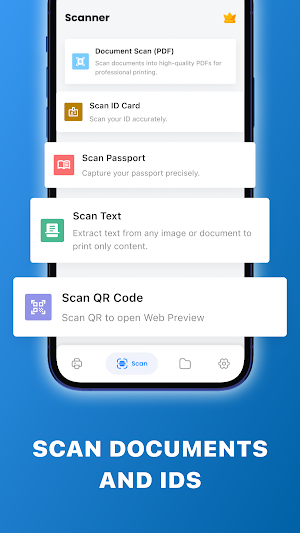


About Document Scan & Print Pro
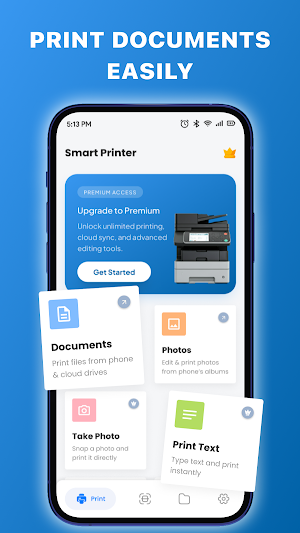
Document Scan & Print Pro is a practical mobile printer app that helps you print files directly from your phone with ease. Whether you want to print PDF documents, photos, emails, or web pages, the app allows you to connect to a wireless printer and print in just a few simple steps.
The app also includes a built-in document scanner that helps you scan paper files and save them as clear PDF documents. With useful editing tools, you can edit PDFs, sign documents, add notes, or annotate files before sharing or printing.
By combining printing, scanning, and document editing features in one app, Document Scan & Print Pro makes document management more convenient directly from your mobile device.
Print Files Directly From Your Phone
Use your phone as a simple mobile printing solution anytime you need. The app allows you to print documents, photos, and other files without complicated settings.
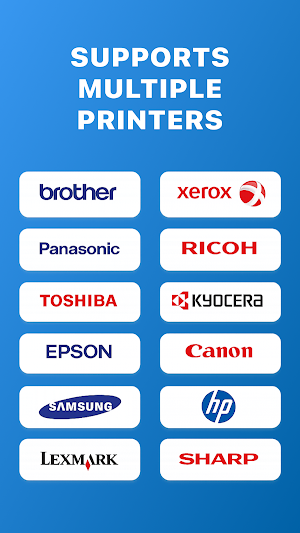
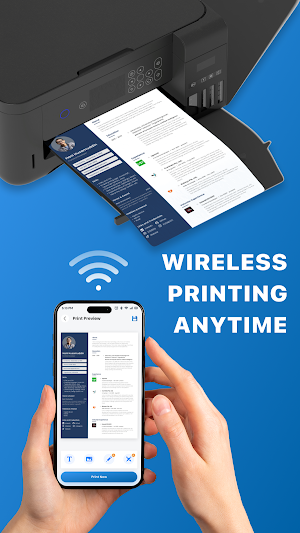
You can print PDF files, images, notes, emails, and web content directly from your device. Just choose a file, preview the document, and send it to a supported wireless printer. Printing from your phone becomes quick and convenient whenever you need paper copies of important files.
Scan Documents and Create PDF Files
Transform your device into a portable document scanner and digitize paper documents in seconds. The app helps you scan files to PDF for easier storage, sharing, or printing later.
You can scan receipts, contracts, ID cards, notes, and other paper documents using your phone camera. The scanner converts captured images into clean PDF documents that can be saved or shared instantly.
Edit PDF and Sign Files
The app provides simple editing tools that help you update documents before printing or sharing them.
You can add text, insert images, draw annotations, highlight important content, and sign documents digitally. Notes and markings can be added directly to your files for better organization. Edited documents can also be saved separately so you can keep both original and updated versions.
Easy Document Management in One App
Document Scan & Print Pro is designed to make printing, scanning, and editing documents easier for everyday use. The clean interface and simple navigation help you quickly access files, preview documents, and manage printing tasks directly from your phone.
Document Scan & Print Pro combines a mobile printer app, PDF scanner, and document editor into one convenient tool. Print documents, scan files, edit PDFs, and sign papers anytime directly from your mobile device.
The app also includes a built-in document scanner that helps you scan paper files and save them as clear PDF documents. With useful editing tools, you can edit PDFs, sign documents, add notes, or annotate files before sharing or printing.
By combining printing, scanning, and document editing features in one app, Document Scan & Print Pro makes document management more convenient directly from your mobile device.
Print Files Directly From Your Phone
Use your phone as a simple mobile printing solution anytime you need. The app allows you to print documents, photos, and other files without complicated settings.
You can print PDF files, images, notes, emails, and web content directly from your device. Just choose a file, preview the document, and send it to a supported wireless printer. Printing from your phone becomes quick and convenient whenever you need paper copies of important files.
Scan Documents and Create PDF Files
Transform your device into a portable document scanner and digitize paper documents in seconds. The app helps you scan files to PDF for easier storage, sharing, or printing later.
You can scan receipts, contracts, ID cards, notes, and other paper documents using your phone camera. The scanner converts captured images into clean PDF documents that can be saved or shared instantly.
Edit PDF and Sign Files
The app provides simple editing tools that help you update documents before printing or sharing them.
You can add text, insert images, draw annotations, highlight important content, and sign documents digitally. Notes and markings can be added directly to your files for better organization. Edited documents can also be saved separately so you can keep both original and updated versions.
Easy Document Management in One App
Document Scan & Print Pro is designed to make printing, scanning, and editing documents easier for everyday use. The clean interface and simple navigation help you quickly access files, preview documents, and manage printing tasks directly from your phone.
Document Scan & Print Pro combines a mobile printer app, PDF scanner, and document editor into one convenient tool. Print documents, scan files, edit PDFs, and sign papers anytime directly from your mobile device.
What’s new
Version 1.0.0 · Updated June 6, 2026
New release
Alternatives to Document Scan & Print Pro
Looking for apps like Document Scan & Print Pro? Here are 6 similar Android apps on Google Play. The highest rated is Jadens Printer (4.8/5), and 5 of the 6 are free to download.
-
Tyfoom | Engagement Platform 3.4
-
CamCard-AI Scanner, Transcribe 3.0
-
FAX Desk: Send Fax from Phone 4.6
-
Tiny Scanner - PDF Scanner App 4.6
-
Jadens Printer 4.8
-
Mobile Scanner App - Scan PDF 4.6
| App | Rating | Price | Installs | Last updated | Compare |
|---|---|---|---|---|---|
| Document Scan & Print Pro | – | Free | 1,000+ | Jun 6, 2026 | |
| Tyfoom | Engagement Platform | 3.4 / 5 | Free | 10,000+ | – | Compare |
| CamCard-AI Scanner, Transcribe | 3.0 / 5 | 0.99 USD | 100,000+ | Oct 16, 2026 | Compare |
| FAX Desk: Send Fax from Phone | 4.6 / 5 | Free | 10,000+ | Dec 19, 2025 | Compare |
| Tiny Scanner - PDF Scanner App | 4.6 / 5 | Free | 10,000,000+ | Jul 29, 2026 | Compare |
| Jadens Printer | 4.8 / 5 | Free | 100,000+ | Aug 28, 2026 | Compare |
| Mobile Scanner App - Scan PDF | 4.6 / 5 | Free | 10,000,000+ | Sep 16, 2026 | Compare |