

Slow motion: cut, edit video
Video Players & Editors Contains ads
Create your own unique works of art from slow motion stories
- Downloads
- 10K+
- on Google Play
- Price
- Free
- No in-app purchases
- Updated
- Nov 16
- 2022 · v1.0.1
Screenshots

About Slow motion: cut, edit video
Do you want to edit a professional video to post on social media?
This is the easiest way to get close to becoming a professional content creator on social media platforms. Install Slow Motion: Cut, Edit Video now!
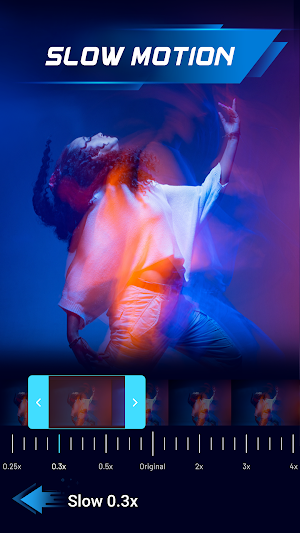
👉 Slow motion effect
This app allows you to edit a video in slow motion easily. Make your video more unique with the slow motion effects. Dreaming of being able to manually create quality videos both in terms of image and sound with these effects.
For video editors who work with videos that will be posted on certain platforms.There will be separate ways, a little more special.
Slow Motion adjusts the speed of videos to create a new video at a different speed than the original.You will definitely be attracted when you start using this feature. Slow Motion app is fast and simple to use; simply choose the start and finish points of the video and click the "done" button. You may also use this slow motion video to create amusing clips and share your memories on social media.
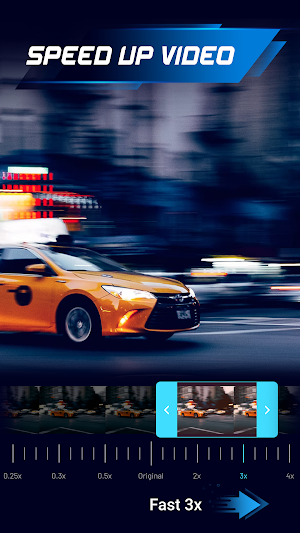
👉 Speed up video
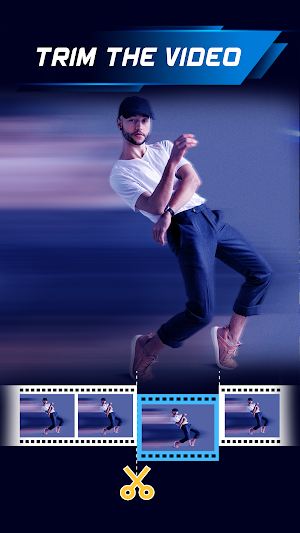
If you want to cut your video into small pieces so that you can have a precise customized focus tag for each piece of content. Try starting with a timelapse video style
For example, you record a day with your friends in a short video with fast speed, making the impressions in the important parts of your video with the speed up according to the level. You just need to edit a video with not too complicated operations. With different video editors, the way to save the format will also be different.
There are two options for you to edit a video: you can choose your video from the gallery or directly make a video in this app. As for the timelapse video format, it is a form of stop motion (continuous shooting of many photos and merging into a video) but more specifically, it is real-time lapsed while stop motion still takes place at normal speed.
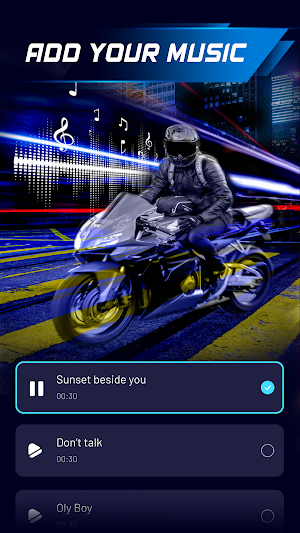
👉 Add music to video
One of the things that any content creator will need to do when cut a video into many small pieces is choosing music and adding music to the video.
👉 Edit video ratio
With this slow motion app, you can effortlessly adjust the video ratio. Without having to download a professional editing tool, you can convert your video ratio with just a few touches.
It's time for you to edit your own video with the Slow Motion app! Download now!
▶️ The main features of the Slow Motion: Cut, Edit Video app are:
✔️ Slow motion
✔️ Cut videos easily.
✔️ Add music to your video.
How to video editors timelapse efficient operation?
Please read the features carefully to fully understand the items in this section.
Download Slow motion: cut, edit a video to make your own video right now! Try it now!
Please contact us at [email protected]. if you have any problems or difficulties related to the slow motion app.
Thanks for using the Slow Motion: Cut, Edit Video app!
This is the easiest way to get close to becoming a professional content creator on social media platforms. Install Slow Motion: Cut, Edit Video now!
👉 Slow motion effect
This app allows you to edit a video in slow motion easily. Make your video more unique with the slow motion effects. Dreaming of being able to manually create quality videos both in terms of image and sound with these effects.
For video editors who work with videos that will be posted on certain platforms.There will be separate ways, a little more special.
Slow Motion adjusts the speed of videos to create a new video at a different speed than the original.You will definitely be attracted when you start using this feature. Slow Motion app is fast and simple to use; simply choose the start and finish points of the video and click the "done" button. You may also use this slow motion video to create amusing clips and share your memories on social media.
👉 Speed up video
If you want to cut your video into small pieces so that you can have a precise customized focus tag for each piece of content. Try starting with a timelapse video style
For example, you record a day with your friends in a short video with fast speed, making the impressions in the important parts of your video with the speed up according to the level. You just need to edit a video with not too complicated operations. With different video editors, the way to save the format will also be different.
There are two options for you to edit a video: you can choose your video from the gallery or directly make a video in this app. As for the timelapse video format, it is a form of stop motion (continuous shooting of many photos and merging into a video) but more specifically, it is real-time lapsed while stop motion still takes place at normal speed.
👉 Add music to video
One of the things that any content creator will need to do when cut a video into many small pieces is choosing music and adding music to the video.
👉 Edit video ratio
With this slow motion app, you can effortlessly adjust the video ratio. Without having to download a professional editing tool, you can convert your video ratio with just a few touches.
It's time for you to edit your own video with the Slow Motion app! Download now!
▶️ The main features of the Slow Motion: Cut, Edit Video app are:
✔️ Slow motion
✔️ Cut videos easily.
✔️ Add music to your video.
How to video editors timelapse efficient operation?
Please read the features carefully to fully understand the items in this section.
Download Slow motion: cut, edit a video to make your own video right now! Try it now!
Please contact us at [email protected]. if you have any problems or difficulties related to the slow motion app.
Thanks for using the Slow Motion: Cut, Edit Video app!
What’s new
Version 1.0.1 · Updated November 16, 2022
Release
Alternatives to Slow motion: cut, edit video
Looking for apps like Slow motion: cut, edit video? Here are 6 similar Android apps on Google Play. The highest rated is Video Editing - Vidma Editor (4.6/5), and all 6 are free to download.
-
Video Editor & Maker - ShowCut 4.3
-
InVideo(Filmr) - Video Editor 3.1
-
Aesthetic Video Editor: Videap 4.5
-
GoCut - Effect Video Editor 4.6
-
Video Editing - Vidma Editor 4.6
-
VLLO - Intuitive Video Editor 4.2
| App | Rating | Price | Installs | Last updated | Compare |
|---|---|---|---|---|---|
| Slow motion: cut, edit video | – | Free | 10,000+ | Nov 16, 2022 | |
| Video Editor & Maker - ShowCut | 4.3 / 5 | Free | 5,000+ | Mar 8, 2021 | Compare |
| InVideo(Filmr) - Video Editor | 3.1 / 5 | Free | 1,000,000+ | Apr 10, 2024 | Compare |
| Aesthetic Video Editor: Videap | 4.5 / 5 | Free | 1,000+ | May 21, 2021 | Compare |
| GoCut - Effect Video Editor | 4.6 / 5 | Free | 10,000,000+ | Mar 14, 2024 | Compare |
| Video Editing - Vidma Editor | 4.6 / 5 | Free | 50,000,000+ | Aug 13, 2026 | Compare |
| VLLO - Intuitive Video Editor | 4.2 / 5 | Free | 10,000,000+ | Oct 20, 2026 | Compare |