
Draw Sketch & Trace
Juju Apps Art & Design Contains ads
Draw Sketch and Trace to improve your drawing skills
- Downloads
- 500+
- on Google Play
- Price
- Free
- No in-app purchases
- Updated
- Nov 27
- 2023 · v1.1
Screenshots
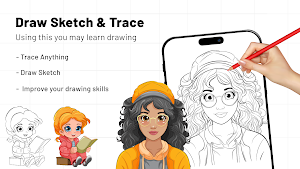
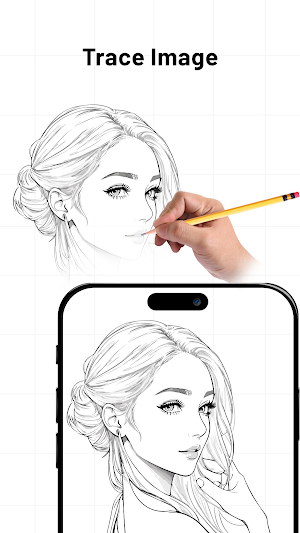
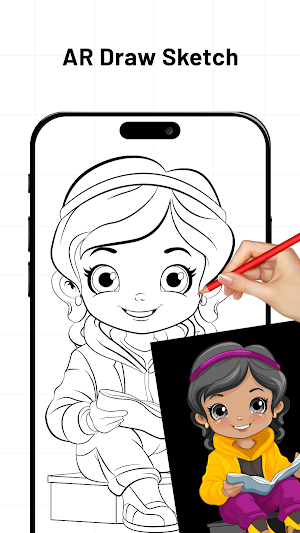
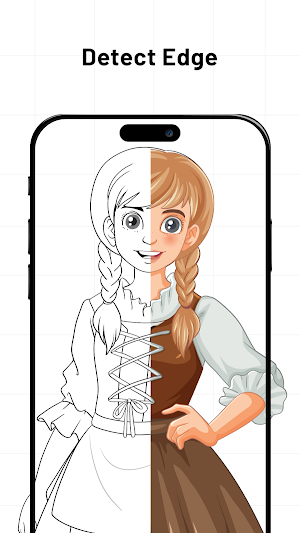
About Draw Sketch & Trace
Welcome to Draw Sketch & Trace, your go-to app for unlocking the artist within! Whether you're an aspiring Picasso or just love doodling for relaxation, this app is your digital canvas for endless creative possibilities.
Draw Sketch & Trace the ultimate drawing and tracing app! Whether you're a professional artist or just love doodling for fun, this app is perfect for creating stunning sketches and tracing your favorite images with ease.
Dive into a world of creativity with our easy-to-use drawing tools. Choose from a variety of brushes, pencils, and pens to bring your imagination to life on a digital canvas.
Turn your photos into art! Import any image and use the trace feature to effortlessly outline and enhance your favorite pictures. Perfect for creating personalized artwork or reimagining your most cherished memories.
Express yourself with a wide range of drawing tools at your fingertips. From pencil to brush, unleash your creativity and create stunning artworks.
Key Features:
- Simple User Interface
- Draw Sketch and Trace to improve your drawing skills
- Start to learning sketch art by using this app
- Variety of objects to easily trace with line by line
- Allow to trace and sketch any instant capture images from the camera and also import from the photo gallery
- Different tools like locking the screen, rotating the image, adjusting brightness, Flashlight
- Find a bitmap to easily remove the white background from the image when you work on sketching
- Best app allow you to learn the art by using this app
How to Work:
1. Tap the sketch button and choose an object from the collection or your gallery/camera.
2. Stretch and adjust the object to your liking.
3. Set the brightness according to your needs.
4. Use the bitmap tool to make the object transparent by removing the white background.
5. Lock your device screen and start sketching the images line by line, easily transferring the object onto the paper.
Draw Sketch is optimized for a seamless experience across various devices. Whether you're using a phone or tablet, create on the go without compromising quality.
Draw Sketch & Trace – where every stroke tells a story and every sketch is a masterpiece. Download now and start drawing your world!
Draw Sketch & Trace the ultimate drawing and tracing app! Whether you're a professional artist or just love doodling for fun, this app is perfect for creating stunning sketches and tracing your favorite images with ease.
Dive into a world of creativity with our easy-to-use drawing tools. Choose from a variety of brushes, pencils, and pens to bring your imagination to life on a digital canvas.
Turn your photos into art! Import any image and use the trace feature to effortlessly outline and enhance your favorite pictures. Perfect for creating personalized artwork or reimagining your most cherished memories.
Express yourself with a wide range of drawing tools at your fingertips. From pencil to brush, unleash your creativity and create stunning artworks.
Key Features:
- Simple User Interface
- Draw Sketch and Trace to improve your drawing skills
- Start to learning sketch art by using this app
- Variety of objects to easily trace with line by line
- Allow to trace and sketch any instant capture images from the camera and also import from the photo gallery
- Different tools like locking the screen, rotating the image, adjusting brightness, Flashlight
- Find a bitmap to easily remove the white background from the image when you work on sketching
- Best app allow you to learn the art by using this app
How to Work:
1. Tap the sketch button and choose an object from the collection or your gallery/camera.
2. Stretch and adjust the object to your liking.
3. Set the brightness according to your needs.
4. Use the bitmap tool to make the object transparent by removing the white background.
5. Lock your device screen and start sketching the images line by line, easily transferring the object onto the paper.
Draw Sketch is optimized for a seamless experience across various devices. Whether you're using a phone or tablet, create on the go without compromising quality.
Draw Sketch & Trace – where every stroke tells a story and every sketch is a masterpiece. Download now and start drawing your world!
Alternatives to Draw Sketch & Trace
Looking for apps like Draw Sketch & Trace? Here are 6 similar Android apps on Google Play. All of them are free to download.
-
Hindu Calendar - Panchang
-
EMI Calculator
-
SkyVista View - Star Map
-
Blood Pressure : BP Monitor
-
AI Art Generator
-
Prank Sounds & Funny Sounds
| App | Rating | Price | Installs | Last updated | Compare |
|---|---|---|---|---|---|
| Draw Sketch & Trace | – | Free | 500+ | Nov 27, 2023 | |
| Hindu Calendar - Panchang | – | Free | 100+ | Oct 26, 2023 | Compare |
| EMI Calculator | – | Free | 50+ | Oct 9, 2023 | Compare |
| SkyVista View - Star Map | – | Free | 1,000+ | Nov 6, 2023 | Compare |
| Blood Pressure : BP Monitor | – | Free | 1,000+ | Nov 3, 2023 | Compare |
| AI Art Generator | – | Free | 100+ | Jul 31, 2023 | Compare |
| Prank Sounds & Funny Sounds | – | Free | 50+ | Jul 26, 2023 | Compare |