

Phone and Memory Cleaner
Shexa Technolabs Tools Contains ads
Optimise performance by cleaning junk files, cache files clean, cooling down CPU
- Downloads
- 500+
- on Google Play
- Price
- Free
- No in-app purchases
- Updated
- May 27
- 2022 · v1.0.0
Screenshots
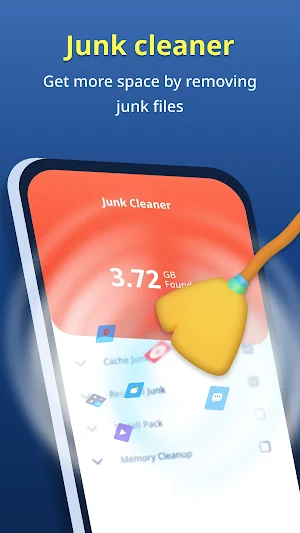
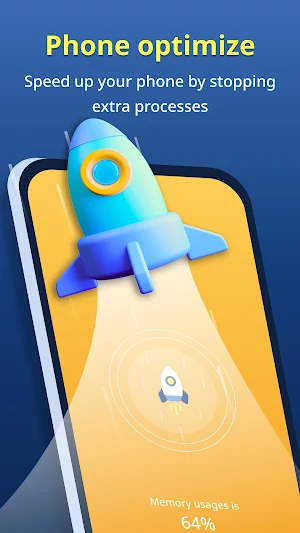
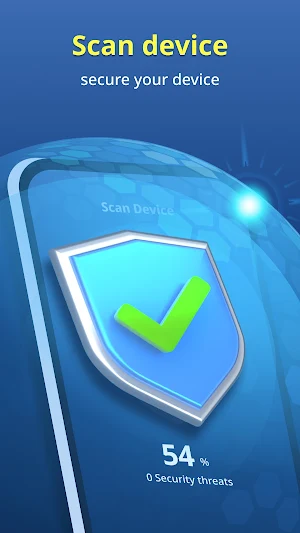
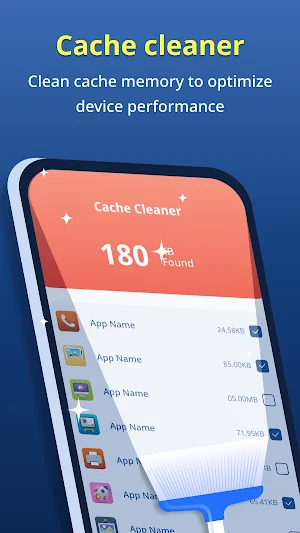


About Phone and Memory Cleaner
The phone cleaner app is used to make things easy for everyone, You can use this app in your day to day life, and You can optimize your device in many ways such as cleaning junk files, cache files clean, cooling down CPU
You can also clean your device storage using duplicate file and big files are stored in device using just one click.
In today's world security are most important things. Why are you worried the phone cleaner app is going to help in that too, You can scan devices for the virus and malicious apps and remove them in a safe way.
*Important features in details of the Phone cleaner app for daily usage are below.*
1. Phone optimizer
- By using Phone optimizer functionality you can stop unwanted background running apps and speed up your device & performance.
2. Junk files cleaner
- By using Junk files cleaner functionality you can remove Log files, empty folders & files, thumbnails, and temp files from your device by just single click.
3. Battery saver
- By using Battery saver functionality you can reduce screen brightness and screen timeout, and lock the screen orientation for battery draining & increase battery life.
3. CPU cooler
- Cool the CPU temperature by analyzing and closing the app which can increase the temperature and damage the battery and CPU.
4. Duplicate file remover
- Having duplicate files is a big problem nowadays, these are storage-consuming and increase the load on device performance. they are not easy to find on devices, But relax here also Phone Cleaner app will help you with that, you can identify duplicate files so easily and remove them with just a click.
5. Big Files
- Big files, They are consume storage so much on the device, When we need actually storage, at that time finding and removing big files are so annoying, Phone cleaner is displayed big files in different sizes, so you can remove them easily.
*You will find so many other useful features as you use the Phone cleaner app.*
===========================================================================================================================
*Phone cleaner required the below permissions to work them properly*
1. Overlay permission - For showing an overlay when executing actions.
2. App usage permission - For getting application data size to show on cache
3. Accessibility permission - For optimising phone by stopping apps and clearing data manually from settings
4. Change system settings permission - For changing system settings to optimise battery
You can also clean your device storage using duplicate file and big files are stored in device using just one click.
In today's world security are most important things. Why are you worried the phone cleaner app is going to help in that too, You can scan devices for the virus and malicious apps and remove them in a safe way.
*Important features in details of the Phone cleaner app for daily usage are below.*
1. Phone optimizer
- By using Phone optimizer functionality you can stop unwanted background running apps and speed up your device & performance.
2. Junk files cleaner
- By using Junk files cleaner functionality you can remove Log files, empty folders & files, thumbnails, and temp files from your device by just single click.
3. Battery saver
- By using Battery saver functionality you can reduce screen brightness and screen timeout, and lock the screen orientation for battery draining & increase battery life.
3. CPU cooler
- Cool the CPU temperature by analyzing and closing the app which can increase the temperature and damage the battery and CPU.
4. Duplicate file remover
- Having duplicate files is a big problem nowadays, these are storage-consuming and increase the load on device performance. they are not easy to find on devices, But relax here also Phone Cleaner app will help you with that, you can identify duplicate files so easily and remove them with just a click.
5. Big Files
- Big files, They are consume storage so much on the device, When we need actually storage, at that time finding and removing big files are so annoying, Phone cleaner is displayed big files in different sizes, so you can remove them easily.
*You will find so many other useful features as you use the Phone cleaner app.*
===========================================================================================================================
*Phone cleaner required the below permissions to work them properly*
1. Overlay permission - For showing an overlay when executing actions.
2. App usage permission - For getting application data size to show on cache
3. Accessibility permission - For optimising phone by stopping apps and clearing data manually from settings
4. Change system settings permission - For changing system settings to optimise battery
Alternatives to Phone and Memory Cleaner
Looking for apps like Phone and Memory Cleaner? Here are 6 similar Android apps on Google Play. The highest rated is Contact Converter and backup (4.9/5), and all 6 are free to download.
-
App Permission Manager 4.2
-
Android version update info 4.4
-
Image scanner text translator 3.7
-
Contact Converter and backup 4.9
-
Countdown calendar widget
-
Object Remover 3.5
| App | Rating | Price | Installs | Last updated | Compare |
|---|---|---|---|---|---|
| Phone and Memory Cleaner | – | Free | 500+ | May 27, 2022 | |
| App Permission Manager | 4.2 / 5 | Free | 5,000,000+ | Oct 9, 2025 | Compare |
| Android version update info | 4.4 / 5 | Free | 1,000,000+ | Jul 1, 2026 | Compare |
| Image scanner text translator | 3.7 / 5 | Free | 1,000,000+ | Jul 31, 2026 | Compare |
| Contact Converter and backup | 4.9 / 5 | Free | 100,000+ | Oct 9, 2024 | Compare |
| Countdown calendar widget | – | Free | 10,000+ | May 29, 2026 | Compare |
| Object Remover | 3.5 / 5 | Free | 10,000+ | Jul 6, 2020 | Compare |