

Widget for Renshuu
Shadowings Proteam Education
View Renshuu schedules on your home screen, updated automatically.
- Downloads
- 102+
- on Google Play
- Price
- Free
- No in-app purchases
- Updated
- Aug 9
- 2025 · v0.5.0
Screenshots

About Widget for Renshuu
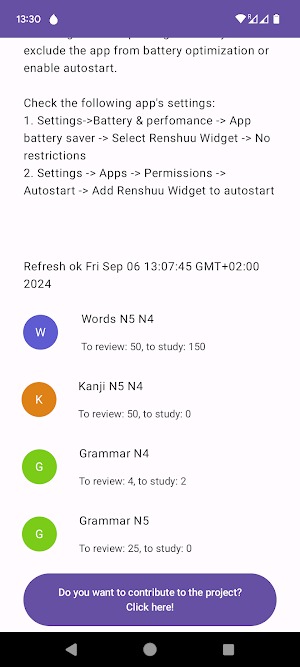
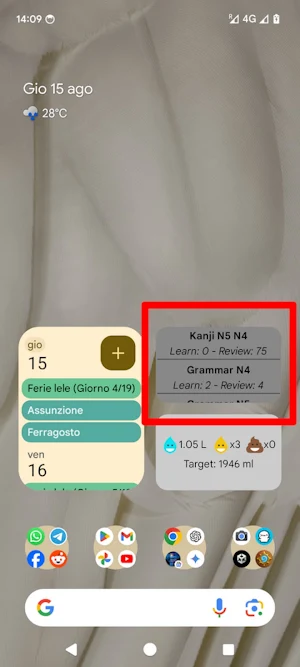
Easily access your Renshuu mastery schedules right from your home screen with the Renshuu Widget for Android! This simple, lightweight widget connects to your Renshuu account and displays your study schedules directly on your device.
Key Features:
- Interactive Widget: View your Renshuu mastery schedules with one glance and open the official Renshuu app by tapping the widget.
- Automatic Updates: The widget refreshes automatically every 15 minutes and whenever you open the companion app.
- Lightweight and Efficient: Designed to be fast, responsive, and efficient, without draining your battery or slowing down your device.
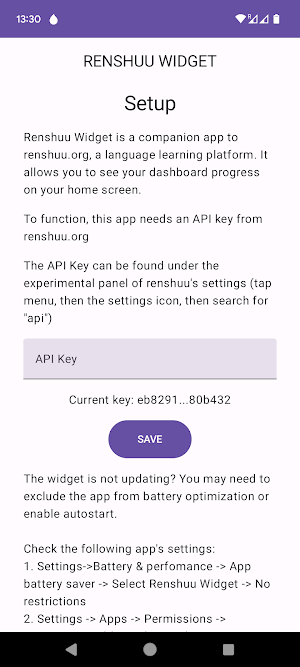
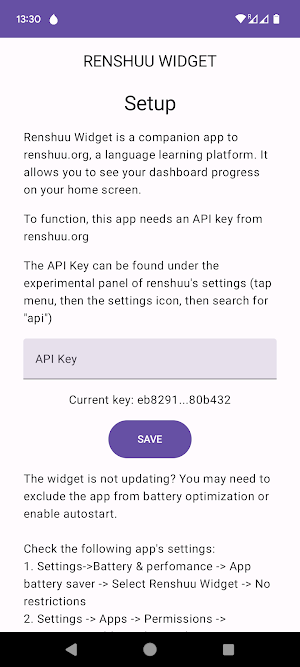
- Easy Setup: Just add the widget to your home screen, enter your Renshuu API key, and you're good to go!
No ads, no analytics, and no unnecessary features – just a streamlined way to stay on top of your studies.
How to Use:
- Add the Renshuu Widget to your home screen by long pressing your home screen and selecting "Widgets".
- Configure the widget by opening the app, entering your Renshuu API key, and saving the settings.
- Enjoy quick access to your Renshuu schedules and stay focused on your study goals!
Key Features:
- Interactive Widget: View your Renshuu mastery schedules with one glance and open the official Renshuu app by tapping the widget.
- Automatic Updates: The widget refreshes automatically every 15 minutes and whenever you open the companion app.
- Lightweight and Efficient: Designed to be fast, responsive, and efficient, without draining your battery or slowing down your device.
- Easy Setup: Just add the widget to your home screen, enter your Renshuu API key, and you're good to go!
No ads, no analytics, and no unnecessary features – just a streamlined way to stay on top of your studies.
How to Use:
- Add the Renshuu Widget to your home screen by long pressing your home screen and selecting "Widgets".
- Configure the widget by opening the app, entering your Renshuu API key, and saving the settings.
- Enjoy quick access to your Renshuu schedules and stay focused on your study goals!
What’s new
Version 0.5.0 · Updated August 9, 2025
Update to android 16
Alternatives to Widget for Renshuu
Looking for apps like Widget for Renshuu? Here are 4 similar Android apps on Google Play. All of them are free to download.




| App | Rating | Price | Installs | Last updated | Compare |
|---|---|---|---|---|---|
| Widget for Renshuu | – | Free | 100+ | Aug 9, 2025 | |
| Diving Under It with Oma Gerio | – | Free | 10+ | Aug 14, 2023 | Compare |
| Water Pee Poop + Love | – | Free | 100+ | Aug 11, 2026 | Compare |
| Mnist Lite | – | Free | 100+ | Sep 26, 2024 | Compare |
| USPAG | – | Free | 50+ | Nov 2, 2024 | Compare |
Compare Widget for Renshuu with the top alternatives: ratings, updates, ASO score and keyword gaps →