

Screen Mirroring - TV Cast App
OneStopPlayApps Tools In-app purchases Contains ads
Screen Mirroring - TV Cast to stream & cast video, photo to smart TV easily
- Rating
- 5.0
- 113 ratings
- Downloads
- 97.3K+
- on Google Play
- Price
- Free
- In-app purchases
- Updated
- Jul 29
- 2026 · v2.0
Screenshots

About Screen Mirroring - TV Cast App
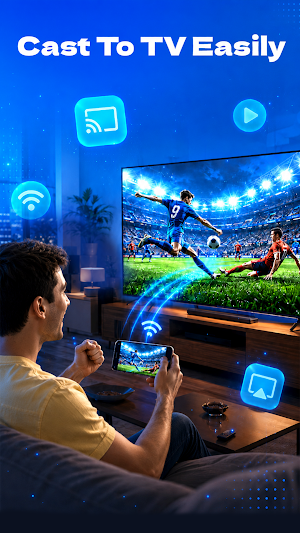
Looking for an easy way to enjoy your favorite content on a bigger screen? Screen Mirroring - TV Cast helps you easily connect your phone to a smart TV and share media with family and friends.
Main Features
Screen Mirroring
Use Screen Mirroring to display your phone screen directly on your TV. Share presentations, browse websites, view social media content, and more on a larger display.
TV Cast
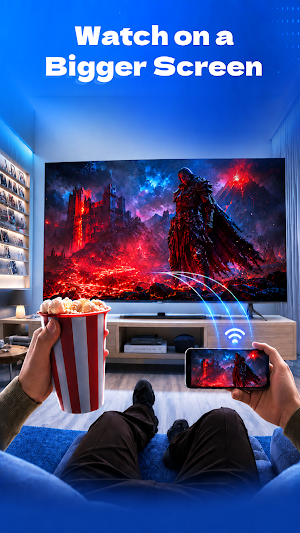
TV Cast allows you to stream media from your phone to your TV with a simple setup. With TV Cast, you can enjoy your favorite entertainment on a larger screen while providing a comfortable viewing experience. TV Cast is suitable for movies, clips, and personal media collections.
Cast Video & Cast Photo
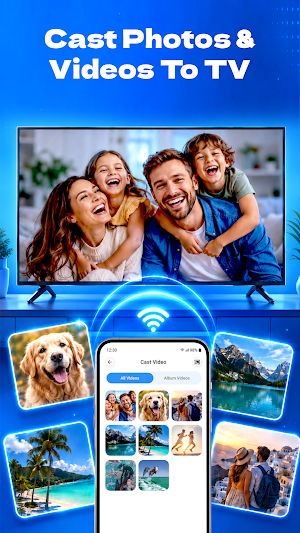
Enjoy seamless Cast Video functionality for watching videos on your TV. The Cast Video feature helps you stream local videos stored on your device with convenient playback controls.
Share your memories with friends and family using the Cast Photo feature. Display photos from your gallery directly on your TV and enjoy slideshows on a larger screen. Suitable for vacations, special events, and everyday moments.
Cast Your Link
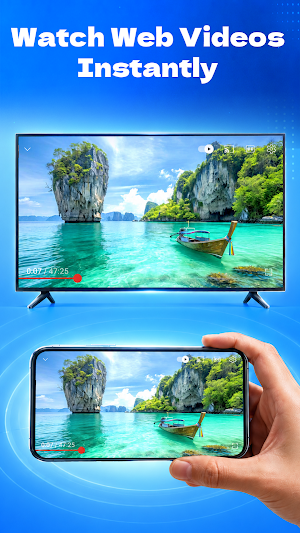
Open and stream online content using the Cast Your Link feature. Paste a supported link and stream compatible content directly on your TV. This feature helps you access web-based media quickly and conveniently.
How to Use
1. Connect your phone and TV to the same Wi-Fi network.
2. Open Screen Mirroring - TV Cast.
3. Select your TV from the available devices.
4. Choose Screen Mirroring, Cast Video, Cast Photo, or Cast Your Link.
5. Enjoy your content on the big screen.
Screen Mirroring - TV Cast helps you enjoy your favorite content on the big screen with ease. From Screen Mirroring and TV Cast to Cast Video and photo sharing, everything is designed to deliver a reliable and enjoyable viewing experience.
Main Features
Screen Mirroring
Use Screen Mirroring to display your phone screen directly on your TV. Share presentations, browse websites, view social media content, and more on a larger display.
TV Cast
TV Cast allows you to stream media from your phone to your TV with a simple setup. With TV Cast, you can enjoy your favorite entertainment on a larger screen while providing a comfortable viewing experience. TV Cast is suitable for movies, clips, and personal media collections.
Cast Video & Cast Photo
Enjoy seamless Cast Video functionality for watching videos on your TV. The Cast Video feature helps you stream local videos stored on your device with convenient playback controls.
Share your memories with friends and family using the Cast Photo feature. Display photos from your gallery directly on your TV and enjoy slideshows on a larger screen. Suitable for vacations, special events, and everyday moments.
Cast Your Link
Open and stream online content using the Cast Your Link feature. Paste a supported link and stream compatible content directly on your TV. This feature helps you access web-based media quickly and conveniently.
How to Use
1. Connect your phone and TV to the same Wi-Fi network.
2. Open Screen Mirroring - TV Cast.
3. Select your TV from the available devices.
4. Choose Screen Mirroring, Cast Video, Cast Photo, or Cast Your Link.
5. Enjoy your content on the big screen.
Screen Mirroring - TV Cast helps you enjoy your favorite content on the big screen with ease. From Screen Mirroring and TV Cast to Cast Video and photo sharing, everything is designed to deliver a reliable and enjoyable viewing experience.
User reviews

good
Alternatives to Screen Mirroring - TV Cast App
Looking for apps like Screen Mirroring - TV Cast App? Here are 6 similar Android apps on Google Play. The highest rated is Screen Recorder Unlimited (4.2/5), and all 6 are free to download.
-
Remote Mouse 4.2
-
Spatial Touch™ - Touchless 3.9
-
Screen Recorder 3.9
-
Screen Recorder Unlimited 4.2
-
Universal Remote for Smart TV 2.6
-
VUZ: Live 360 VR Videos 3.9
| App | Rating | Price | Installs | Last updated | Compare |
|---|---|---|---|---|---|
| Screen Mirroring - TV Cast App | 5.0 / 5 | Free | 50,000+ | Jul 29, 2026 | |
| Remote Mouse | 4.2 / 5 | Free | 10,000,000+ | – | Compare |
| Spatial Touch™ - Touchless | 3.9 / 5 | Free | 10,000,000+ | Sep 23, 2026 | Compare |
| Screen Recorder | 3.9 / 5 | Free | 1,000,000+ | Oct 4, 2026 | Compare |
| Screen Recorder Unlimited | 4.2 / 5 | Free | 1,000,000+ | Aug 5, 2026 | Compare |
| Universal Remote for Smart TV | 2.7 / 5 | Free | 1,000,000+ | Aug 10, 2026 | Compare |
| VUZ: Live 360 VR Videos | 3.9 / 5 | Free | 5,000,000+ | Aug 21, 2026 | Compare |
Similar apps on Google Play
- Remote Mouse
- Spatial Touch™ - Touchless
- Screen Recorder
- Screen Recorder Unlimited
- Universal Remote for Smart TV
- VUZ: Live 360 VR Videos
- WiFi Mouse Pro
- Screen Recorder GU Recorder
- DeskIn Remote Desktop
- iLink
- ScreenStream
- VIDAA Smart TV
- LG ThinQ
- GHome - GHome Smart
- Sight & Sound TV
- Fighting Films+
- Samsung TV Plus - TV & Movies
- Cinmoore
- Elgato Stream Deck Mobile
- Ruuvi Station
- Screen Mirroring: Phone to TV
- Quick Settings app
- Home V
- NSCA TV
- ZUMIMALL
- Homey — A better smart home
- seca myAnalytics
- Google Automotive Keyboard
- Atom - Movie Tickets & Times