
About Overtur™ Mobile
Overtur™ Mobile provides a suite of tools for Overtur users to stay connected to their openings project when on-the-go. When users log into their Overtur project via the Mobile app, they can:
- Survey existing conditions on a project and sync back to Overtur on the web
- Review and edit project details
- Add and remove collaborators
- Email collaborators
- Transfer Ownership of a project
- View project files
- Create Punch Lists
- Document product installation
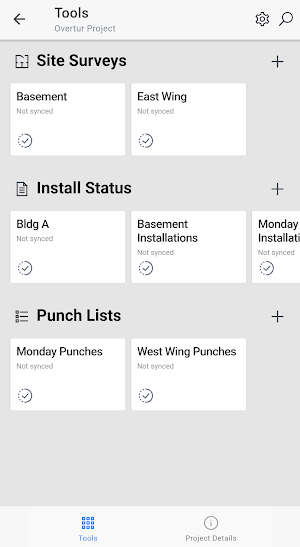
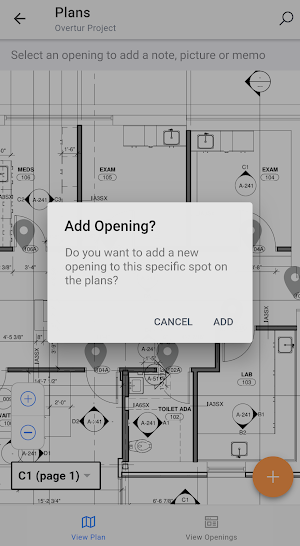
The Site Survey tool enables users to capture data while on a project and sync it to the web. Features include adding/editing door and frame data, and capturing photos, notes and voice memos. The Site Survey tool is one of the must-have tools for capturing existing conditions of a project.
The Punch List tool enables users to walk down a completed installation with a set of plans and the hardware sets and products for the project. Users can accept or flag the door hardware on a door, or the opening itself, then further add notes, take photos, attach pre-snapped photos, or add voice memos.
The Installation tool allows users to mark the hardware items that are installed for an opening, or the opening itself, as they proceed through a project installation. Users can add notes, take photos, attach pre-snapped photos, or add voice memos to document their work at the time of installation.
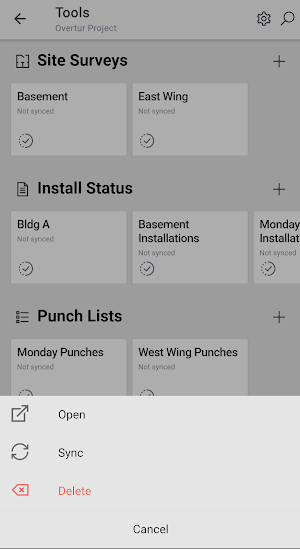
All tools work in an off-line mode; users start by downloading the plans and data they need, working off-line (especially handy in areas with minimal internet connection) then synchronizing the data back to the Overtur cloud once they are back online.
Allegion's Overtur™ is a cloud-based suite of tools where project collaborators and door hardware consultants can come together to collaborate on specifications and the security design of doors and openings.
Similar Apps

Brainlytic - Interactive Probl
Brainlytic offers interesting mathematical and logical problems for youngsters of ages 8...

busybusy GPS Time Clock Mobile
busybusy is a cloud-based time keeping and employee scheduling software created by...

Zoho Analytics - Dashboards
Zoho Analytics - Dashboards is an immersive native mobile app to access...

Fiskl - Invoicing & Accounting
Fiskl brings all your business finances in one app: invoices, payments, estimates,...

Factorial
At Factorial we offer intuitive HR solutions to organizations around the world....

Nozbe: Tasks & Projects
👉🏼 WHY YOU NEED NOZBE IN YOUR COMPANY?Because you can work better,...
Frequently Asked Questions (FAQ)
