
Save Website as PDF
PArt Studio Tools Contains ads
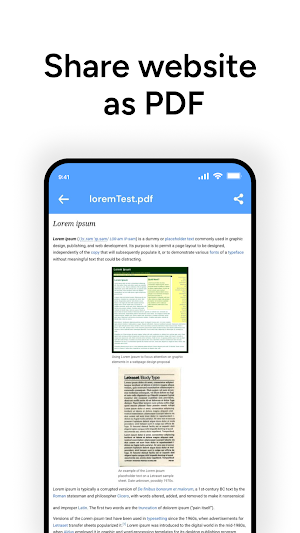
Convert web pages & HTML files to PDF. Save, view & share anytime.
- Rating
- 3.3
- 26 ratings
- Downloads
- 6.8K+
- on Google Play
- Price
- Free
- No in-app purchases
- Updated
- Aug 13
- 2025 · v1.0
Screenshots


About Save Website as PDF
Save Website as PDF – Convert Any Web Page or HTML File into a PDF in Seconds
Easily turn your favorite websites, online articles, or local HTML files into high-quality PDF documents that you can store, share, or read offline. Whether you need to save an important webpage for work, archive research material, or keep an offline copy of a tutorial, Save Website as PDF makes it quick, simple, and reliable.
Why Choose Save Website as PDF?
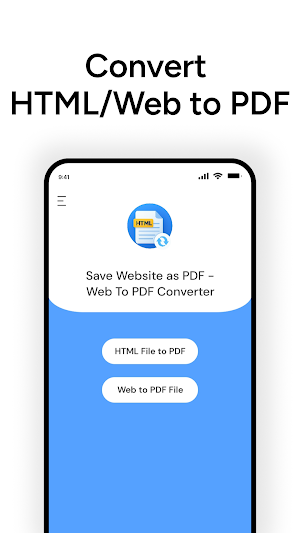
👉 Two Powerful Conversion Modes: Convert HTML files from your device or directly save live web pages.
👉 High-Quality Output: Generates clean, well-formatted PDFs with accurate layout.
👉 Simple & Fast: Designed for both beginners and professionals with a clean, easy interface.
Main Features
HTML File to PDF Converter
- Choose any HTML file stored on your device.
- Tap the HTML to PDF option in the app.
- Select your file from the list.
- Enter a filename in the dialogue box.
- Save your file instantly as a PDF.
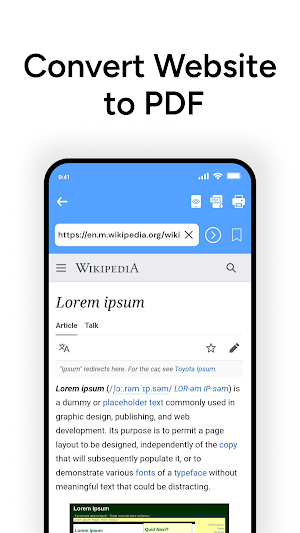
Web Page to PDF Converter
- Perfect for saving search results, blogs, tutorials, or any live web page.
- Tap Web to PDF option.
- Enter your desired search or URL.
- When the page loads, tap the save icon.
- Name your file and store it for offline use.
Popular Uses
- Research & Study: Save articles, case studies, or academic papers for offline reading.
- Travel & Guides: Download maps, itineraries, and travel blogs as PDFs for use without data.
- Business & Work: Archive invoices, project documentation, or web-based reports.
- Personal Use: Keep recipes, how-to guides, or interesting reads in your personal PDF library.
Key Benefits
✅ Offline Access – Keep your documents with you wherever you go.
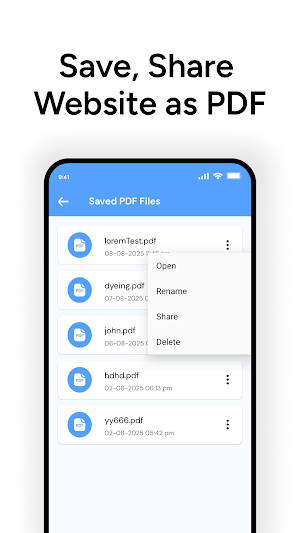
✅ Easy Sharing – Send PDFs via email, chat, or cloud storage.
✅ Accurate Conversion – Retains original web layout, images, and formatting.
✅ Lightweight App – Minimal storage usage, fast processing.
✅ Secure – No unnecessary permissions, your data stays private.
How It Works – Quick Guide
For HTML Files:
👉 Open the app → Select HTML to PDF → Choose file → Save as PDF.
For Websites:
👉 Open the app → Select Web to PDF → Enter URL → Save as PDF.
Who is it For?
1) Students who want to save online notes and references.
2) Professionals needing to store important web-based reports.
3) Travelers preparing offline guides and itineraries.
4) General Users who want to keep any webpage forever.
Why This App Stands Out
Unlike other converters, Save Website as PDF focuses on speed, reliability, and clean results. Just open, convert, and save — it’s that easy.
📥 Download Now and start saving your favorite web pages and HTML files as high-quality PDFs today!
Easily turn your favorite websites, online articles, or local HTML files into high-quality PDF documents that you can store, share, or read offline. Whether you need to save an important webpage for work, archive research material, or keep an offline copy of a tutorial, Save Website as PDF makes it quick, simple, and reliable.
Why Choose Save Website as PDF?
👉 Two Powerful Conversion Modes: Convert HTML files from your device or directly save live web pages.
👉 High-Quality Output: Generates clean, well-formatted PDFs with accurate layout.
👉 Simple & Fast: Designed for both beginners and professionals with a clean, easy interface.
Main Features
HTML File to PDF Converter
- Choose any HTML file stored on your device.
- Tap the HTML to PDF option in the app.
- Select your file from the list.
- Enter a filename in the dialogue box.
- Save your file instantly as a PDF.
Web Page to PDF Converter
- Perfect for saving search results, blogs, tutorials, or any live web page.
- Tap Web to PDF option.
- Enter your desired search or URL.
- When the page loads, tap the save icon.
- Name your file and store it for offline use.
Popular Uses
- Research & Study: Save articles, case studies, or academic papers for offline reading.
- Travel & Guides: Download maps, itineraries, and travel blogs as PDFs for use without data.
- Business & Work: Archive invoices, project documentation, or web-based reports.
- Personal Use: Keep recipes, how-to guides, or interesting reads in your personal PDF library.
Key Benefits
✅ Offline Access – Keep your documents with you wherever you go.
✅ Easy Sharing – Send PDFs via email, chat, or cloud storage.
✅ Accurate Conversion – Retains original web layout, images, and formatting.
✅ Lightweight App – Minimal storage usage, fast processing.
✅ Secure – No unnecessary permissions, your data stays private.
How It Works – Quick Guide
For HTML Files:
👉 Open the app → Select HTML to PDF → Choose file → Save as PDF.
For Websites:
👉 Open the app → Select Web to PDF → Enter URL → Save as PDF.
Who is it For?
1) Students who want to save online notes and references.
2) Professionals needing to store important web-based reports.
3) Travelers preparing offline guides and itineraries.
4) General Users who want to keep any webpage forever.
Why This App Stands Out
Unlike other converters, Save Website as PDF focuses on speed, reliability, and clean results. Just open, convert, and save — it’s that easy.
📥 Download Now and start saving your favorite web pages and HTML files as high-quality PDFs today!
User reviews

good

very best app

Great and very handy tool. Extremely highly recommended. A must-have!!!
Alternatives to Save Website as PDF
Looking for apps like Save Website as PDF? Here are 6 similar Android apps on Google Play. The highest rated is Unified Care+ (4.8/5), and all 6 are free to download.
-
My San Jac 4.6
-
Oakland University MySail
-
Breakroom Chat & Scheduling 4.7
-
Unified Care+ 4.8
-
Sunsational Swim Instructor
-
MindRazr
| App | Rating | Price | Installs | Last updated | Compare |
|---|---|---|---|---|---|
| Save Website as PDF | 3.3 / 5 | Free | 5,000+ | Aug 13, 2025 | |
| My San Jac | 4.6 / 5 | Free | 5,000+ | Jun 29, 2026 | Compare |
| Oakland University MySail | – | Free | 1,000+ | Jun 29, 2026 | Compare |
| Breakroom Chat & Scheduling | 4.7 / 5 | Free | 100,000+ | Oct 30, 2026 | Compare |
| Unified Care+ | 4.8 / 5 | Free | 5,000+ | – | Compare |
| Sunsational Swim Instructor | – | Free | 1,000+ | Jul 25, 2026 | Compare |
| MindRazr | – | Free | 1,000+ | Sep 22, 2026 | Compare |