About XML Editor
XML Editor is the fast, lightweight way to open, edit, and format XML files right on your Android device.
Whether you're a developer tweaking config files, a student learning markup, or just need to fix an XML document on the go, XML Editor gives you a clean, distraction-free workspace with the tools that actually matter.
KEY FEATURES
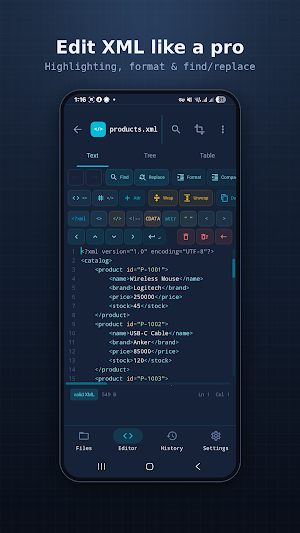
- Syntax highlighting — color-coded tags, attributes, and values keep your XML easy to read.
- Auto-format / beautify — turn messy XML into clean, properly indented structure with one tap.
- Validation — catch syntax errors and mismatched tags before they cause problems.
- Lightweight & fast — opens large files quickly without draining your battery.
- Works offline — no connection required; your files stay on your device.
- Search & replace — find and edit text across your document in seconds.
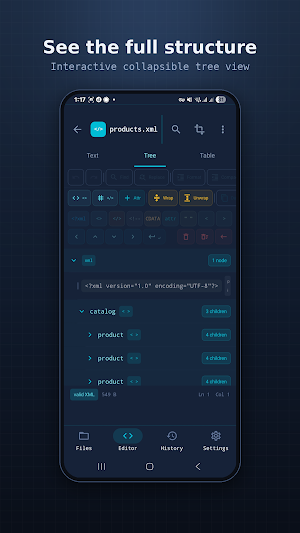
- Line numbers & code folding — navigate big files with ease.
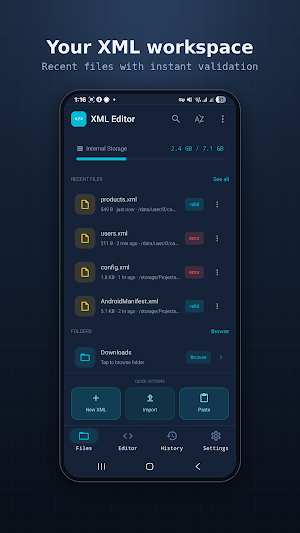
- Open from anywhere — local storage, downloads, or shared straight from other apps.
- Dark theme — easy on the eyes during long editing sessions.
WHY XML EDITOR?
No clutter, no steep learning curve — just a focused editor built to handle XML the right way, from small snippets to large documents.
Perfect for:
- Android & web developers
- Students and educators
- IT and QA professionals
- Anyone who needs to view or edit XML on mobile
Download XML Editor today and take control of your XML files anywhere.
Similar Apps

Stair Calculator
Stair calculator: risers, treads, stringer length & angle. Offline, metric.

Rebar Calculator
Estimate rebar count, length and weight for a slab grid. Fast and offline.

Gross Profit Calculator
Calculate gross profit, revenue, or costs using fundamental business formulas.

Roofing Calculator
Estimate roof area, squares & shingle bundles by pitch. Offline, feet or meters

PEG Ratio Calculator
PEG Ratio Calculator compares P/E ratio to earnings growth rate

Hex to Decimal Converter
Convert numbers between hexadecimal and decimal systems easily
