Tiles UI Launcher
Retro Tiles Launcher: Custom home, app drawer, widgets & rich tile options
About Tiles UI Launcher
Upgrade your Android home screen with Retro Tiles Launcher – the ultimate customizable launcher inspired by classic Tiles UI. Enjoy a fast, modern, and unique home experience with powerful personalization options.
Key Features:
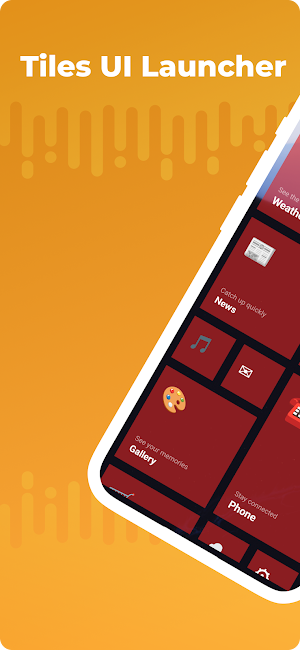
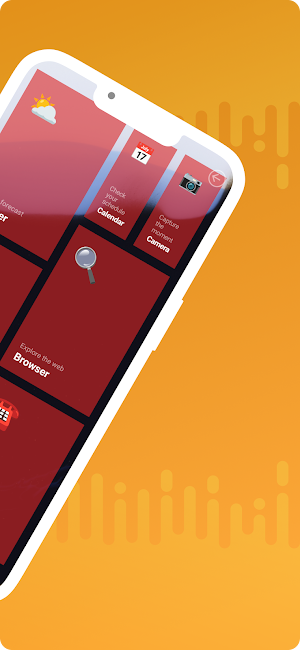
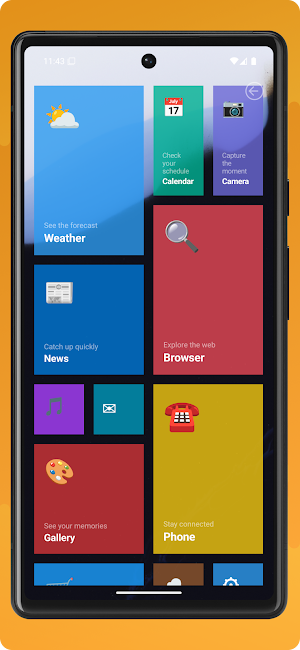
• Replace your default home screen with a retro Tiles UI launcher
• Change wallpapers for a fresh look
• Customize tiles: square, pillow, or rounded corners
• Choose tile backgrounds: multicolor or single color, with a wide color selection
• Adjust tile columns: 3 to 6 for your perfect grid layout
• Change tile text size, color (light/dark), and background opacity (0%–100%)
• Personalize tile icons and backgrounds for a unique style
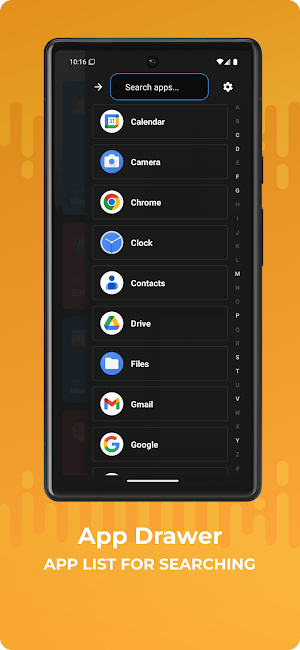
• App drawer with fast search and easy app management
• Add apps to home screen by long-pressing in the app drawer
• Add and resize widgets for a dynamic home screen
• Resize tiles independently for creative layouts
• Uninstall apps directly from the launcher
• Advanced settings for full control and customization
Why Choose Retro Tiles Launcher?
• Fast, lightweight, and easy to use
• Highly customizable for your style
• Modern design with retro inspiration
• One-handed friendly and intuitive controls
• No ads, no tracking – privacy focused
More features coming soon based on your feedback!
Download now and transform your Android home screen.
Rate and review to help us improve and add new features!
Tiles UI Launcher details
Tiles UI Launcher is a free Personalization app for Android with 1,000+ installs on Google Play and a 5.0/5 average rating from 1 rating. It was released on October 1, 2025 and last updated on June 1, 2026. It requires Android 10 or later.
- Category
- Personalization
- Rating
- 5.0 / 5 (1 rating)
- Installs
- 1,000+
- Price
- Free
- In-app purchases
- No
- Ads
- No ads
- Current version
- 2.0
- Requires Android
- 10
- Content rating
- Everyone
- Released
- October 1, 2025
- Last updated
- June 1, 2026
What’s new in Tiles UI Launcher
- Redesigned bottom bar: Apps, Search, Settings, and clock with Metro-style notification center - Swipe notifications to dismiss (with notification access enabled) - Full Settings screen: language picker (14+ languages), wallpaper, widgets, tile appearance - Rich Medium/Large tiles: badges, previews, and app shortcuts - Widget sizing and display fixes
Version 2.0 · Updated June 1, 2026
Similar Apps

Lena Icon Pack Shapeless Icons
Minimalist glyph icons to transform your home screen with shapeless style

Vera Icon Pack: shapeless icon
Custom glyph / shapeless vibrant colors icon pack for all personalization lovers

Typewise Offline Keyboard
100% privacy & security. Private keyboard. Secure typing.

ADW Launcher 2
ADW Launcher 2, beyond tweaking your android desktop

PurpleLine Icon Pack : LineX
PurpleLine is a Purple and White Version of a LineX IconPack. Lineal Style Icons

Game Booster GFX - No Lag
Enjoy a smoother gameplay experience with Game Booster Low Lag and AI Analysis
