
Micolored: Voice to Text
%5Bvolume%5DT%5Bup%5D Tools
Simple app for converting speech to text: dictation, notes.
- Downloads
- 36+
- on Google Play
- Price
- Free
- No in-app purchases
- Updated
- Jan 19
- 2026 · v2.8.6 tr+
Screenshots
About Micolored: Voice to Text
App for offline speech-to-text recognition.
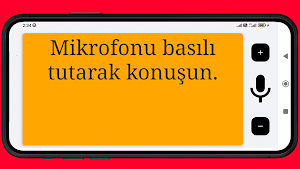
By holding the microphone button, you speak and the text appears on the screen in large font.
Double-tap to copy the text.
Font size can be adjusted.
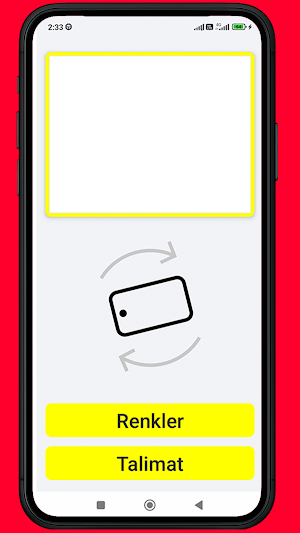
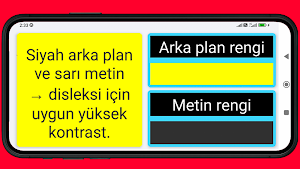
Background and text color can be customized.
The app requires access to the microphone to function.
The app uses the offline VOSK library for the Turkish language.
By following the instructions in the app, you can replace the VOSK library and choose another language from the available list:
https://alphacephei.com/vosk/models
By holding the microphone button, you speak and the text appears on the screen in large font.
Double-tap to copy the text.
Font size can be adjusted.
Background and text color can be customized.
The app requires access to the microphone to function.
The app uses the offline VOSK library for the Turkish language.
By following the instructions in the app, you can replace the VOSK library and choose another language from the available list:
https://alphacephei.com/vosk/models
What’s new
Version 2.8.6 tr+ · Updated January 19, 2026
Added a link to the video guide on changing the language model.
Alternatives to Micolored: Voice to Text
Looking for apps like Micolored: Voice to Text? Here are 3 similar Android apps on Google Play. The highest rated is Growlink (3.6/5), and all 3 are free to download.



| App | Rating | Price | Installs | Last updated | Compare |
|---|---|---|---|---|---|
| Micolored: Voice to Text | – | Free | 10+ | Jan 19, 2026 | |
| Don't Spiral: Overthinking | – | Free | 1,000+ | Jul 13, 2026 | Compare |
| Growlink | 3.6 / 5 | Free | 5,000+ | Mar 30, 2026 | Compare |
| hum kids by Colgate | 3.2 / 5 | Free | 100,000+ | Aug 27, 2026 | Compare |