
SpriteCode: Game Sprite Maker
Art & Design
Create pixel art, sprites and animations offline with layers and PNG export.
- Downloads
- 1+
- on Google Play
- Price
- $3.49
- No in-app purchases
- Updated
- Sep 3
- 2026 · v1.0.1
Screenshots


About SpriteCode: Game Sprite Maker
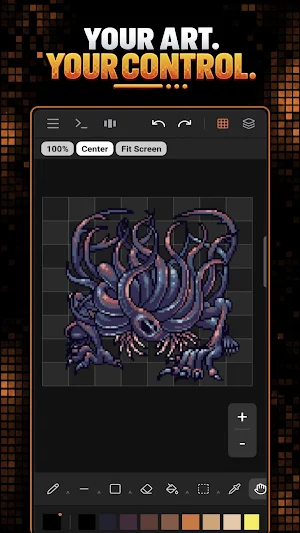
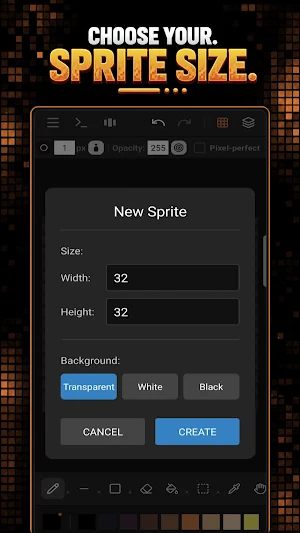
SpriteCode is a focused pixel art editor for creating sprites, icons, tiles, game assets and frame-by-frame animations on Android.
Designed for an offline workflow, SpriteCode lets you draw, edit, animate and export your artwork directly on your device. No account, no ads and no internet connection required.
Key features:
• Pixel art canvas with zoom and pan controls
• Pencil, eraser, fill, line, rectangle, circle, spray and picker tools
• Layer support with visibility, lock and opacity controls
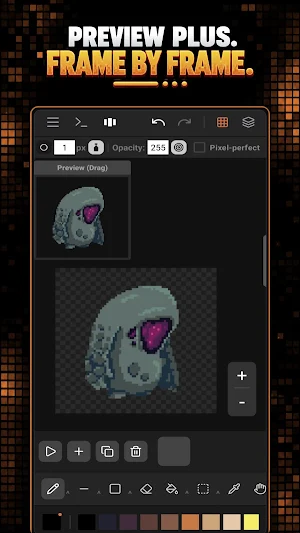
• Frame-by-frame animation workflow
• Onion skin preview for smoother animation
• Selection and move tools for editing artwork
• Import images and convert them to a pixel grid
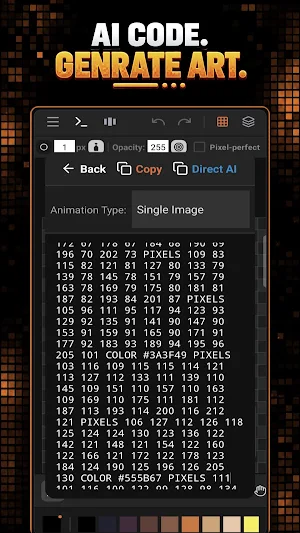
• Script commands for generating sprites and animation frames
• Export PNG images and sprite sheets
• Save projects locally on your device
• Works offline
SpriteCode is useful for:
• Game developers creating 2D sprites
• Pixel artists designing icons and characters
• Hobbyists making retro-style artwork
• Students and creators learning sprite animation
• Anyone who wants a simple offline pixel art tool
Privacy-first design:
SpriteCode does not require an account, does not show ads and does not collect or share personal data. Your projects, artwork and exported images remain on your device unless you choose to share them yourself.
Designed for an offline workflow, SpriteCode lets you draw, edit, animate and export your artwork directly on your device. No account, no ads and no internet connection required.
Key features:
• Pixel art canvas with zoom and pan controls
• Pencil, eraser, fill, line, rectangle, circle, spray and picker tools
• Layer support with visibility, lock and opacity controls
• Frame-by-frame animation workflow
• Onion skin preview for smoother animation
• Selection and move tools for editing artwork
• Import images and convert them to a pixel grid
• Script commands for generating sprites and animation frames
• Export PNG images and sprite sheets
• Save projects locally on your device
• Works offline
SpriteCode is useful for:
• Game developers creating 2D sprites
• Pixel artists designing icons and characters
• Hobbyists making retro-style artwork
• Students and creators learning sprite animation
• Anyone who wants a simple offline pixel art tool
Privacy-first design:
SpriteCode does not require an account, does not show ads and does not collect or share personal data. Your projects, artwork and exported images remain on your device unless you choose to share them yourself.
What’s new
Version 1.0.1 · Updated September 3, 2026
🎉 SpriteCode is here! ✨ Create pixel art and sprites 🎞️ Make frame-by-frame animations 🧩 Use layers, opacity and lock controls 🖼️ Export PNG images and sprite sheets 📂 Save projects locally 🔒 Offline, no ads and no tracking
Alternatives to SpriteCode: Game Sprite Maker
Looking for apps like SpriteCode: Game Sprite Maker? Here are 3 similar Android apps on Google Play. The highest rated is Tixoo - Long division (4.7/5), and all 3 are free to download.