
Bluetooth Pair
Joytoks Tools Contains ads
The app helps to scan and connect to Bluetooth devices.
- Downloads
- 500+
- on Google Play
- Price
- Free
- No in-app purchases
- Updated
- Sep 20
- 2023 · v1.0
Screenshots


About Bluetooth Pair
Bluetooth Pair apps help you connect your device to available Bluetooth as per your choice. The app works like a Bluetooth scanner for Android user to find Bluetooth speakers, Bluetooth gadgets and Bluetooth wireless technology.
This Bluetooth Pair application automatically reconnects with the Bluetooth devices that have lost the connection. If the connected devices are far from your smartphone.
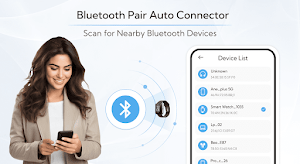
It is a wonderful Bluetooth pairing app to scans and find all nearby Bluetooth devices and connect them to a pair.
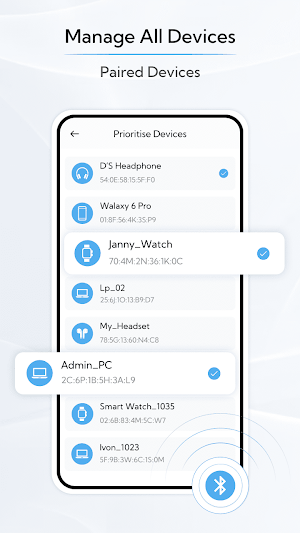
Auto Connect: In auto connect you get the list of the available Bluetooth devices nearby you. In this, you just click on start scanning you get the list of available bluetooth devices. After that, you can easily connect with a bluetooth device. Also, you can choose to add some devices in the prioritize devices.
Scan: Bluetooth scanner helps to find earbuds, wireless headphones, speakers, fit bands, etc. It finds any kind of device. It shows details information like Device name, Device Address, device type, and Device bondstate of the scanned bluetooth device.
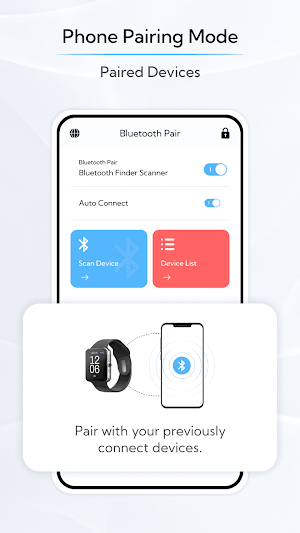
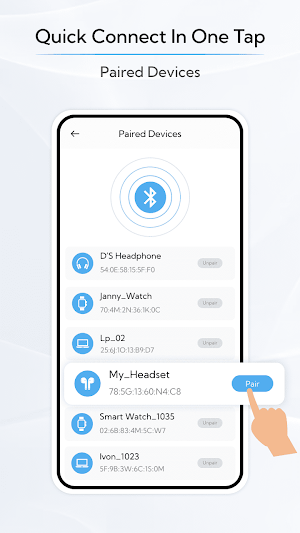
In Paired Devices, you get the list of all paired devices. In this, you can unpair any connected device with just one touch.
Features:
Easily pair with Bluetooth.
Auto connects the Bluetooth devices.
Enable and disable the Bluetooth.
Scan all Bluetooth devices including connected, paired, and unknown devices.
Get connected with an available Bluetooth device.
Display the list of paired devices.
Pair easily with available devices.
Display details about device Bluetooth.
Easily unpaired with the connected device.
This Bluetooth Pair application automatically reconnects with the Bluetooth devices that have lost the connection. If the connected devices are far from your smartphone.
It is a wonderful Bluetooth pairing app to scans and find all nearby Bluetooth devices and connect them to a pair.
Auto Connect: In auto connect you get the list of the available Bluetooth devices nearby you. In this, you just click on start scanning you get the list of available bluetooth devices. After that, you can easily connect with a bluetooth device. Also, you can choose to add some devices in the prioritize devices.
Scan: Bluetooth scanner helps to find earbuds, wireless headphones, speakers, fit bands, etc. It finds any kind of device. It shows details information like Device name, Device Address, device type, and Device bondstate of the scanned bluetooth device.
In Paired Devices, you get the list of all paired devices. In this, you can unpair any connected device with just one touch.
Features:
Easily pair with Bluetooth.
Auto connects the Bluetooth devices.
Enable and disable the Bluetooth.
Scan all Bluetooth devices including connected, paired, and unknown devices.
Get connected with an available Bluetooth device.
Display the list of paired devices.
Pair easily with available devices.
Display details about device Bluetooth.
Easily unpaired with the connected device.
Alternatives to Bluetooth Pair
Looking for apps like Bluetooth Pair? Here are 6 similar Android apps on Google Play. All of them are free to download.
-
AI Art Studio: AI Art Video
-
Flower Language Keyboard & DIY
-
AI Voice: Funny Voice Changer
-
Identify Money: Bank Note
-
Camera Filter Zoom Blur Photo
-
Timestamp : GPS Photo Location
| App | Rating | Price | Installs | Last updated | Compare |
|---|---|---|---|---|---|
| Bluetooth Pair | – | Free | 500+ | Sep 20, 2023 | |
| AI Art Studio: AI Art Video | – | Free | 500+ | Apr 5, 2025 | Compare |
| Flower Language Keyboard & DIY | – | Free | 100+ | Apr 3, 2025 | Compare |
| AI Voice: Funny Voice Changer | – | Free | 500+ | Mar 5, 2025 | Compare |
| Identify Money: Bank Note | – | Free | – | – | Compare |
| Camera Filter Zoom Blur Photo | – | Free | 10+ | Apr 11, 2025 | Compare |
| Timestamp : GPS Photo Location | – | Free | 100+ | Mar 6, 2025 | Compare |
Compare Bluetooth Pair with the top alternatives: ratings, updates, ASO score and keyword gaps →