About Roku Tv Remote Control
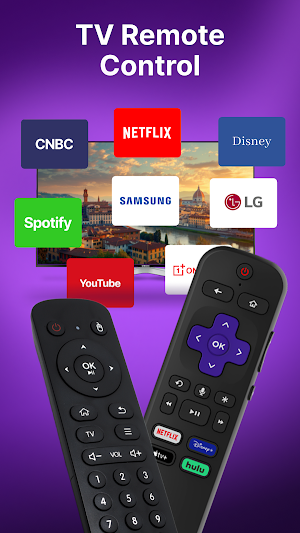
Roku Remote control is a mobile TV remote control app made for Roku TVs & streaming devices. This TV remote application lets you use your phone as a remote control to turn the TV on or off, adjust volume, browse and stream content, and open channels. It gives the same features as a physical TV remote.
The universal Roku TV Remote App works with many Roku devices, including Roku Express, Roku Express+, Roku Streaming Stick, Roku Streaming Stick+, Roku Premiere, Roku Premiere+, and Roku Ultra.
It is also compatible with Roku TVs from popular brands such as TCL, Hisense, Philips, Sharp, Insignia, Hitachi, Element, RCA, and Onn.
All-in-One Remote Control for TV
Get the complete universal tv remote control experience:
▸ Volume Up / Down
▸ Channel navigation
▸ Power On / Off
▸ Mute / Unmute
▸ Menu access
▸ Playback controls (Play / Pause / Stop)
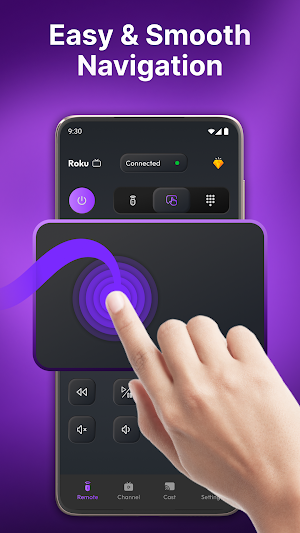
▸ Touchpad navigation
A Handy TV Remote for Daily Use:
Enjoy smooth navigation, fast response, and all the buttons you need. Roku TV remote control app works as a reliable TV remote replacement that runs smoothly for everyday use.
Quick Connection:
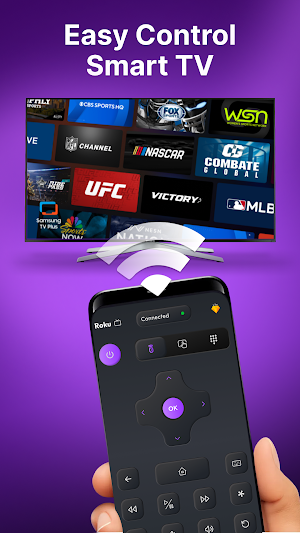
When your phone and TV are on the same Wi-Fi network, the app finds your Roku TV automatically and connects in seconds. No codes and no setup needed — just open the app and start using it.
Easy Touch Navigation:
Use simple swipe gestures to browse channels and apps. Scrolling, selecting, and switching apps is faster and easier than using a regular TV remote.
Cast Photos, Videos, and Music:
Share videos, photos, and music from your phone to your TV with just a few taps. Enjoy your content on a bigger screen at home.
Fast Typing with Smart Keyboard:
Typing with a normal Tv remote control is slow. This Roku TV remote control app gives you a full keyboard on your phone to search movies, enter passwords, and type names easily.
Quick Access to Favorite Channels:
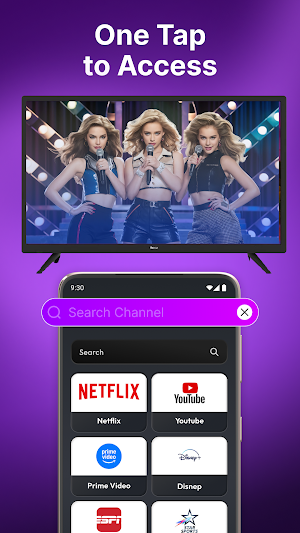
Open Netflix, YouTube, Hulu, Disney+, Max, Prime Video, and other apps with one tap. Create shortcuts so your favorite channels are always easy to find.
How to Get Started:
Step 1: Connect your phone and TV to the same Wi-Fi network
Step 2: Open the app and choose your TV
Step 3: Tap to connect and start controlling your TV
Disclaimer:
This app is independently developed and is not affiliated with Roku, Inc. All trademarks and brand names belong to their respective owners.
Roku Tv Remote Control details
Roku Tv Remote Control is a free Tools app for Android with 10,000+ installs on Google Play and a 5.0/5 average rating from 1 rating. It was released on April 1, 2026 and last updated on April 1, 2026. It's developed by Big Ocean Studio. It requires Android 7.0 or later. The app contains ads and offers in-app purchases.
- Category
- Tools
- Rating
- 5.0 / 5 (1 rating)
- Installs
- 10,000+
- Price
- Free
- In-app purchases
- Yes
- Ads
- Contains ads
- Current version
- 1.0.11
- Requires Android
- 7.0
- Content rating
- Everyone
- Released
- April 1, 2026
- Last updated
- April 1, 2026
- Developer
- Big Ocean Studio
Similar Apps
Fonts Art:Keyboard Fonts Style
Custom Keyboard Fonts with Stylish Text & Emojis. Change Keyboards with 1 tap
All Video Downloader - VD
HD Video Downloader & Story Saver app to download 4k videos from social platform
All Languages Translator App
Translate Photo, Text, Translate Voice, PDF & Chat Translation in 100+ Languages
Recover Deleted Messages App
Deleted message recovery - Recover deleted messages & save statuses with ease
Digital Compass for Android
Simple & easy to use a compass app give true North South East West directions.
AI Face swap: Face Editor App
AI Faceswap App! Create fun, realistic photo edits easily.
