
DeviceTools
Rockwell Automation Business
Configure, operate and maintain Allen-Bradley devices from your mobile phone
- Rating
- 4.7
- 19 ratings
- Downloads
- 2.8K+
- on Google Play
- Price
- Free
- No in-app purchases
- Updated
- Mar 16
- 2026 · v2.01.00
Screenshots
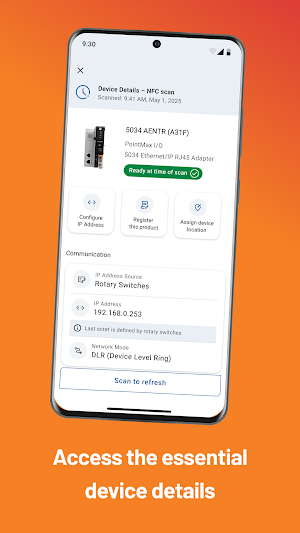

About DeviceTools
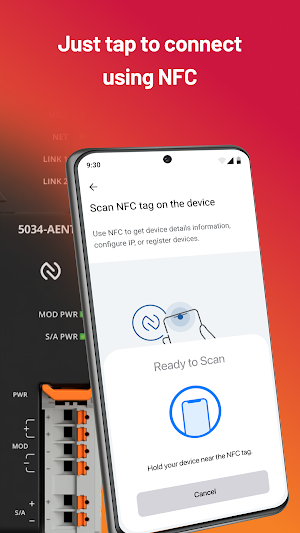
DeviceTools™ mobile app helps minimize manual configuration of your Allen-Bradley PointMax™ I/O modules via NFC tap, helping you accelerate startup and reduce downtime.
With a mobile-first experience, DeviceTools™ becomes your go-to troubleshooting companion built to simplify the everyday, on-the-go tasks. Get reliable, clear, actionable insights to help resolve issues quickly and keep your operations running smoothly.
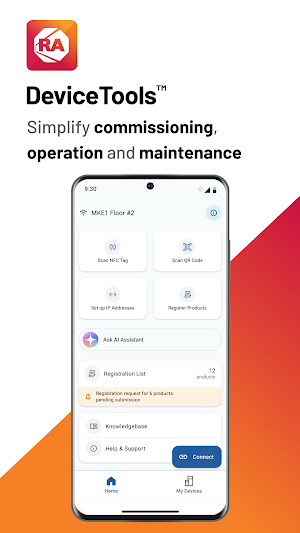
Your device status at-a-glance: Scan with NFC to open the details screen—product information, installed modules and network configuration in one place.
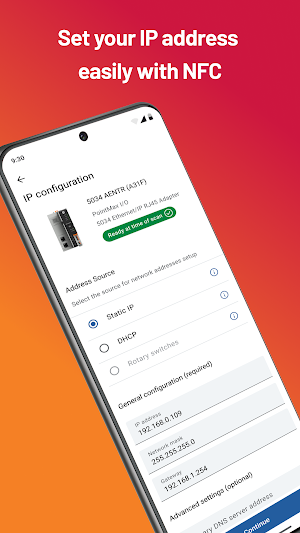
One-tap IP auto-increment: Reduce the time-consuming task of setting multiple IP addresses. Simply tap to connect and set device IP addresses using Near Field Communication (NFC). Deploy any number of modules fast and consistently—all while the product is still in the box.
One-tap to extend your warranty: Easily verify and register your Allen-Bradley® products—right in the app. Enjoy peace of mind with fast product authentication and unlock extended warranty on eligible items when you register.
AI-Assisted Chat: Get answers to your questions faster with an in-app tool trained on Allen-Bradley® devices.
Products Supported:
Allen-Bradley PointMax™ I/O Modules by Rockwell Automation
What’s new
Version 2.01.00 · Updated March 16, 2026
• Dark Mode: Automatically follows your device’s system setting. • AI Assistant: Added support for the 5034 PointMax family. Chat Sharing is now available to simplify collaboration. Fixes & Improvements: • Resolved multiple anomalies and disabled documentation to improve overall stability. • Updated UI behavior and improved NFC interactions.
Alternatives to DeviceTools
Looking for apps like DeviceTools? Here are 4 similar Android apps on Google Play. The highest rated is Plex Mobile (2.9/5), and all 4 are free to download.



| App | Rating | Price | Installs | Last updated | Compare |
|---|---|---|---|---|---|
| DeviceTools | 4.7 / 5 | Free | 1,000+ | Mar 16, 2026 | |
| Events ROK | 2.1 / 5 | Free | 10,000+ | Sep 28, 2026 | Compare |
| Plex Mobile | 2.9 / 5 | Free | 10,000+ | Sep 11, 2026 | Compare |
| Plex Mobile Testing Sandbox | – | Free | 50+ | – | Compare |
| SmartPlex | 2.9 / 5 | Free | 10,000+ | Jan 5, 2016 | Compare |
Compare DeviceTools with the top alternatives: ratings, updates, ASO score and keyword gaps →