Video AI Player
Modern video player for all formats with Skip Silence, Dialogue Boost & more


About Video AI Player
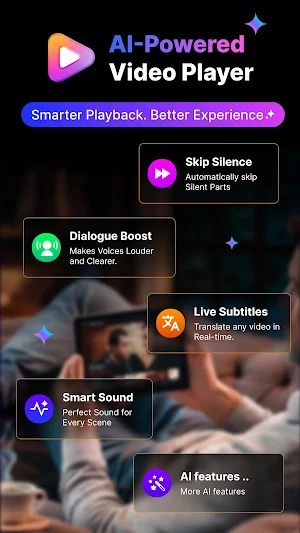
Video AI Player is a complete, modern video player with smart playback tools like Skip Silence, Dialogue Boost, and Smart Sound. Play your downloaded videos, organize your library, add subtitles, stream from URLs, and enjoy a clean player interface — all without an account or sign-up.
PLAY EVERY VIDEO FORMAT
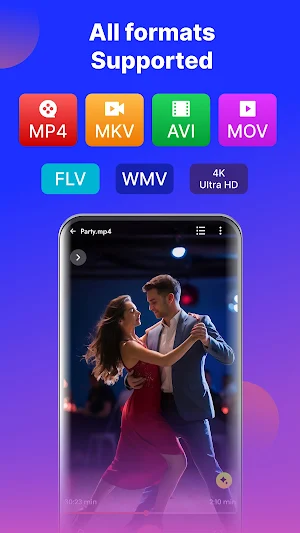
Open MP4, MKV, AVI, MOV, WebM, M4V, 3GP, TS and more without any conversion. Hardware decoder is used by default for smooth playback. If a video isn't supported, switch to the software decoder in Settings with a single tap.
SMART PLAYBACK TOOLS (AI FEATURES)
A set of intelligent features that go beyond a basic player:
- Skip Silence — automatically skips silent gaps in videos. Useful for lectures, tutorials, and long-form content.
- Dialogue Boost — makes quiet voices louder and clearer, so you can lower the overall volume at night.
- Smart Sound — audio profiles tuned for Movie, Voice, Music, or Bass.
- Translate Subtitles — switch subtitle language on the fly.
- Background Play — keep audio playing with the screen off.
- Advanced AI tools — find duplicates and auto-build playlists from your library.
YOUR LIBRARY, BEAUTIFULLY ORGANIZED
- All your videos in one clean, scrollable library
- Quick tabs: All, Recent, Favourites, Folders
- Search and sort by name, date, or size
- Grid and List view modes
- Long-press for quick actions — Play, Share, Favourite, Add to Playlist
A PLAYER BUILT FOR REAL USE
- Resume exactly where you left off
- Swipe gestures for brightness, volume, and seek
- Double-tap to skip 10 seconds forward or back
- Playback speed control
- Pick from multiple audio tracks in multi-language videos
- Add external subtitle files — SRT, VTT, SSA, ASS, TTML
- Sleep timer to auto-stop playback
- Auto-play next, repeat, screen rotation
- First-launch coach marks help you learn the gestures
STREAM FROM URLS
Paste any direct video link — HLS (.m3u8), DASH (.mpd), MP4, MKV, RTSP — and play it instantly. Recent streams are saved for quick access.
Note: Links from YouTube, Instagram, and TikTok cannot be played directly. These platforms restrict third-party video access through their terms of service.
CLEAN, MODERN DESIGN
- Light, Dark, and System themes
- Edge-to-edge display
- Distraction-free player UI
- Smooth animations
- Designed for comfortable one-handed use
PRIVACY AND CONTROL
- No account or sign-up required
- Watch history stays on your device
- Clear watch history or delete all app data anytime from Settings
- Every permission is explained before it is requested
COMPATIBILITY
- Works on Android 8.0 (Oreo) and newer
- Adaptive layouts for phones and tablets
Whether you're watching downloaded movies, replaying class recordings, reviewing family videos, or streaming an HLS feed — Video AI Player handles it cleanly with a touch of intelligence.
Similar Apps

GPS Route Finder & Navigation
Live GPS navigation, route finder, nearby places, compass & traffic alerts

Pic Gallery: Photo Manager
Photo gallery with editor, video player, and easy photo sorting.

ParkEase – Find My Car
Never lose your parked car—save spots, set reminders & navigate back easily.

GPS Camera: Photo Stamp
Add GPS location, date, time & map stamp on photos & videos easily.

Calcumate - Multi Calculator
Solve your daily calculation needs with this multi functional Calculator

Music Player Offline
Play all your songs offline — MP3, FLAC, WAV & more 🎧 No internet needed.