
ScanHarbor: Private Scanner
Richfield Labs Tools In-app purchases
Private document scanner. Encrypted storage. No account, no cloud.
- Downloads
- 16+
- on Google Play
- Price
- Free
- In-app purchases
- Updated
- May 26
- 2026 · v1.4
Screenshots
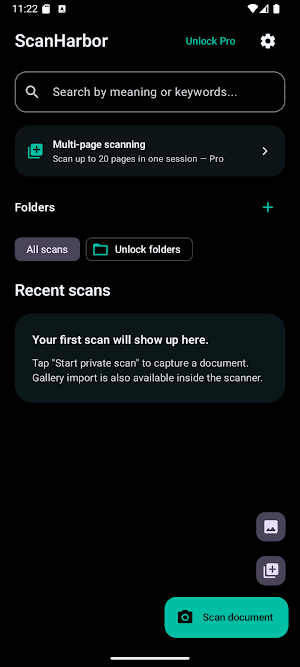
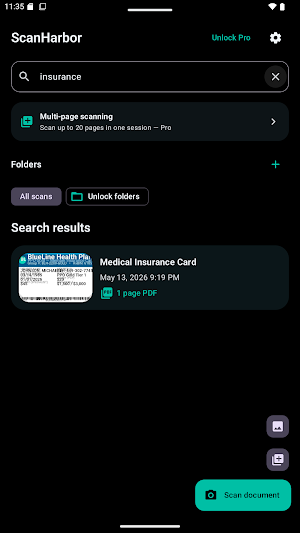
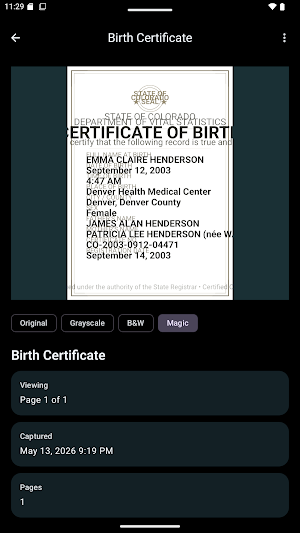


About ScanHarbor: Private Scanner
Why ScanHarbor?
Most document scanner apps send your scans to the cloud for processing. ScanHarbor does everything on your device. Your documents never leave your phone.
SCAN & EXPORT
• Scan single pages or multi-page documents in seconds
• Auto-detect document edges and apply perspective correction
• Export to PDF or share individual pages as images
• Enhancement modes: Magic, Grayscale, Original
PRIVACY & SECURITY
• AES-256-GCM encryption — every scan, thumbnail, and PDF is encrypted at rest using a key stored in your device's secure hardware (Android Keystore)
• Biometric app lock — require fingerprint, face unlock, or device PIN to open the app
• No account required — ScanHarbor never asks you to sign in
• No cloud sync — your documents stay on your device, always
• No ads, no analytics, no tracking
SEARCH
• Semantic search powered by an on-device AI model (MiniLM)
• Search by meaning, not just exact keywords — find "rental agreement" even if you typed "lease contract"
• All indexing runs locally — your document content is never sent anywhere
ORGANIZE
• Create color-coded folders to keep documents sorted
• Rename, merge, and split documents
• Set expiry dates on documents that should be reviewed or deleted
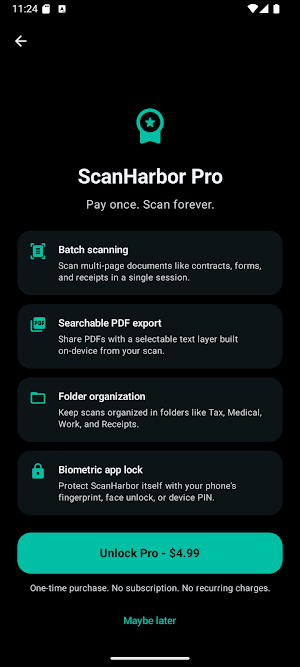
ScanHarbor PRO
Upgrade to Pro to unlock:
• Vault backup & restore — export a passphrase-protected encrypted backup of your entire vault and restore it anytime
• Password-protected PDF export — lock exported PDFs with a password before sharing
• Document expiry reminders — get notified when documents are approaching their expiry date
• Folder organization — keep your vault tidy with color-coded folders
• Document merging & splitting
---
PERMISSIONS
• Camera — required for scanning
• Biometrics — optional, used only for the app lock you control
ScanHarbor does not request internet, contacts, microphone, or location permissions.
ScanHarbor is the document scanner for people who handle sensitive paperwork — medical records, tax documents, legal contracts, financial statements — and don't want that content sitting on someone else's server.
Scan privately. Stay in control.
What’s new
Version 1.4 · Updated May 26, 2026
• Scan documents privately — no account, no cloud, no tracking • AES-256-GCM encryption for every scan, thumbnail, and PDF • Biometric app lock (fingerprint, face, or PIN) • Semantic search powered by on-device AI — find documents by meaning • Export to PDF, searchable PDF, or JPEG • Tablet support with two-pane layout • ScanHarbor Pro: batch scanning, password-protected PDF, folder organization, vault backup & restore, expiry reminders
Alternatives to ScanHarbor: Private Scanner
Looking for apps like ScanHarbor: Private Scanner? Here are 2 similar Android apps on Google Play. The highest rated is Goldman Sachs Wellness (3.9/5), and all 2 are free to download.


| App | Rating | Price | Installs | Last updated | Compare |
|---|---|---|---|---|---|
| ScanHarbor: Private Scanner | – | Free | 10+ | May 26, 2026 | |
| Goldman Sachs Wellness | 3.9 / 5 | Free | 5,000+ | Oct 18, 2026 | Compare |
| Collective Health | 2.8 / 5 | Free | 100,000+ | – | Compare |