

QRecorder: Screen Recorder
METATAP CO,. LTD Tools Contains ads
Screen recorder with audio to record games smoothly. Share your favorite moments
- Downloads
- 500+
- on Google Play
- Price
- Free
- No in-app purchases
- Updated
- Sep 27
- 2024
Screenshots
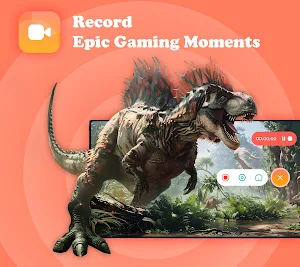
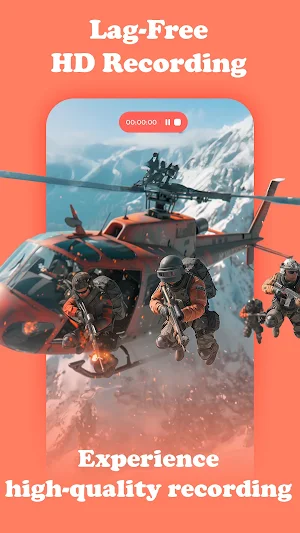
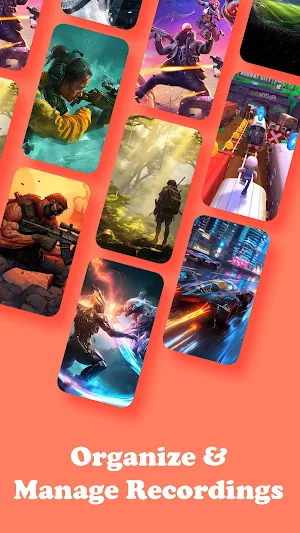
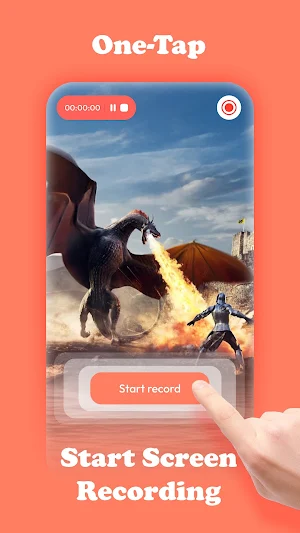


About QRecorder: Screen Recorder
❌NO watermarks
❌NO root needed
❌NO limit timed recording
✅Only one tap to smooth & high-quality screen recording
Record screen, and share your screen video recorder with ease!
Experience the ultimate screen recording app designed for everyone! Whether you're a gamer aiming to showcase your epic through record gameplay 🕹️, a professional needing to record tutorials 💼, or an editor seeking high-quality screen capture 🎬, this screen app is perfect for you.
🌟 Why Choose Our Screen Recorder?
▪ Screen record with high quality: 1080P, 16Mbps, 120FPS
▪ Customize floating ball: One touch to control the process of a video record, and show touch when operating on the screen recorder video.
▪ User-friendly interface: Intuitive design makes a video recorder simple for everyone.
🎮 Game Recorder For Gamers
▪ Lag-free HD screen recorder: Record gameplay in high definition without any lag.
▪ One tap recording: Start video recording instantly with a single tap.
▪ No watermarks: Enjoy clean game screen videos without any branding.
▪ Audio recording: Record vivid internal sound.
💼 Easy Screen Recorder For Professionals
▪ Record tutorials: Create engaging content video tutorial with ease.
▪ Capture video calls and webinars: Never miss important details during meetings, record zoom meetings, record live streaming, etc.
▪ Flexible recording background to the full phone screen.
🗂️ Efficient Screen Recording Management
▪ Play recordings instantly: Preview your screen video directly within the app. ▶️
▪ Rename recording easily: Save your screen recordings with custom names. ✏️
▪ Delete unwanted video record: Free up space by removing unnecessary files. 🗑️
▪ Share record with one touch: Effortlessly upload your record background video to social media, email, or cloud storage. 📤
🔒 Privacy & Security
We prioritize your privacy and keep your content safe. Your video recording stay on your device unless you choose to share them.
🚀 Get Started with Video Recorder: Record Screen App Today!
Join screen video recording and screen sharing activities effortlessly! Experience powerful record screen video all in one powerful app.
❌NO root needed
❌NO limit timed recording
✅Only one tap to smooth & high-quality screen recording
Record screen, and share your screen video recorder with ease!
Experience the ultimate screen recording app designed for everyone! Whether you're a gamer aiming to showcase your epic through record gameplay 🕹️, a professional needing to record tutorials 💼, or an editor seeking high-quality screen capture 🎬, this screen app is perfect for you.
🌟 Why Choose Our Screen Recorder?
▪ Screen record with high quality: 1080P, 16Mbps, 120FPS
▪ Customize floating ball: One touch to control the process of a video record, and show touch when operating on the screen recorder video.
▪ User-friendly interface: Intuitive design makes a video recorder simple for everyone.
🎮 Game Recorder For Gamers
▪ Lag-free HD screen recorder: Record gameplay in high definition without any lag.
▪ One tap recording: Start video recording instantly with a single tap.
▪ No watermarks: Enjoy clean game screen videos without any branding.
▪ Audio recording: Record vivid internal sound.
💼 Easy Screen Recorder For Professionals
▪ Record tutorials: Create engaging content video tutorial with ease.
▪ Capture video calls and webinars: Never miss important details during meetings, record zoom meetings, record live streaming, etc.
▪ Flexible recording background to the full phone screen.
🗂️ Efficient Screen Recording Management
▪ Play recordings instantly: Preview your screen video directly within the app. ▶️
▪ Rename recording easily: Save your screen recordings with custom names. ✏️
▪ Delete unwanted video record: Free up space by removing unnecessary files. 🗑️
▪ Share record with one touch: Effortlessly upload your record background video to social media, email, or cloud storage. 📤
🔒 Privacy & Security
We prioritize your privacy and keep your content safe. Your video recording stay on your device unless you choose to share them.
🚀 Get Started with Video Recorder: Record Screen App Today!
Join screen video recording and screen sharing activities effortlessly! Experience powerful record screen video all in one powerful app.
Alternatives to QRecorder: Screen Recorder
Looking for apps like QRecorder: Screen Recorder? Here are 6 similar Android apps on Google Play. All of them are free to download.
-
Charme BeautyPic: Photo Editor
-
Scanner App: QR Barcode Reader
-
GPS Camera: Geotag Photos
-
PicErase: AI Background Eraser
-
GoLocate: GPS Location Tracker
-
Mirae: Video Editor & Maker
| App | Rating | Price | Installs | Last updated | Compare |
|---|---|---|---|---|---|
| QRecorder: Screen Recorder | – | Free | 500+ | Sep 27, 2024 | |
| Charme BeautyPic: Photo Editor | – | Free | 1,000,000+ | Nov 10, 2024 | Compare |
| Scanner App: QR Barcode Reader | – | Free | 1,000,000+ | Nov 7, 2024 | Compare |
| GPS Camera: Geotag Photos | – | Free | 100,000+ | Nov 5, 2024 | Compare |
| PicErase: AI Background Eraser | – | Free | 500,000+ | Oct 23, 2024 | Compare |
| GoLocate: GPS Location Tracker | – | Free | 5,000+ | Oct 17, 2024 | Compare |
| Mirae: Video Editor & Maker | – | Free | 100+ | Oct 22, 2024 | Compare |