

Quick Cleaner–Clean Junk Files
BOBITA TECHNOLOGY Tools Contains ads
Scan junk files, review results, and clean selected items.
- Downloads
- 6.7K+
- on Google Play
- Price
- Free
- No in-app purchases
- Updated
- Aug 11
- 2026 · v1.0.3
Screenshots
About Quick Cleaner–Clean Junk Files
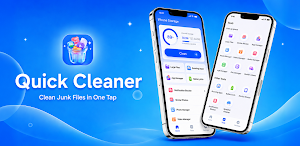
Quick Cleaner–Clean Junk Files helps you review and remove unnecessary files from your phone with a simple, user-controlled cleanup flow.
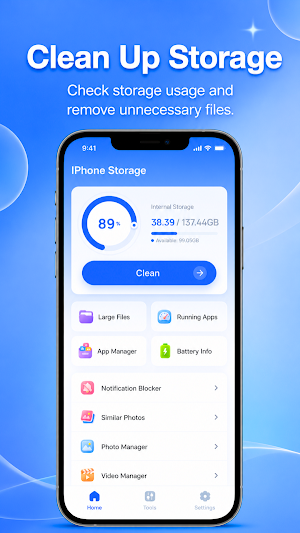
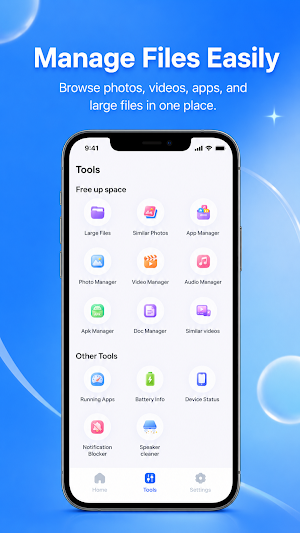
The app is designed for everyday storage maintenance. You can start a scan, review detected junk files, select what you want to remove, and clean files you no longer need. It focuses on giving users a clear way to manage temporary files, cache-like data, residual files, and other unnecessary storage items where available.
Main features:
- Scan device storage for junk and unnecessary files
- Review detected items before cleaning
- Select files or categories you want to remove
- Clean chosen items from your device
- View cleanup progress and completion status
- Use a simple interface for routine storage cleanup
Quick Cleaner–Clean Junk Files may help when your phone storage feels crowded, when apps leave temporary files behind, or when you want to check for files that are no longer useful. Cleanup results may vary depending on device storage, Android version, app permissions, and the files available for removal.
Privacy and file access:
Cleaning is started by the user. File access is used only to scan and clean selected junk files and unnecessary storage items. The app does not use file access for ad targeting or unrelated personalization. Cleanup actions are handled on your device, and files are not uploaded for cleaning.
Some cleanup tasks may take time depending on storage size. A notification may be shown to keep users informed about scan or cleanup progress, especially if they leave the app during the process.
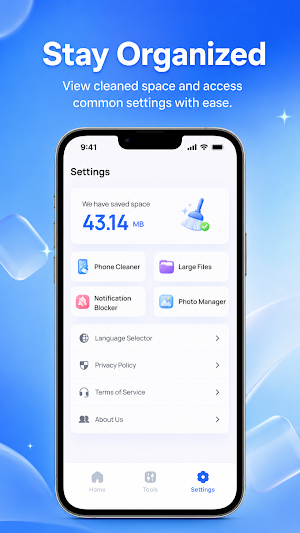
Quick Cleaner–Clean Junk Files is built to make storage cleanup easier to manage through scan, review, select, and clean steps. Please review results before deleting files, because removed files may not be restorable.
The app is designed for everyday storage maintenance. You can start a scan, review detected junk files, select what you want to remove, and clean files you no longer need. It focuses on giving users a clear way to manage temporary files, cache-like data, residual files, and other unnecessary storage items where available.
Main features:
- Scan device storage for junk and unnecessary files
- Review detected items before cleaning
- Select files or categories you want to remove
- Clean chosen items from your device
- View cleanup progress and completion status
- Use a simple interface for routine storage cleanup
Quick Cleaner–Clean Junk Files may help when your phone storage feels crowded, when apps leave temporary files behind, or when you want to check for files that are no longer useful. Cleanup results may vary depending on device storage, Android version, app permissions, and the files available for removal.
Privacy and file access:
Cleaning is started by the user. File access is used only to scan and clean selected junk files and unnecessary storage items. The app does not use file access for ad targeting or unrelated personalization. Cleanup actions are handled on your device, and files are not uploaded for cleaning.
Some cleanup tasks may take time depending on storage size. A notification may be shown to keep users informed about scan or cleanup progress, especially if they leave the app during the process.
Quick Cleaner–Clean Junk Files is built to make storage cleanup easier to manage through scan, review, select, and clean steps. Please review results before deleting files, because removed files may not be restorable.
User reviews

good
Alternatives to Quick Cleaner–Clean Junk Files
Looking for apps like Quick Cleaner–Clean Junk Files? Here are 3 similar Android apps on Google Play. The highest rated is Norton Cleaner – Junk removal (4.6/5), and all 3 are free to download.



| App | Rating | Price | Installs | Last updated | Compare |
|---|---|---|---|---|---|
| Quick Cleaner–Clean Junk Files | – | Free | 5,000+ | Aug 11, 2026 | |
| Trend Micro ID Protection | 4.2 / 5 | Free | 50,000+ | Oct 22, 2026 | Compare |
| Total Drive - Cloud Storage | 3.6 / 5 | Free | 500,000+ | Jul 27, 2026 | Compare |
| Norton Cleaner – Junk removal | 4.6 / 5 | Free | 5,000,000+ | May 20, 2026 | Compare |