
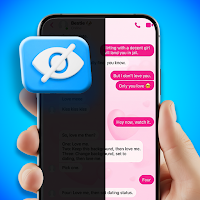
Privacy Display: Anti Peeping
MoranJiyounge Tools Contains ads
Privacy screen guard & Display filter to Hide your phone from prying eyes.
- Downloads
- 29.1K+
- on Google Play
- Price
- Free
- No in-app purchases
- Updated
- Aug 26
- 2026 · v1.1.1
Screenshots


About Privacy Display: Anti Peeping
Protect your phone screen from prying eyes with the ultimate Privacy Screen Guard & Screen Filter app. Do you value your mobile privacy? Do you want to hide chats, messages, or sensitive content while using your phone in public? Privacy Screen: Hide Screen Filter helps you stay secure by adding a smart overlay, making your display harder to read for others while staying crystal clear for you.
Whether you are on a bus, train, in the office, or at a cafe, this screen guard acts as a reliable anti-peeping solution for your daily privacy needs.
🛡️ Key Features for Total Privacy:
Customizable Privacy Filter: Apply a black screen overlay to hide your content from people standing nearby.
Tilt to Hide (Smart Mode): Automatically dim or cover your screen with a dark overlay just by tilting your phone. Perfect for quick protection in seconds!
Floating Control Panel: Access privacy controls anytime with a handy floating button. Toggle the filter on or off without leaving your current app.
Adjustable Area & Opacity: Choose to hide the full display or just a specific part. Control the opacity levels to find the perfect balance between privacy and visibility.
Screen Dimmer & Eye Protector: Reduce brightness beyond system limits. Use it as a night mode filter to protect your eyes in low-light environments.
One-Tap Quick Toggle: Activate your privacy display instantly through a notification shortcut or a single tap.
🚀 Why Choose Privacy Screen Guard?
Public Safety: Keep passwords, bank details, and private chats safe from "shoulder surfers."
Lightweight & Efficient: Designed for smooth performance with minimal battery usage.
Universal Compatibility: Works perfectly over all social media, messaging apps, and browsers.
Customizable Experience: Multiple color options and sensitivity controls for tilt mode to match your natural movement.
⚠️ How It Works (Please Read):
This app is a software-based privacy tool, NOT a hardware polarizing filter. It uses your device’s motion sensors and a dark overlay to reduce visibility when the phone is tilted or when the filter is manually activated. It is the perfect digital shield for your personal data.
Required Permissions:
Display over other apps: Necessary to show the privacy overlay.
Post Notifications: For quick access to control the app from your status bar.
Stop worrying about prying eyes. Download Privacy Screen Guard: Hide Screen Filter today and take control of your mobile privacy!
Whether you are on a bus, train, in the office, or at a cafe, this screen guard acts as a reliable anti-peeping solution for your daily privacy needs.
🛡️ Key Features for Total Privacy:
Customizable Privacy Filter: Apply a black screen overlay to hide your content from people standing nearby.
Tilt to Hide (Smart Mode): Automatically dim or cover your screen with a dark overlay just by tilting your phone. Perfect for quick protection in seconds!
Floating Control Panel: Access privacy controls anytime with a handy floating button. Toggle the filter on or off without leaving your current app.
Adjustable Area & Opacity: Choose to hide the full display or just a specific part. Control the opacity levels to find the perfect balance between privacy and visibility.
Screen Dimmer & Eye Protector: Reduce brightness beyond system limits. Use it as a night mode filter to protect your eyes in low-light environments.
One-Tap Quick Toggle: Activate your privacy display instantly through a notification shortcut or a single tap.
🚀 Why Choose Privacy Screen Guard?
Public Safety: Keep passwords, bank details, and private chats safe from "shoulder surfers."
Lightweight & Efficient: Designed for smooth performance with minimal battery usage.
Universal Compatibility: Works perfectly over all social media, messaging apps, and browsers.
Customizable Experience: Multiple color options and sensitivity controls for tilt mode to match your natural movement.
⚠️ How It Works (Please Read):
This app is a software-based privacy tool, NOT a hardware polarizing filter. It uses your device’s motion sensors and a dark overlay to reduce visibility when the phone is tilted or when the filter is manually activated. It is the perfect digital shield for your personal data.
Required Permissions:
Display over other apps: Necessary to show the privacy overlay.
Post Notifications: For quick access to control the app from your status bar.
Stop worrying about prying eyes. Download Privacy Screen Guard: Hide Screen Filter today and take control of your mobile privacy!
Alternatives to Privacy Display: Anti Peeping
Looking for apps like Privacy Display: Anti Peeping? Here are 6 similar Android apps on Google Play. The highest rated is Voice Lock Screen: Lock Phone (3.5/5), and all 6 are free to download.
-
Reverse Audio & Sing Challenge
-
Prank Call: Fake Video Prank
-
Flash Alert & Flashlight LED
-
Falling Filter: Time Warp Scan
-
Blood Sugar - Blood Pressure 1.5
-
Voice Lock Screen: Lock Phone 3.5
| App | Rating | Price | Installs | Last updated | Compare |
|---|---|---|---|---|---|
| Privacy Display: Anti Peeping | – | Free | 10,000+ | Aug 26, 2026 | |
| Reverse Audio & Sing Challenge | – | Free | 500,000+ | Jul 14, 2026 | Compare |
| Prank Call: Fake Video Prank | – | Free | 1,000,000+ | Jul 10, 2026 | Compare |
| Flash Alert & Flashlight LED | – | Free | 10,000+ | Aug 26, 2026 | Compare |
| Falling Filter: Time Warp Scan | – | Free | 10,000+ | Jun 17, 2026 | Compare |
| Blood Sugar - Blood Pressure | 1.5 / 5 | Free | 100,000+ | Oct 1, 2026 | Compare |
| Voice Lock Screen: Lock Phone | 3.5 / 5 | Free | 50,000+ | Apr 23, 2026 | Compare |