
PowerPDF: Read, Sign, Convert
Shenzhen Youyunxiu Technology Tools Contains ads
Professional PDF reading and processing tools.
- Rating
- 4.1
- 527 ratings
- Downloads
- 350K+
- on Google Play
- Price
- Free
- No in-app purchases
- Updated
- Jun 24
- 2026 · v1.1.8
Screenshots

About PowerPDF: Read, Sign, Convert
PowerPDF is an efficient document tool that integrates reading, signing and conversion. With a simple and intuitive interface, it can easily improve your file processing efficiency.
📄 Core features highlights
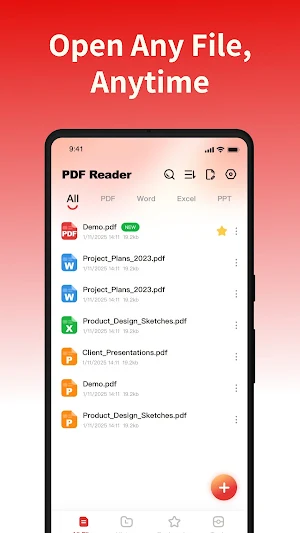
- Multi-format preview: Quickly identify and display PDF, Word, Excel, and PPT files on the device, and view frequently used documents in one stop.
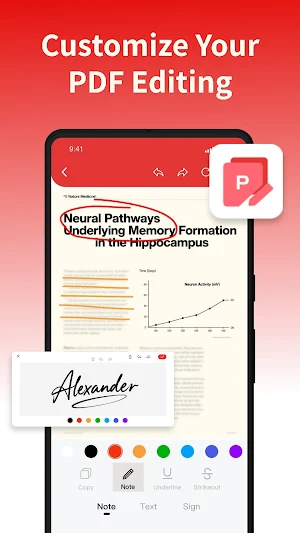
- PDF Editing and Signing: Supports adding signatures, text and brush annotations, making it easy to complete reading annotations and electronic signatures.
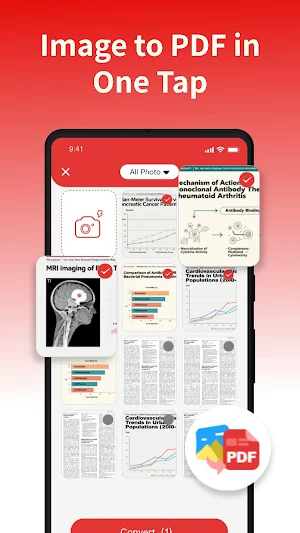
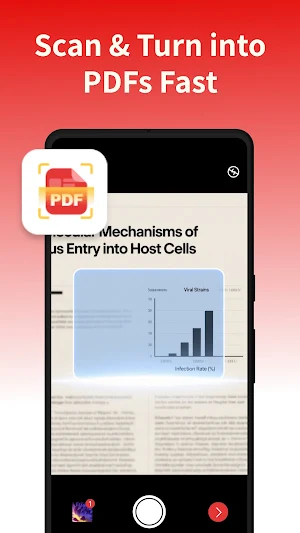
- Image to PDF: Convert local images to PDF with one click, with automatic layout for easy saving and sharing.
- File Management Assistant: Supports document classification, collection, search and quick sharing, making materials well-organized and office work more worry-free.
- Smooth reading experience: High-definition document display, clear and sharp content, smooth and natural operation, helping you focus on reading without distraction.
📄 Permission description
To provide better services, our application needs to invoke the following permissions.
MANAGE_EXTERNAL_STORAGE: It is used for scanning local documents, generating file lists, and intelligently classifying files based on their attributes, thereby enhancing the efficiency of file search and management.
FOREGROUND_SERVICE_SPECIAL_USE: When opening large PDF files, it supports continuous background operation to avoid interruption of parsing and ensure smooth reading.
We strictly adhere to the privacy policy, enabling relevant permissions only after user authorization. All data processing is solely for core functions to ensure user information security.
📌 for more information
- Privacy Policy: https://fancy-photoedit.com/3/privacy
- Terms of Service: https://fancy-photoedit.com/3/terms
If you have any questions or suggestions, please feel free to contact us via email: [email protected]
PowerPDF, making your documents more powerful! Download now and start a new experience of efficient work and reading!
📄 Core features highlights
- Multi-format preview: Quickly identify and display PDF, Word, Excel, and PPT files on the device, and view frequently used documents in one stop.
- PDF Editing and Signing: Supports adding signatures, text and brush annotations, making it easy to complete reading annotations and electronic signatures.
- Image to PDF: Convert local images to PDF with one click, with automatic layout for easy saving and sharing.
- File Management Assistant: Supports document classification, collection, search and quick sharing, making materials well-organized and office work more worry-free.
- Smooth reading experience: High-definition document display, clear and sharp content, smooth and natural operation, helping you focus on reading without distraction.
📄 Permission description
To provide better services, our application needs to invoke the following permissions.
MANAGE_EXTERNAL_STORAGE: It is used for scanning local documents, generating file lists, and intelligently classifying files based on their attributes, thereby enhancing the efficiency of file search and management.
FOREGROUND_SERVICE_SPECIAL_USE: When opening large PDF files, it supports continuous background operation to avoid interruption of parsing and ensure smooth reading.
We strictly adhere to the privacy policy, enabling relevant permissions only after user authorization. All data processing is solely for core functions to ensure user information security.
📌 for more information
- Privacy Policy: https://fancy-photoedit.com/3/privacy
- Terms of Service: https://fancy-photoedit.com/3/terms
If you have any questions or suggestions, please feel free to contact us via email: [email protected]
PowerPDF, making your documents more powerful! Download now and start a new experience of efficient work and reading!
User reviews

I have to get in touch with somebody on what WhatsApp now. how the hell do I send it?

good app

nice thanks you

good 👍

great

could be quicker
Alternatives to PowerPDF: Read, Sign, Convert
Looking for apps like PowerPDF: Read, Sign, Convert? Here are 6 similar Android apps on Google Play. The highest rated is EasePDF - PDF, Word, PPT (4.8/5), and all 6 are free to download.






| App | Rating | Price | Installs | Last updated | Compare |
|---|---|---|---|---|---|
| PowerPDF: Read, Sign, Convert | 4.1 / 5 | Free | 100,000+ | Jun 24, 2026 | |
| TokenTeller | – | Free | 10+ | Feb 10, 2026 | Compare |
| Lifeburn - MTG Life Counter | – | Free | 100+ | Aug 17, 2026 | Compare |
| NovaCheck | – | Free | 50+ | Oct 11, 2025 | Compare |
| ARquiler | – | Free | 10,000+ | Aug 8, 2026 | Compare |
| Mahsa Alert | – | Free | 100,000+ | Oct 8, 2026 | Compare |
| EasePDF - PDF, Word, PPT | 4.8 / 5 | Free | 100,000+ | Jul 31, 2026 | Compare |
Similar apps on Google Play
- TokenTeller
- Lifeburn - MTG Life Counter
- NovaCheck
- ARquiler
- Mahsa Alert
- EasePDF - PDF, Word, PPT
- Seka Force Team
- Poli
- Fbe Mobile
- SOLMANT
- DHMSCare
- SolarPortal+
- SILKROADAY
- SkyOps Toolbox
- Save Status Videos & Images
- Detran-SP+
- Codelek Manager
- Plants vs Brainrots Notifier
- SensyPro-Sensitivity Generator
- DispatchIT V2
- .server
- Stellar Fractions
- Cidadão Peniche
- Sidamesra
- Zafely