

Partial Color Master - Color splash photo editor
Photography In-app purchases Contains ads
Turn photos into art pieces with partial color, selective color & color splash!
- Rating
- 4.3
- 4.1K ratings
- Downloads
- 351K+
- on Google Play
- Price
- Free
- In-app purchases
- Updated
- Oct 6
- 2025 · v1.18.0
Screenshots


About Partial Color Master - Color splash photo editor
Partial Color Master is a photo edit tool focused on color slpash, color pop, selective color or partial color effect.
EXTRA FEATURE: Color swap. Change the colors from the original image.
EXTRA FEATURE: Color Frame. Turn into black & white only one section of the original image. Choose between a lot of different frames.
Partial color involves transforming a photo into black & white and revealing some areas using color selection and manual edit. You can take new photos or pick one from gallery. Enjoy the unique color intensity selector simplifying the edition process.
* All the images from this page have been edited with Partial Color Master using a mobile device. *
The process is divided into 3 steps: Color splash, Manual edit and Publish.
1) In Color splash you will be able to pick the colors directly from the image that you want to be shown.
2) Manual edit will allow you to use the brush and edit the photo to achieve your desired results.
3) Publish is the last step. Save the resulting picture in your device and publish it on your favourite social networks!
EXTRA FEATURE: Color swap. Change the colors from the original image.
EXTRA FEATURE: Color Frame. Turn into black & white only one section of the original image. Choose between a lot of different frames.
Partial color involves transforming a photo into black & white and revealing some areas using color selection and manual edit. You can take new photos or pick one from gallery. Enjoy the unique color intensity selector simplifying the edition process.
* All the images from this page have been edited with Partial Color Master using a mobile device. *
The process is divided into 3 steps: Color splash, Manual edit and Publish.
1) In Color splash you will be able to pick the colors directly from the image that you want to be shown.
2) Manual edit will allow you to use the brush and edit the photo to achieve your desired results.
3) Publish is the last step. Save the resulting picture in your device and publish it on your favourite social networks!
What’s new
Version 1.18.0 · Updated October 6, 2025
- Compatibility for bigger photos - Bug fixes - Modern devices compatibility
User reviews

Very clever and different. I'm sure I'll have fun with this app

Great app!

BEST mobile device photo COLOR SPLASH app I've seen yet! I love how I can zoom in and do detailed edits. And the shelf feature is great!

Nice app. Please check my color shelf is not working

Nice 👍
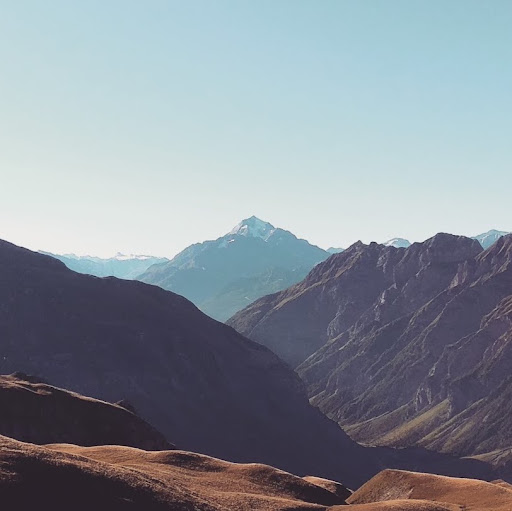
Best color splash app! Amazing color selection tool and easy to retouch pictures by hand if needed!
Alternatives to Partial Color Master - Color splash photo editor
Looking for apps like Partial Color Master - Color splash photo editor? Here are 3 similar Android apps on Google Play. The highest rated is Colorize - Color to Old Photos (4.5/5), and all 3 are free to download.

| App | Rating | Price | Installs | Last updated | Compare |
|---|---|---|---|---|---|
| Partial Color Master - Color splash photo editor | 4.3 / 5 | Free | 100,000+ | Oct 6, 2025 | |
| A Color Story | 4.0 / 5 | Free | 1,000,000+ | Dec 10, 2024 | Compare |
| Colorize - Color to Old Photos | 4.5 / 5 | Free | 1,000,000+ | – | Compare |
| Photo Editor by BeFunky | 4.4 / 5 | Free | 10,000,000+ | Aug 19, 2026 | Compare |