
Warp Video
Video Players & Editors In-app purchases
False mirror pen on your video : Hand warp tool
- Downloads
- 50+
- on Google Play
- Price
- Free
- In-app purchases
- Updated
- Aug 29
- 2023
Screenshots
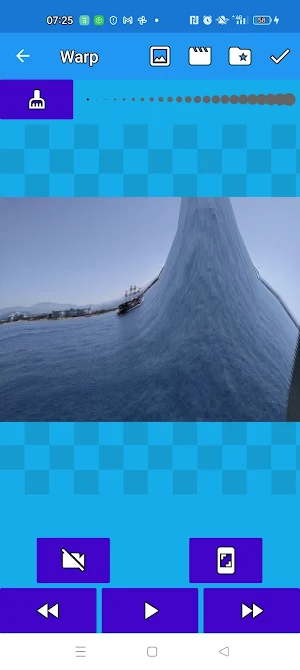
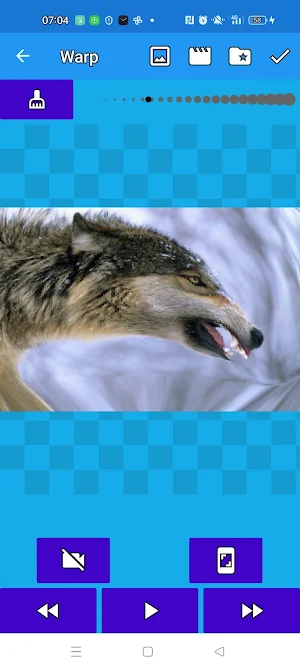

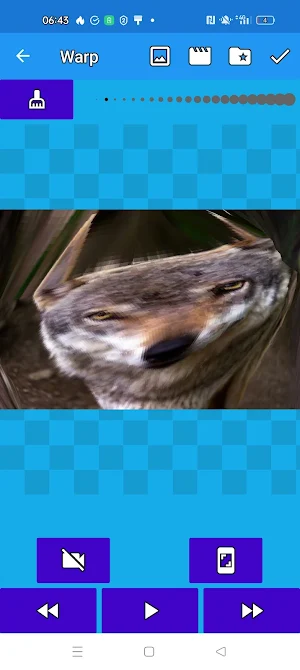


About Warp Video
Create funny short videos and make your friends laugh. Video can be created from video or photo. Warp space and time!
To create frame distortion on a video, slide one finger across the screen and warp the surface. Don't forget to record from the canvas with the camera button or take pictures from the canvas.
To distort the time in the direction of slowing down for the slowmo effect, do not turn on the play on video, but turn on the recording with the video camera button and slowly (sometimes) take a frame forward >>.
If you want to speed up the video, do not turn on the recording, but turn on the play in the player and take several pictures slowly from the canvas.
The "screen" icon above the "player" icon allows you to edit each frame individually.
There is a tool for manual control of space deformation: choose the width of the perturbation area.
Press the "Mop" button so that the picture acquires its original form.
If you need to pencil in an area for a fun or scary effect, please! In the application gallery, by clicking on one of the works, you can select a work and draw something on its surface in any color.
At the end of the work, you can overlay any audio and even audio from another video.
Save video files to the android gallery, share video files with friends on social networks through the share button, make distortion and draw on video from your work in the application gallery.
If, suddenly, you do not want to leave some projects on your phone, you can always remove them from the application gallery.
You do not need special knowledge and skills to make videos with a lot of funny distortions from a regular video in the application using only your finger and imagination. Fantasy is not limited by anything.
We wish you a fun transformation!
Be sure to share your opinion in the reviews - it is very important to us!
To create frame distortion on a video, slide one finger across the screen and warp the surface. Don't forget to record from the canvas with the camera button or take pictures from the canvas.
To distort the time in the direction of slowing down for the slowmo effect, do not turn on the play on video, but turn on the recording with the video camera button and slowly (sometimes) take a frame forward >>.
If you want to speed up the video, do not turn on the recording, but turn on the play in the player and take several pictures slowly from the canvas.
The "screen" icon above the "player" icon allows you to edit each frame individually.
There is a tool for manual control of space deformation: choose the width of the perturbation area.
Press the "Mop" button so that the picture acquires its original form.
If you need to pencil in an area for a fun or scary effect, please! In the application gallery, by clicking on one of the works, you can select a work and draw something on its surface in any color.
At the end of the work, you can overlay any audio and even audio from another video.
Save video files to the android gallery, share video files with friends on social networks through the share button, make distortion and draw on video from your work in the application gallery.
If, suddenly, you do not want to leave some projects on your phone, you can always remove them from the application gallery.
You do not need special knowledge and skills to make videos with a lot of funny distortions from a regular video in the application using only your finger and imagination. Fantasy is not limited by anything.
We wish you a fun transformation!
Be sure to share your opinion in the reviews - it is very important to us!
Alternatives to Warp Video
Looking for apps like Warp Video? Here are 4 similar Android apps on Google Play. The highest rated is Photo to coloring pages (1.8/5), and 3 of the 4 are free to download.
| App | Rating | Price | Installs | Last updated | Compare |
|---|---|---|---|---|---|
| Warp Video | – | Free | 50+ | Aug 29, 2023 | |
| Photo to coloring pages | 1.8 / 5 | Free | 1,000+ | Dec 22, 2021 | Compare |
| Video coloring book | – | Free | 100+ | May 21, 2023 | Compare |
| Photo coloring book | – | 5.49 USD | 5+ | Aug 15, 2022 | Compare |
| Video Pixel Art | – | Free | 100+ | Aug 20, 2023 | Compare |
Compare Warp Video with the top alternatives: ratings, updates, ASO score and keyword gaps →