
Edit PDF: Scan, Annotate & AI
Productivity In-app purchases
All-in-One PDF Tool: Scan, Convert, Edit and Sign instantly. Enhance with AI.
- Downloads
- 100+
- on Google Play
- Price
- Free
- In-app purchases
- Updated
- Aug 31
- 2026 · v1.0.0
Screenshots


About Edit PDF: Scan, Annotate & AI
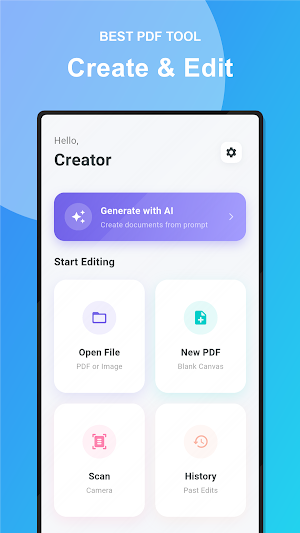
Unlock the full potential of your documents with Edit PDF. From importing images and scanning to AI-driven creation and editing, handle any PDF task directly from your device.
🔥 Top Features:
📄 PDF Editor & Scanner
* Edit Text & Images: Modify existing text and insert images directly into your PDF.
* Scan or Import and Convert: Capture documents.
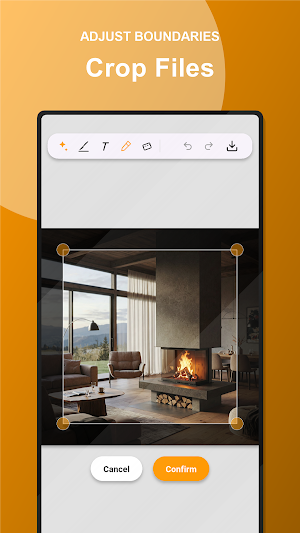
* Crop & Rotate: Adjust page boundaries and orientation with precision.
✍️ Sign & Annotate
* Digital Signature: Sign documents with your finger or stylus.
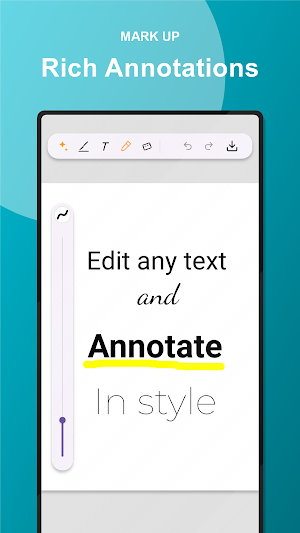
* Markup Suite: Highlight, underline, strike through, and add freehand drawings.
* Zoom & Sign: Get precise placement and color for your signature every time.
🛠️ Professional Utilities
* Merge Documents: Combine multiple PDFs into a single file.
* Image to PDF: Convert photos from your gallery into professional documents.
* Secure Storage: Local list of all past edits and files
🤖 Advanced AI Tools
* Create document or template from scratch ("Create an Invoice template with items: Pen, Scissors and Eraser")
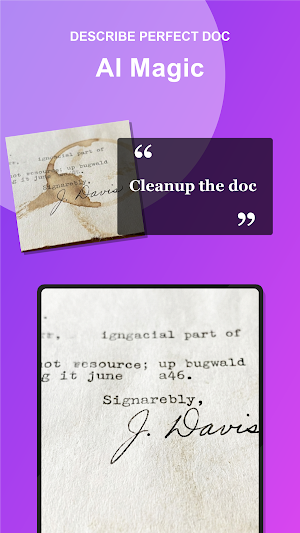
* AI Eraser: Remove unwanted objects, stains, and shadows from scans
* Add drawings
* Smart Edit: Context-aware text replacement for natural-looking edits ("swap intro and conclusion sections")
🔥 Top Features:
📄 PDF Editor & Scanner
* Edit Text & Images: Modify existing text and insert images directly into your PDF.
* Scan or Import and Convert: Capture documents.
* Crop & Rotate: Adjust page boundaries and orientation with precision.
✍️ Sign & Annotate
* Digital Signature: Sign documents with your finger or stylus.
* Markup Suite: Highlight, underline, strike through, and add freehand drawings.
* Zoom & Sign: Get precise placement and color for your signature every time.
🛠️ Professional Utilities
* Merge Documents: Combine multiple PDFs into a single file.
* Image to PDF: Convert photos from your gallery into professional documents.
* Secure Storage: Local list of all past edits and files
🤖 Advanced AI Tools
* Create document or template from scratch ("Create an Invoice template with items: Pen, Scissors and Eraser")
* AI Eraser: Remove unwanted objects, stains, and shadows from scans
* Add drawings
* Smart Edit: Context-aware text replacement for natural-looking edits ("swap intro and conclusion sections")
What’s new
Version 1.0.0 · Updated August 31, 2026
Quick actions. Signatures and stamps. Image to Pdf. Merge documents. Edit pdfs. Reduct documents. Draw on pdf. Export pdf. Create pdf.
Alternatives to Edit PDF: Scan, Annotate & AI
Looking for apps like Edit PDF: Scan, Annotate & AI? Here are 6 similar Android apps on Google Play. The highest rated is Jolly Classroom (4.6/5), and all 6 are free to download.
-
PDF Reader(KDAN PDF): Edit PDF 3.8
-
Athli By Linn Lowes 4.5
-
Inkpad Notepad & To do list 4.5
-
Flexcil Notes & PDF Reader 3.7
-
Jolly Classroom 4.6
-
My First English 3.9
| App | Rating | Price | Installs | Last updated | Compare |
|---|---|---|---|---|---|
| Edit PDF: Scan, Annotate & AI | – | Free | 100+ | Aug 31, 2026 | |
| PDF Reader(KDAN PDF): Edit PDF | 3.8 / 5 | Free | 10,000,000+ | Aug 5, 2026 | Compare |
| Athli By Linn Lowes | 4.5 / 5 | Free | 10,000+ | Aug 17, 2026 | Compare |
| Inkpad Notepad & To do list | 4.5 / 5 | Free | 10,000,000+ | Oct 5, 2026 | Compare |
| Flexcil Notes & PDF Reader | 3.7 / 5 | Free | 1,000,000+ | Sep 28, 2026 | Compare |
| Jolly Classroom | 4.6 / 5 | Free | 100,000+ | Sep 28, 2026 | Compare |
| My First English | 3.9 / 5 | Free | 100,000+ | Jul 8, 2026 | Compare |
Similar apps on Google Play
- PDF Reader(KDAN PDF): Edit PDF
- Athli By Linn Lowes
- Inkpad Notepad & To do list
- Flexcil Notes & PDF Reader
- Jolly Classroom
- My First English
- Docusign - Upload & Sign Docs
- Mobile Scanner App - Scan PDF
- PDFelement-PDF Editor & Reader
- Falcon PDF - Editor & Tools
- PDF Reader Zone
- Wondr Note: Fun Notes & Tools
- Huion Note : Easy note-taking
- Jadens Printer
- PDF Editor – Edit Everything!