About Orange Payroll
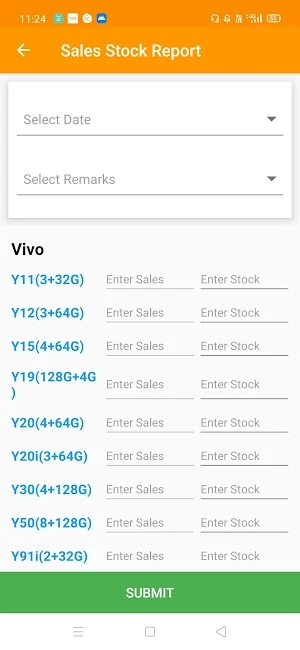
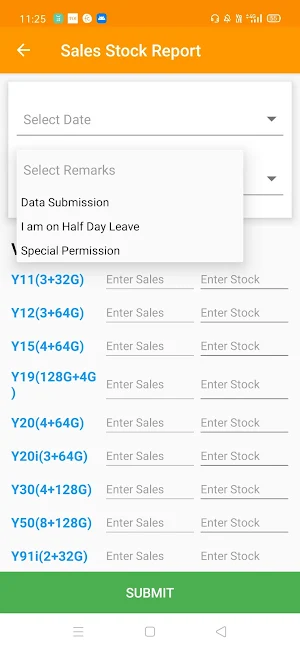
1. Brands selection during the data submission from the application with Sub-categories. This list will remain the same across the particular region.
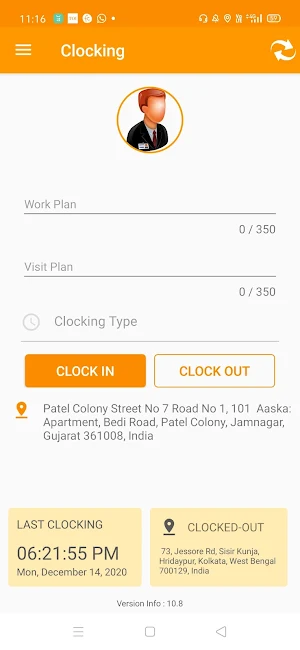
2. By Default Today’s date in Work Plan Date and All the fields are Mandatory.
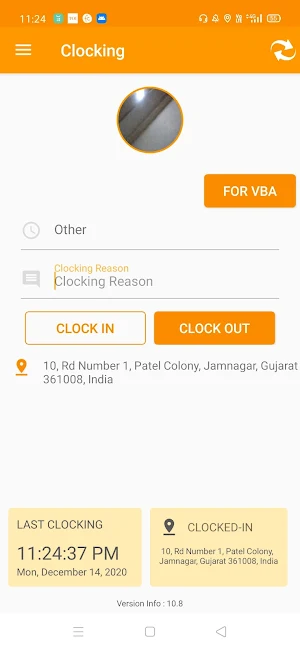
3. After clicking on the “Clock-In” Button, the Work Plan Pop-up will be shown. This will be for all the employees except VBA. The same applies for the “Clock-Out”. This both will be bounded with Attendee’s Clock In and Out.
4. For VBA before the “Clock-Out”, he needs to Submit the Stock Details and this pop-up will be displayed to VBA only.
5. The daily Stock will be updated by the users and add sales quantity from a Today’s Stock Calculation and updates the old stock details.
6. In the Multiple VBA and Single Store Scenario the Daily Stock sheet will be filled on a First come, First Serve basis, Other VBA will not showcase the Stock sheet that needs to be filled for that particular Day.
8. In case of Absenteeism, All the pending Date sheet will be showcased against that VBA, Once he fills all the data of the pending dates, then only he will be able to “Clock-Out” for that Day.
Similar Apps

Visitor Management System
Orange VMS encourages a secure, smart, and productive workplace. It is a...

MY VIR
MY VIR is a mobile application by VIR Laminates. VIR Laminate offers...

TRLINOUT
Orange Payroll Software has captured in it all the Payroll Processes for...

OTL UAT
Get Ingenious & Custom-built Cross-platform Mobile applications creatively designed and developed for...

JJC Business World
JJC Business World application and its services are designed to make many...

Qutone Ceramic
Points programs can be fairly simple with our application. Every time a...
Frequently Asked Questions (FAQ)
What is the list for brand selection during data submission?
What is the default date in the Work Plan Date field?
When will the Work Plan pop-up be shown after clicking on the "Clock-In" button?
What additional step does VBA need to do before they can "Clock-Out"?
How is the daily stock updated?
How is the Daily Stock sheet filled in the multiple VBA and single store scenario?
What happens in case of absenteeism?