AR Drawing: Sketch & Trace
✏️ AR drawing app to trace photos, sketch anything & create amazing art.
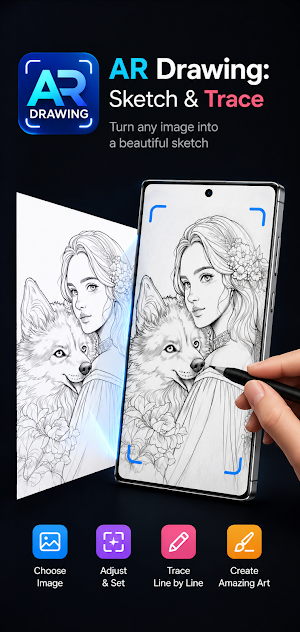
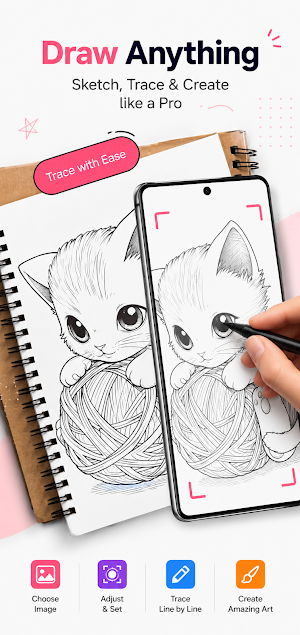
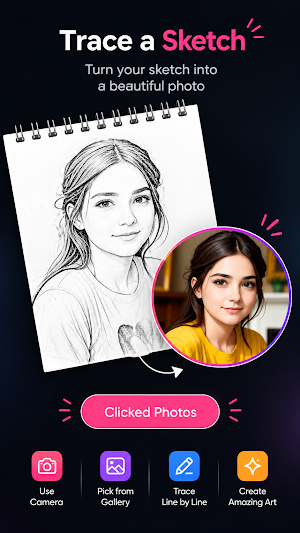
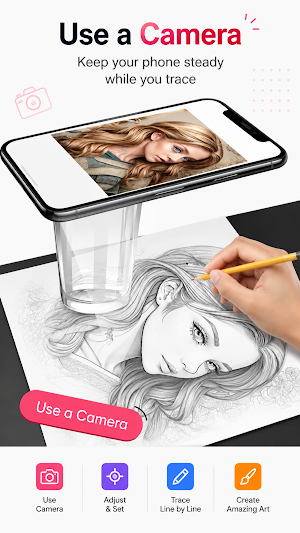
About AR Drawing: Sketch & Trace
🎨 AR Drawing: Sketch & Trace – Turn Photos Into Art
✨ Bring your imagination to life with AR Drawing: Sketch & Trace! Whether you're a beginner learning to draw or an experienced artist looking for an easier way to sketch, this app helps you trace photos, sketch objects, and create beautiful artwork step by step.
📸 Turn Any Photo Into a Sketch
Choose an image from your gallery or use your camera to capture something around you. Adjust the image on your screen, position it the way you want, and start tracing the visible lines onto your paper.
✏️ Learn Drawing by Tracing
Don't know where to start? No problem! Follow the lines of the projected image and gradually build your drawing. It's a simple and practical way to practice proportions, shapes, outlines, and sketching techniques.
🔍 Adjust & Set Your Image
Position your reference image according to your preference before you begin. Find the right angle and size, then start tracing comfortably.
📷 Use Your Camera
Use your camera to work with real-world objects, photos, or scenes. Turn your surroundings into drawing references and experiment with different ideas.
🖼️ Choose Images From Your Gallery
Already have the perfect reference? Pick a photo from your gallery and turn it into a drawing reference in just a few steps.
🎨 Create Amazing Sketches
Trace portraits, animals, characters, flowers, objects, and more. Your creativity is the limit. Practice with simple drawings and gradually move toward more detailed artwork.
✨ Key Features
• 🎨 AR Drawing & Sketching – Use your screen as a drawing reference
• ✏️ Photo Tracing – Trace images line by line
• 📷 Camera Drawing – Use your camera to create drawing references
• 🖼️ Gallery Support – Select your favorite photos
• 🔍 Adjust & Set – Position and resize your reference image
• 📝 Easy Line-by-Line Tracing – Follow outlines and details naturally
• 🖌️ Practice Drawing – Improve your sketching and observation skills
• 🐶 Draw Anything – Portraits, animals, flowers, objects, characters, and more
🖼️ From Photo to Artwork
Take a photo → choose your image → adjust it → place your paper → follow the lines → create your sketch.
AR Drawing: Sketch & Trace makes the process simple, so you can spend less time figuring out where to begin and more time actually drawing.
🌟 Perfect for
• Beginners learning how to draw
• Kids and students practicing sketching
• Artists practicing proportions and outlines
• Hobby artists and creative enthusiasts
• Anyone who wants to turn photos into sketches
• People looking for an easy drawing and tracing app
💡 Your photo is the reference. Your hand creates the art.
Start with a simple image, trace the lines, practice your technique, and gradually create more detailed drawings.
🎨 Download AR Drawing: Sketch & Trace and start turning your favorite images into artwork today!
Similar Apps

Volume Booster & Bass Boost
Boost volume, enhance bass, equalize sound & enjoy a powerful audio experience.

FileMorph: PDF&File Converter
Convert PDF to Word, images to PDF & video to audio offline.

Speaker Cleaner: Water Eject
Speaker Cleaner & Water Ejector - Boost Sound & Remove Water

Dual Camera: Front & Back
Dual camera video recorder. Capture front & back views for vlogs and reactions!
Wireless Printer: Print & Scan
Print, scan, and manage PDF documents wirelessly from your phone anytime.

AirTag & Bluetooth Scanner
Quickly scan, detect & track AirTags, wireless headphones, and Bluetooth items.
