
Notes
YAAI ML Productivity Contains ads
Notes: Capture, Organize, Remember.
- Downloads
- 50+
- on Google Play
- Price
- Free
- No in-app purchases
- Updated
- Dec 12
- 2023 · v1.0
Screenshots
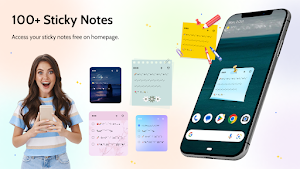
About Notes
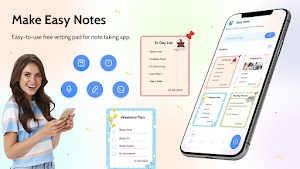
Notes is a feature-rich and intuitive notes app designed to seamlessly organize and enhance your note-taking experience. Whether you're a student, professional, or someone who just likes to jot down thoughts on the go, Notes has you covered with its extensive array of powerful features.
Key Features:
Create Note:
- Easily create and edit notes with a user-friendly interface.
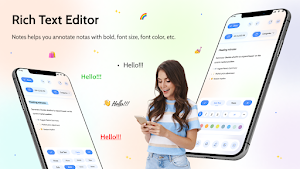
- Choose from a variety of formatting options to customize your text, including bold, italics, and bullet points.
Create Categories:
- Organize your notes efficiently by creating custom categories or notepads.
- Group related notes together for quick and easy access.
Note Types:
- Enjoy diverse note formats including text, checklist, images/photos, emojis, and drawings.
- Attach images or take photos directly within the app to add visual context to your notes.
Multimedia Attachments:
- Enhance your notes with multimedia attachments such as audio recordings and speech-to-text conversion.
- Record lectures, meetings, or personal voice memos and seamlessly embed them into your notes.
Drawing Pen:
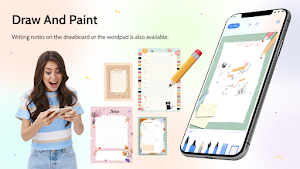
- Unleash your creativity by sketching or jotting down handwritten notes with the integrated drawing pen feature.
- Choose from a variety of colors and pen sizes to personalize your drawings.
Note Backgrounds:
- Customize the appearance of your notes by selecting from a range of backgrounds and themes.
- Tailor the visual experience to suit your mood or enhance note categorization.
Attach Links:
- Easily link related websites, articles, or resources directly within your notes for quick reference.
- Seamlessly switch between your notes and external content.
Note Reminder:
- Set reminders for important notes to receive timely notifications.
- Never miss a deadline or forget an essential task again.
Note Pin:
- Pin important notes to keep them at the top of your list for quick access.
- Highlight priority items or ongoing projects.
Lock and Security:
- Secure sensitive information with the option to lock specific notes or the entire app.
- Enjoy peace of mind knowing your confidential data is protected.
Archive and Trash:
- Archive completed notes for future reference, keeping your workspace clutter-free.
- Retrieve accidentally deleted notes from the trash bin with ease.
Smart Search:
- Effortlessly find specific notes using the smart search functionality.
- Search by keywords or date to locate the information you need in seconds.
Notes is not just a notes app; it's a comprehensive tool designed to adapt to your unique note-taking preferences and organizational needs. Elevate your productivity and creativity with the ultimate note-taking experience. Download Notes now and revolutionize the way you capture and manage your thoughts!
Alternatives to Notes
Looking for apps like Notes? Here are 6 similar Android apps on Google Play. The highest rated is FastNote - Notepad, Notes (4.8/5), and all 6 are free to download.
-
Noteset: Notebook, Notepad
-
MemoriNote - Notes to remember
-
FastNote - Notepad, Notes 4.8
-
Justnote - Note Taking App 3.0
-
Bundled Notes - Lists, To-do 4.2
-
Dark Note: Checklists & Budget 4.6
| App | Rating | Price | Installs | Last updated | Compare |
|---|---|---|---|---|---|
| Notes | – | Free | 50+ | Dec 12, 2023 | |
| Noteset: Notebook, Notepad | – | Free | 10,000+ | Aug 31, 2024 | Compare |
| MemoriNote - Notes to remember | – | Free | 10,000+ | Oct 2, 2026 | Compare |
| FastNote - Notepad, Notes | 4.8 / 5 | Free | 100,000+ | Aug 5, 2026 | Compare |
| Justnote - Note Taking App | 3.0 / 5 | Free | 10,000+ | Jan 20, 2026 | Compare |
| Bundled Notes - Lists, To-do | 4.2 / 5 | Free | 100,000+ | Sep 25, 2026 | Compare |
| Dark Note: Checklists & Budget | 4.6 / 5 | Free | 50,000+ | – | Compare |
Compare Notes with the top alternatives: ratings, updates, ASO score and keyword gaps →