NW103한글: DIgital watch face
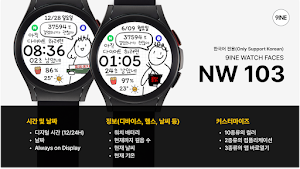
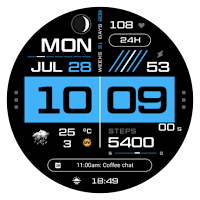
This is a Korean-only NW103 digital watch face produced by Ninewatch.
About NW103한글: DIgital watch face
[How to install watch faces]
1. Install via companion app
Open companion app installed on smartphone > Tap download button > Install watch face on watch
2. Install from Play Store app
Access Play Store app > Tap '▼' button on the right of price button > Select watch > Purchase
Press and hold the watch screen to check whether the watch face is installed. If the watch face is not installed even after 10 minutes, install it directly from Play Store web or watch.
3. Install from Play Store web browser
Access Play Store web browser > Tap price button > Select watch > Install and purchase
4. Install directly from watch
Access Play Store > Search for NW103 Korean > Install and purchase
-----------------------------------------------------------------------------------------------------------
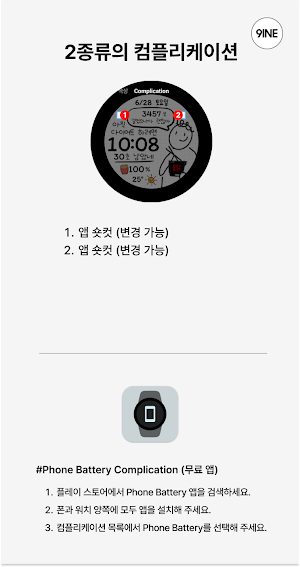
[How to link smartphone battery]
1. Download the smartphone battery app on both smartphone and watch.
2. Select Phone Battery Level from complications. https://play.google.com/store/apps/details?id=com.weartools.phonebattcomp
---------------------------------------------------------------------------------------------------------------------------
This watch face only supports Korean.
#Provided information and features
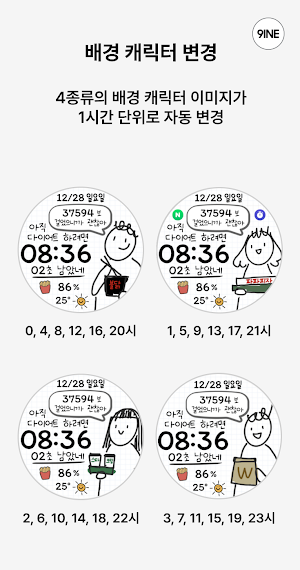
4 background images automatically change every hour.
[Time and date]
Digital time (12/24H)
Date
Always on Display
[Information (Device, Health, Weather, etc.)]
Watch battery
Steps taken so far
Current weather
Current temperature
[Customization]
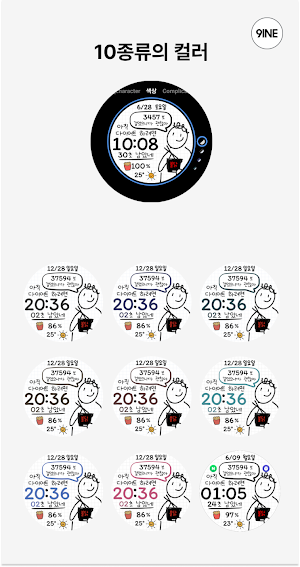
10 colors
2 complications
3 apps open directly
*This watch face supports Wear OS devices
Similar Apps
NW109: Digital watch face
#Watch face installation1. Companion AppAccess the Companion app on the smartphone >...

NW073: Digital watch face
#Watch face installation1. Companion AppAccess the Companion app on the smartphone >...

NW080: Analog watch face
#Watch face installation1. Companion AppAccess the Companion app on the smartphone >...

NW073 한글: Digital watch face
[워치페이스 설치 방법]1. 컴패니언 앱을 통한 설치스마트폰에 설치된 컴패니언 앱 오픈 >...

NW083: Analog watch face
#Watch face installation1. Companion AppAccess the Companion app on the smartphone >...

NW090: Hybrid watch face
#Watch face installation1. Companion AppAccess the Companion app on the smartphone >...
