

Creative Pad
Art & Design
Drawing app with color picker, brush size control, undo/redo, and eraser tools
- Downloads
- 1+
- on Google Play
- Price
- Free
- No in-app purchases
- Updated
- May 4
- 2025 · v1.0
Screenshots
Save to Pinterest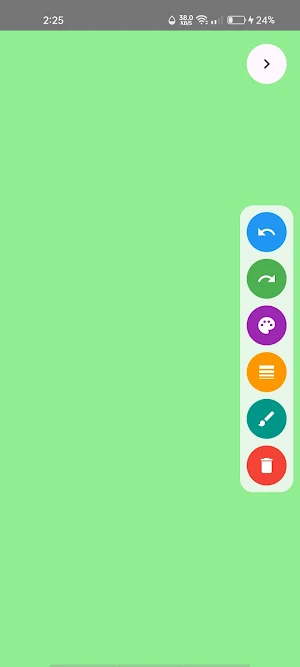
About Creative Pad
Creative Pad - Unleash Your Inner Artist!
🎨 A Fun & Intuitive Drawing App
Creative Pad is a delightful drawing app designed to spark your creativity anytime, anywhere! Whether you're a professional artist or just love doodling for fun, you'll find simple yet powerful tools to bring your ideas to life.
✨ Key Features
1. Smart & Smooth Drawing Tools
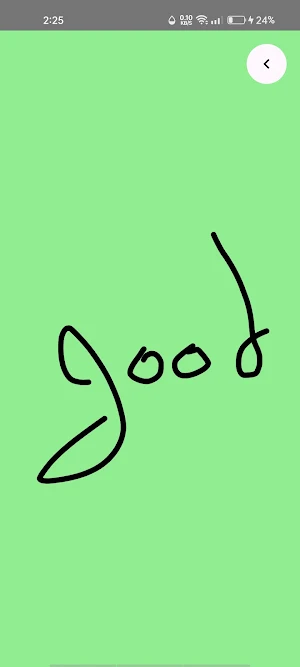
Natural Pen: Feels like real ink on paper, adapting to your touch for smooth, lifelike strokes.
Smart Eraser: Removes unwanted lines precisely without affecting your artwork.
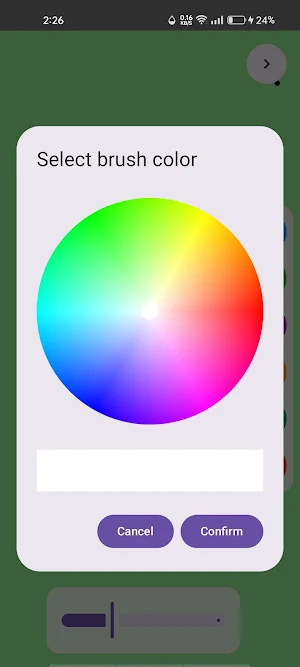
Endless Colors: Choose from a rich color palette or pick your perfect shade.
2. Comfortable & Enjoyable Experience
Minimalist Interface: A clean design that stays out of your way—tools hide when you don’t need them.
Adjustable Brush Size: Easily control line thickness with a simple slider.
Undo & Redo: Made a mistake? Fix it instantly with a single tap!
3. Create Without Limits
Eye-Friendly Green Canvas: Reduces strain so you can draw longer.
Smooth Lines: Advanced smoothing makes every stroke look polished.
One-Tap Clear: Start fresh anytime with a blank canvas.
What’s new
Version 1.0 · Updated May 4, 2025
- ✏️ Brand new drawing canvas with smooth ink rendering - 🎨 Advanced color picker with HSV selection - 🔄 Undo/redo functionality - 🧽 Smart eraser tool - 📏 Dynamic brush size adjustment (1-30px)
Alternatives to Creative Pad
Looking for apps like Creative Pad? Here are 3 similar Android apps on Google Play. The highest rated is Quotestream Mobile (4.6/5), and all 3 are free to download.



| App | Rating | Price | Installs | Last updated | Compare |
|---|---|---|---|---|---|
| Creative Pad | – | Free | 1+ | May 4, 2025 | |
| StoryBox: Alphabet | – | Free | 50+ | Jun 25, 2024 | Compare |
| CyberTrophy | – | Free | 5,000+ | Oct 31, 2026 | Compare |
| Quotestream Mobile | 4.6 / 5 | Free | 5,000+ | Oct 29, 2026 | Compare |
Compare Creative Pad with the top alternatives: ratings, updates, ASO score and keyword gaps →