
MS Xerox
Productivity In-app purchases Contains ads
Fast, 100% offline local printing utility for documents and images.
- Downloads
- 221+
- on Google Play
- Price
- Free
- In-app purchases
- Updated
- Oct 20
- 2026 · v7.5
Screenshots
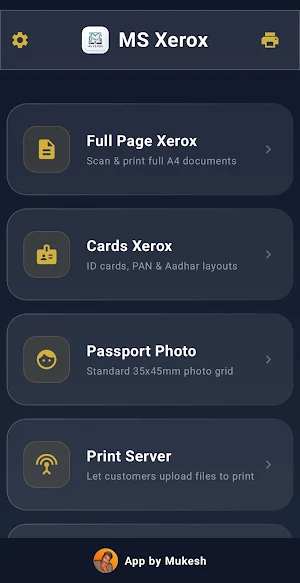
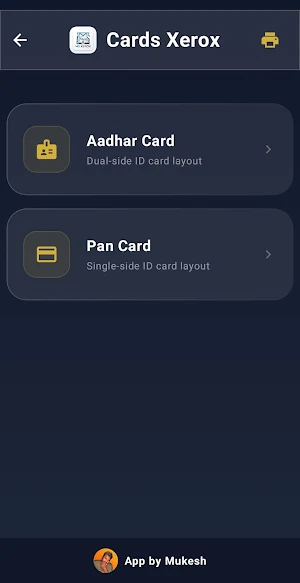
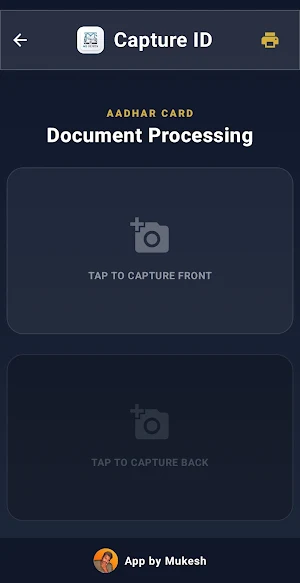
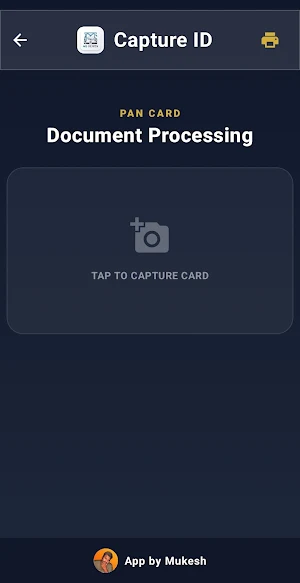


About MS Xerox
MX Xerox is a lightweight, secure, and blazing-fast utility designed to handle all your printing needs directly from your mobile device. Built with user data protection at its core, the app allows you to print documents, photos, and files seamlessly without requiring an internet connection.
🔒 100% Offline & Private
Unlike other printing utilities, MX Xerox processes everything locally on your device. We do not use external cloud servers, meaning your confidential documents, private photos, and personal data never leave your phone.
🚀 Key Features:
True Offline Functionality: Print anytime, anywhere, without needing mobile data or an active internet connection.
Direct Local Printing: Automatically detects and connects to compatible local network or Wi-Fi printers.
Zero Data Collection: No sign-ups, no tracking, and absolutely no data logging. Your privacy is entirely guaranteed.
Lightweight & Fast: Minimalist design ensures fast document processing without draining your device storage or battery.
📂 Supported File Types:
Documents (PDFs, text files)
Images (JPEG, PNG)
Simplify your printing workflow while keeping your data completely secure with MX Xerox.
🔒 100% Offline & Private
Unlike other printing utilities, MX Xerox processes everything locally on your device. We do not use external cloud servers, meaning your confidential documents, private photos, and personal data never leave your phone.
🚀 Key Features:
True Offline Functionality: Print anytime, anywhere, without needing mobile data or an active internet connection.
Direct Local Printing: Automatically detects and connects to compatible local network or Wi-Fi printers.
Zero Data Collection: No sign-ups, no tracking, and absolutely no data logging. Your privacy is entirely guaranteed.
Lightweight & Fast: Minimalist design ensures fast document processing without draining your device storage or battery.
📂 Supported File Types:
Documents (PDFs, text files)
Images (JPEG, PNG)
Simplify your printing workflow while keeping your data completely secure with MX Xerox.
What’s new
Version 7.5 · Updated October 20, 2026
Epson Cloud Priting Added
User reviews

Best App For Cyber Cafe Shop 😄
Alternatives to MS Xerox
Looking for apps like MS Xerox? Here are 6 similar Android apps on Google Play. The highest rated is Jadens Printer (4.7/5), and all 6 are free to download.
-
pdfFiller Edit, fill, sign PDF 3.9
-
Samsung Print Service Plugin 3.7
-
Jadens Printer 4.7
-
Brother Mobile Connect 4.6
-
PDF Reader(KDAN PDF): Edit PDF 3.8
-
RawBT inkless print service 3.9
| App | Rating | Price | Installs | Last updated | Compare |
|---|---|---|---|---|---|
| MS Xerox | – | Free | 100+ | Oct 20, 2026 | |
| pdfFiller Edit, fill, sign PDF | 3.9 / 5 | Free | 5,000,000+ | Oct 22, 2026 | Compare |
| Samsung Print Service Plugin | 3.7 / 5 | Free | 1,000,000,000+ | May 6, 2026 | Compare |
| Jadens Printer | 4.7 / 5 | Free | 100,000+ | Aug 28, 2026 | Compare |
| Brother Mobile Connect | 4.6 / 5 | Free | 5,000,000+ | Oct 6, 2026 | Compare |
| PDF Reader(KDAN PDF): Edit PDF | 3.8 / 5 | Free | 10,000,000+ | – | Compare |
| RawBT inkless print service | 3.9 / 5 | Free | 5,000,000+ | Apr 26, 2025 | Compare |
Compare MS Xerox with the top alternatives: ratings, updates, ASO score and keyword gaps →
Similar apps on Google Play
- pdfFiller Edit, fill, sign PDF
- Samsung Print Service Plugin
- Jadens Printer
- Brother Mobile Connect
- PDF Reader(KDAN PDF): Edit PDF
- RawBT inkless print service
- Rocketbook
- HP
- ParkWhiz -- Parking App
- HerePrint
- NIIMBOT
- Tiny Scanner - PDF Scanner App
- Easy-PhotoPrint Editor
- PDF Scanner Plus - Doc Scanner
- Mobi PDF・Editor・Scanner・Reader