
BlinkSwipe
Tools Contains ads
Hands-free: Swipe the screen with a blink
- Rating
- 4.6
- 17 ratings
- Downloads
- 8.7K+
- on Google Play
- Price
- Free
- No in-app purchases
- Updated
- Aug 18
- 2026
Screenshots
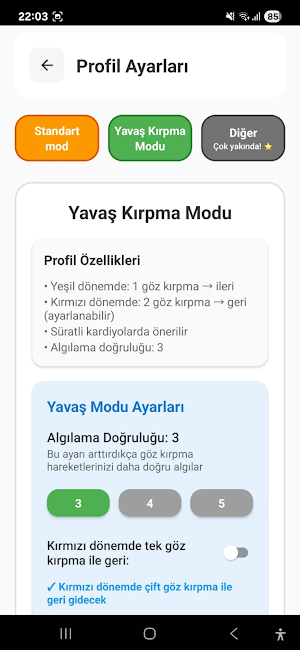

About BlinkSwipe
This application uses accessibility services only for scrolling with a blink; it does not collect or share content.
Accessibility Service Usage
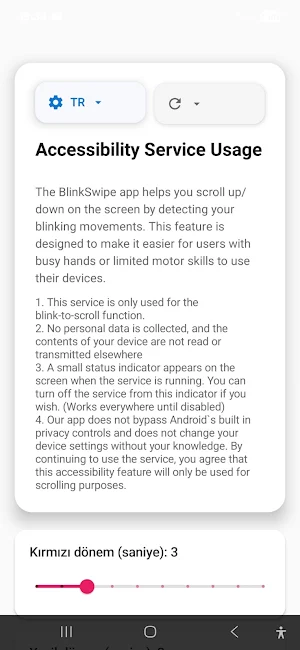
BlinkSwipe app helps you scroll up and down the screen by detecting your blinking movements. This feature is designed to make it easier for users with busy hands or limited motor skills to use their devices.
The service is only used for the blink-to-scroll function.
BlinkSwipe itself does not collect, store, or share any personal data.
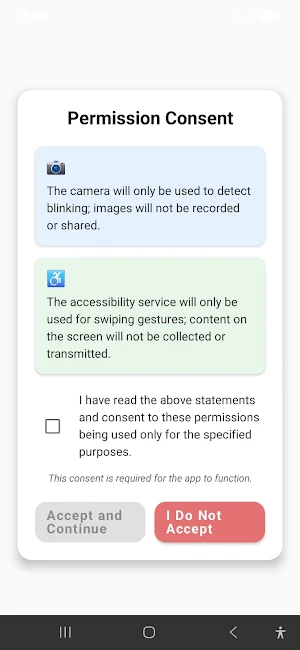
The camera is used only for blink detection. No photos or videos are recorded, and no facial recognition or identity detection is performed. Processing is done entirely on-device.
A small status indicator appears on the screen when the service is running.
The Accessibility Service is only used to perform scrolling gestures. It does not read, collect, or transmit the content of other apps.
The app does not bypass Android’s built-in privacy controls and does not change device settings without your knowledge.
What does it do?
BlinkSwipe lets you scroll without touching. When the user consciously blinks, the app applies a swipe gesture to the system.
Who is it for?
Users with limited motor skills or those experiencing repetitive strain.
Situations where touching the screen is difficult when hands are occupied.
How does it work?
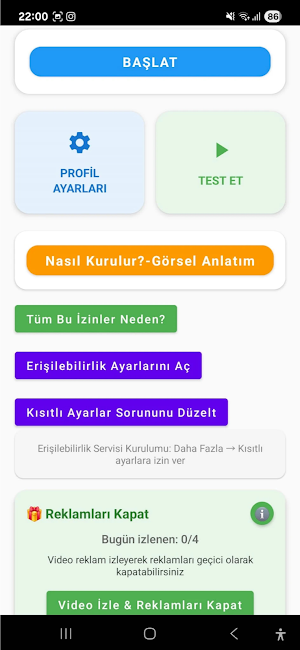
Open the service from Settings → Accessibility → BlinkSwipe.
Grant the camera permission.
Detected blinks trigger up/down swipes.
Privacy and permissions
Camera: used only for blink detection, on-device only.
Overlay: used only for the status indicator.
Ads: This app displays ads via third-party networks (e.g., Google AdMob). These networks may collect device or usage data in accordance with their own privacy policies.
Limitations
BlinkSwipe is not intended for medical or safety-critical use.
Accessibility Service Usage
BlinkSwipe app helps you scroll up and down the screen by detecting your blinking movements. This feature is designed to make it easier for users with busy hands or limited motor skills to use their devices.
The service is only used for the blink-to-scroll function.
BlinkSwipe itself does not collect, store, or share any personal data.
The camera is used only for blink detection. No photos or videos are recorded, and no facial recognition or identity detection is performed. Processing is done entirely on-device.
A small status indicator appears on the screen when the service is running.
The Accessibility Service is only used to perform scrolling gestures. It does not read, collect, or transmit the content of other apps.
The app does not bypass Android’s built-in privacy controls and does not change device settings without your knowledge.
What does it do?
BlinkSwipe lets you scroll without touching. When the user consciously blinks, the app applies a swipe gesture to the system.
Who is it for?
Users with limited motor skills or those experiencing repetitive strain.
Situations where touching the screen is difficult when hands are occupied.
How does it work?
Open the service from Settings → Accessibility → BlinkSwipe.
Grant the camera permission.
Detected blinks trigger up/down swipes.
Privacy and permissions
Camera: used only for blink detection, on-device only.
Overlay: used only for the status indicator.
Ads: This app displays ads via third-party networks (e.g., Google AdMob). These networks may collect device or usage data in accordance with their own privacy policies.
Limitations
BlinkSwipe is not intended for medical or safety-critical use.
What’s new
Updated August 18, 2026
A few minor updates have been completed
Alternatives to BlinkSwipe
Looking for apps like BlinkSwipe? Here are 6 similar Android apps on Google Play. The highest rated is Partnerpass (5.0/5), and all 6 are free to download.
-
JR-Park: FestiGO
-
MyCena Desk Center
-
Properties manager
-
Train ID - AI Identifier
-
Partnerpass 5.0
-
Status Saver - Save & Share
| App | Rating | Price | Installs | Last updated | Compare |
|---|---|---|---|---|---|
| BlinkSwipe | 4.6 / 5 | Free | 5,000+ | Aug 18, 2026 | |
| JR-Park: FestiGO | – | Free | 0+ | Sep 30, 2025 | Compare |
| MyCena Desk Center | – | Free | 100+ | Jul 28, 2026 | Compare |
| Properties manager | – | Free | 100+ | Aug 10, 2025 | Compare |
| Train ID - AI Identifier | – | Free | 100+ | Jan 24, 2026 | Compare |
| Partnerpass | 5.0 / 5 | Free | 10,000+ | Oct 3, 2025 | Compare |
| Status Saver - Save & Share | – | Free | 10+ | Nov 15, 2024 | Compare |
Compare BlinkSwipe with the top alternatives: ratings, updates, ASO score and keyword gaps →
Similar apps on Google Play
- JR-Park: FestiGO
- MyCena Desk Center
- Properties manager
- Train ID - AI Identifier
- Partnerpass
- Status Saver - Save & Share
- TV PLAY UNI
- QuickConvert Units
- Online Shield VPN
- QR & Barcode Scanner
- TekLink TL200
- MEGATV DIGITAL
- HC WiFi Box Metalfor
- MB to Mbps Converter
- Laundry Rise
- MHUBIRI BORA WA NENO
- Gunnebo iQ for Locks
- Popup Ad Finder-App Activity
- Codeword - 2FA for People
- UrlCheckerApp
- Unlock Any Phone Methods
- Quick Flashlight
- BBVA I n v e r s i o n e s PRO
- Navision Portal
- VideoTunes