About CNCjogger
WIRELESS CNC JOG CONTROL FROM YOUR PHONE
Plug the CNCjogger Stick into your CNC computer. Open the app. Jog from anywhere in the shop. No drivers, no software to install — the receiver shows up as a standard plug-and-play keyboard.
HOW IT WORKS
1. Plug the CNCjogger Stick into any USB port. USB-C to USB-A adapter included.
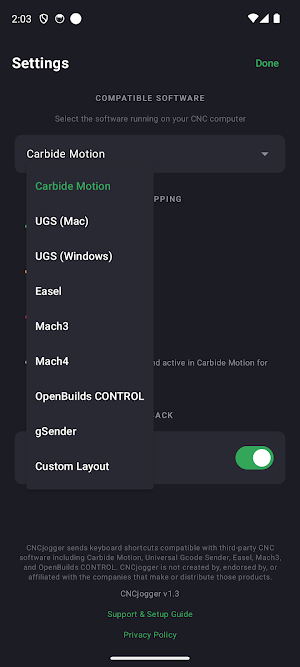
2. Open the free CNCjogger app and select your CNC software.
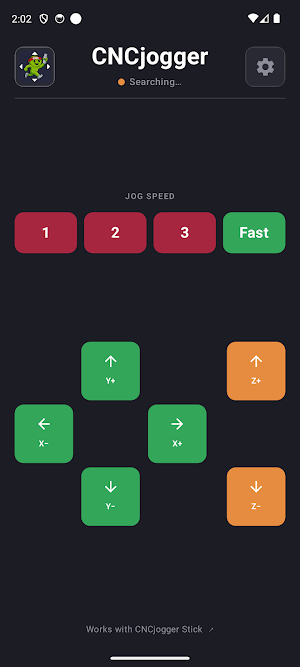
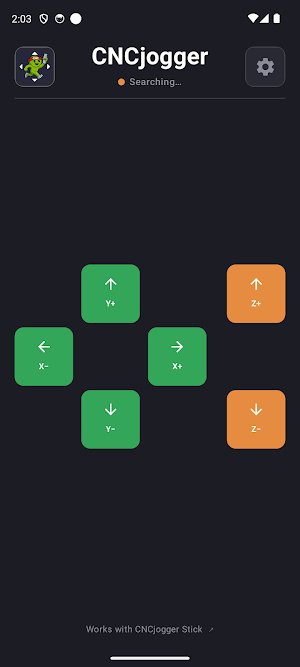
3. Connect automatically and jog wirelessly — X, Y, Z axes with haptic feedback under your thumb.
COMPATIBLE WITH
• Carbide Motion (with speed buttons: 0.025mm, 0.25mm, 1mm, Fast)
• Universal G-Code Sender (UGS)
• Easel (Inventables)
• Mach3 / Mach4
• OpenBuilds CONTROL
• gSender
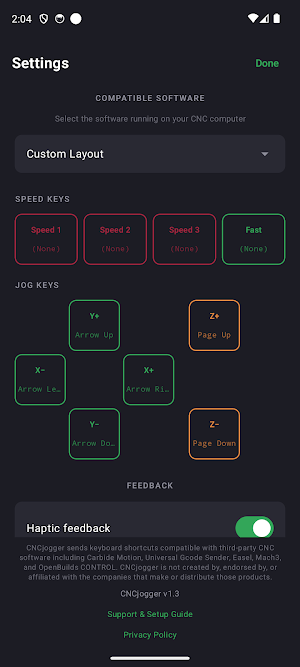
• Custom Layout — assign any keycode to any button for any other CNC software with keyboard jogging
FEATURES
• Tap to nudge, tap again to keep going
• Haptic feedback on every press
• Approximately 30 feet range in typical shop environments
• Auto-reconnect when you return to the machine
• Works on any WiFi network — wireless connection is independent
• No accounts, no cloud, no telemetry
THE PROBLEM IT SOLVES
Stop walking back to the laptop just to bump an axis. Stop running cables across the shop. Your phone is already in your pocket — make it your wireless CNC jog controller. Control from across the room, around the corner, behind enclosures.
WHAT YOU NEED
• CNCjogger Stick — sold separately at cncjogger.com
• Android 8.0 or newer with wireless support
• USB port on your CNC computer (Windows, Mac, or Linux)
QUESTIONS
"Will this work with my CNC software?"
If your CNC software supports keyboard jogging — arrow keys or other keys move the machine — yes. Seven popular packages are pre-configured. For anything else, use Custom Layout to assign any keycode to any button.
"How is this different from a wired pendant or wireless keypad?"
No cable. No separate device to charge. Uses the phone you already carry. Works with multiple CNC software packages. Costs a fraction of the price of a dedicated pendant.
"Do I need to install drivers?"
No. The CNCjogger Stick looks like a standard USB keyboard to your computer. Plug it in and it works.
"How far does it reach?"
Approximately 30 feet in typical shop environments, depending on walls, enclosures, and other equipment.
PRIVACY
This app collects no personal data. No accounts. No analytics. No telemetry. The app only saves your CNC software preference locally on your phone. Full privacy policy at cncjogger.com/app-privacy.
SUPPORT
cncjogger.com/support
Hardware orders and product details: cncjogger.com
Similar Apps
Avigilon Unity Video
Avigilon Unity Video enables remote video viewing from Avigilon Unity Software
nzb360 - Media Server Manager
Manage Sonarr, Radarr, SABnzbd, Torrents, Unraid + much more all within one app.

Sunsational Swim Instructor
Find/manage swim clients, schedule lessons, track progress & access resources.
Auto Agent
Auto Agent lets you monitor, diagnose and reprogram vehicles

KCTCS
The Official app of Kentucky Community & Technical College System.

IFSTA Instructor 9
Study while on the go with Exam Prep, Audiobook, and Flashcards!