Back to Top
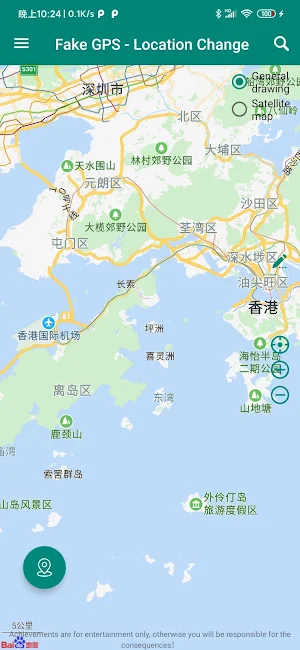
GPS Location Change - Joystick Screenshot 0
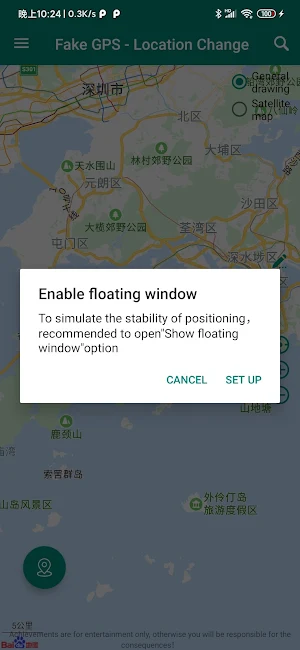
GPS Location Change - Joystick Screenshot 1
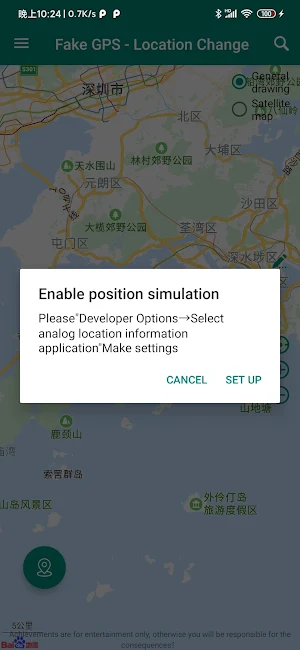
GPS Location Change - Joystick Screenshot 2
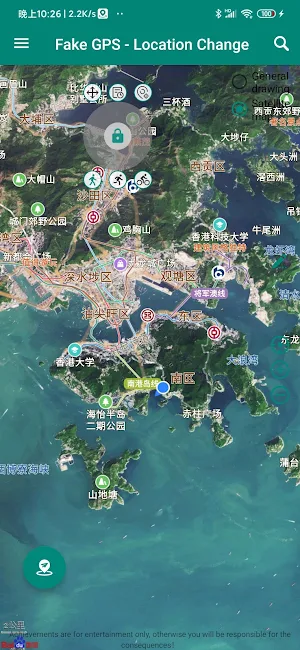
GPS Location Change - Joystick Screenshot 3
Free website generator for mobile apps; privacy policy, app-ads.txt support and more... AppPage.net

About GPS Location Change - Joystick

## Important,if it's not work, you need to remove it first !!!

1 To enable expert mode after each update, you need to remove the copy from system before you update! If the play store updated the app automatically you need to remove it first, download and re-add it again. Use the export feature to secure your routes and history.
2 Modify positioning: you can modify your real-time position, longitude and latitude at will
3 Plan travel routes: intelligently plan travel routes to help users improve travel efficiency. Even in a strange scene in a different place, it provides a comparison of various transfer schemes, such as bus, subway, taxi, riding, etc., to make travel easier.
4 the fakegps location change have two types gps joystick can be use.
5 you can change the gps joystick setting such as types, speed, model etc.
6 save the fakegps location change history on local device. the more function you will be found when in use the fakegps location change app.

Modes of operation
- Expert mode
- No root mode for better spoofing (Android 6.0 and above only for now)
- Fake GPS Joystick
- Automated movement around location in a radius
- Automated altitude
- History
- Favorites
- Settings - change update interval, speed, altitude, accuracy, spoofing and much more
- Better spoofing
- Root support for mock location disabled
- Tasker app integration along with adb shell commands for routes and joystick (more on the FAQ page)
- Fake GPS Go Routes

How to use:
1. Move the map and use the centre/crosshair icon to start a single location
Routes:
2. Long press on the map to add Waypoints for Routing
3. Use the built in Fake GPS Joystick (fly GPS mode)

Similar Apps

GPS Faker Pro-FakeGPS Location

GPS Faker Pro-FakeGPS Location

0.0

🌟No Ads!🌟Route! Route! Route!🌟Support future development!GPS Faker Pro is an application to...

Positional: Your Location Info

Positional: Your Location Info

3.8

Positional is a location based app that utilizes the phone's GPS hardware...

AnyTo-Fake Location

AnyTo-Fake Location

1.8

iMyFone AnyTo is an application to change the location on your mobile...

Legend (Moo.do)

Legend (Moo.do)

3.6

Legend is designed for you - to work the way you do...

Frequently Asked Questions (FAQ)

How do I enable expert mode after each update?
To enable expert mode after each update, you need to remove the copy from system before you update. If the play store updated the app automatically, you need to remove it first, download and re-add it again.
Can I modify my real-time position using the GPS location change app?
Yes, you can modify your real-time position, longitude, and latitude at will.
Does the app help in planning travel routes?
Yes, the app intelligently plans travel routes to help users improve travel efficiency. It provides a comparison of various transfer schemes, such as bus, subway, taxi, riding, etc., to make travel easier.
How many types of fake GPS location change are available?
The fake GPS location change has two types: GPS joystick can be used.
Can I change the settings of the GPS joystick?
Yes, you can change the GPS joystick settings such as types, speed, model, etc.
Does the app save the fake GPS location change history on the local device?
Yes, the fake GPS location change app saves the history on the local device. You will find more functions when using the fake GPS location change app.
What are the modes of operation available in the app?
The modes of operation available in the app are expert mode, no root mode for better spoofing (Android 6.0 and above only for now), fake GPS joystick, automated movement around location in a radius, automated altitude, history, favorites, settings - change update interval, speed, altitude, accuracy, spoofing, and much more, better spoofing, root support for mock location disabled, Tasker app integration along with adb shell commands for routes and joystick (more on the FAQ page), and fake GPS Go Routes.
How do I use the app?
Here are the steps to use the app: