Auto Clicker - ColorTap Pro
Automate taps, drags & multi-touch gestures with color triggers and layers!
About Auto Clicker - ColorTap Pro
ColorTap is a powerful screen automation tool that taps, drags, and replays custom gestures for you — all controlled from a floating overlay. Whether you're automating repetitive tasks, simplifying workflows, or building reactive automations that respond to what's on your screen, ColorTap gives you precise control with a clean, lightweight interface.
It's the perfect app for games and repetitive systems!
KEY FEATURES
• Tap, drag, and custom gesture automation
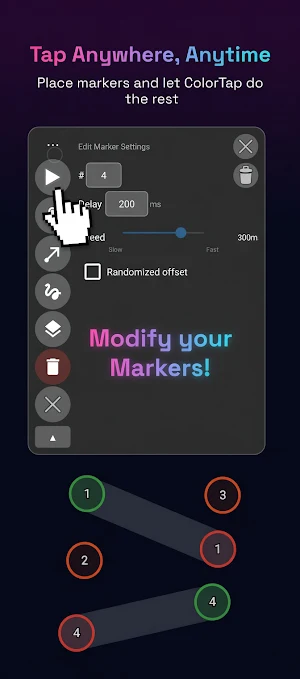
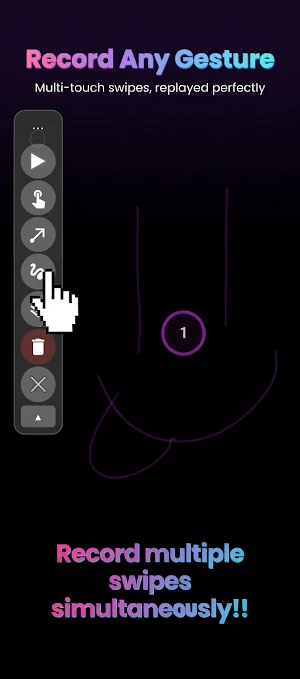
Place markers anywhere on screen and configure each one's delay, hold duration, and order. Record your own multi-touch gestures and replay them perfectly.
• Multi-layer execution
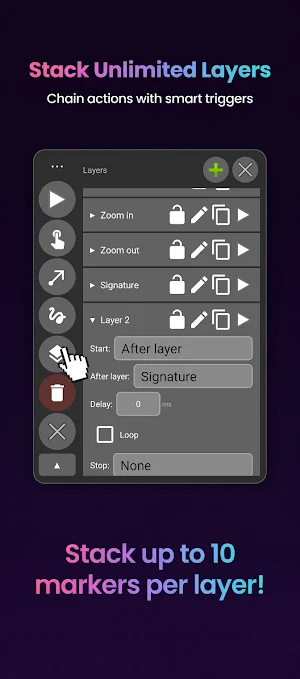
Organize actions into layers and chain them with start/stop conditions. Run sequences in any order, loop them, or trigger them based on screen state.
• Color-based triggers
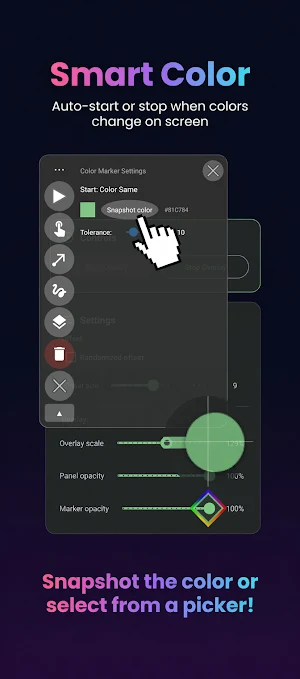
Use the built-in color detector to start or stop a layer when a pixel matches (or stops matching) a target color. Perfect for reacting to app UI, status indicators, or visual cues.
• Anti-detection with randomized offset and delays
Add subtle randomization to tap positions and gesture paths so your automation looks natural — globally or per-marker.
• Floating overlay control panel
Drag, resize, and adjust opacity. Start and stop automation without leaving your current app.
• Import and export
Save your setups as JSON and share them or back them up.
USE CASES
• Repetitive UI tasks across any app
• Mobile gaming automation for repetitive grinding and resource collection
• Accessibility workflows for users who can't perform repeated taps
• QA testing and UI walkthroughs
• Demos and tutorials that need scripted touch input
HOW IT WORKS
1. Grant the two required permissions (Accessibility Service and Display over other apps)
2. Tap "Start Overlay" to launch the floating control panel
3. Add tap, drag, or recorded-gesture markers wherever you need them
4. Configure timing, layers, and color triggers
5. Press play — ColorTap dispatches the gestures for you
PERMISSIONS
ColorTap uses the Android Accessibility Service for two purposes:
1. To dispatch touch gestures (taps, drags, recorded gestures) that you recorded on your behalf — this is the core function of the app.
2. To capture periodic screenshots when you use color-based triggers, so it can sample pixel colors at the marker positions you configured. Screenshots are processed entirely on your device, only the pixel colors at your chosen coordinates are read, and no images are stored, transmitted, or shared.
The Display-over-apps permission is used to show the floating control panel
No ads. No tracking. No accounts. Your data stays on your device.
Need help? Visit https://www.colortap.site/how-to-use for tutorials, or report issues at https://www.colortap.site/bug-report
Similar Apps

Chegg Study - Homework Helper
Study with Chegg - help with homework, exam preparation, question scanner

Freedom Street Garage
Shop, Enter & Win Muscle Cars

Touch Screen Test
Quick tests to assess the functionality of a smartphone touchscreen.

Clony: AI Voice & Face Cloning
Clone your voice in seconds. Turn any photo into a talking video. Let it Sing.

Solink (legacy)
Cloud-based video security

Autio - Travel Companion
Location-based audio stories for travel
