

MK345 Keyboard guide
rabab ali Lifestyle Contains ads
An application MK345 Keyboard guide that give you information about it
- Downloads
- 5+
- on Google Play
- Price
- Free
- No in-app purchases
- Updated
- Jul 17
- 2024 · v2
Screenshots
Save to Pinterest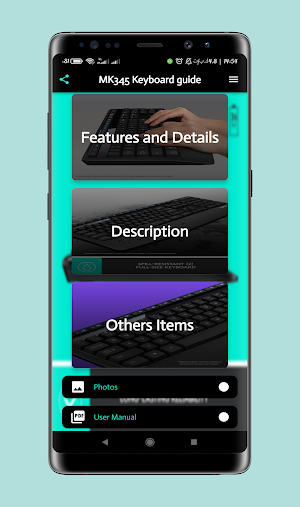


About MK345 Keyboard guide
Welcome to the MK345 Keyboard guide app.
How does MK345 Keyboard guide work in coordination with your phone ?!
Do you know the differences between a MK345 Keyboard guide ?
Do you know what are the advantages of MK345 Keyboard guide ?
Here at MK345 Keyboard guide application, we have collected information that will really help you with that...
And to know the details, and how to connect the MK345 Keyboard guide to your phone
In our app, you will find everything you want and need to know about your MK345 Keyboard guide ...
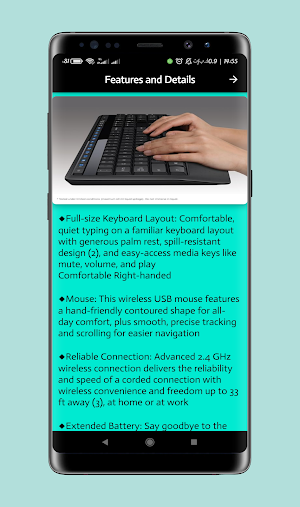
The MK345 Keyboard guide Comfortable, quiet typing on a familiar keyboard layout with generous palm rest, spill-resistant design (2), and easy-access media keys like mute, volume, and play
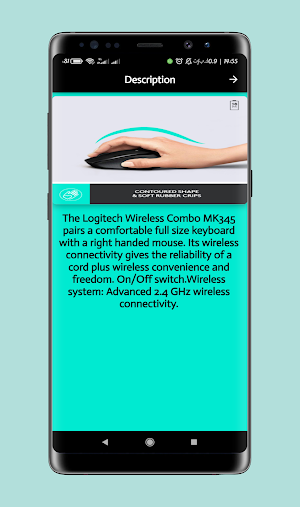
The MK345 Keyboard guide This wireless USB mouse features a hand-friendly contoured shape for all-day comfort, plus smooth, precise tracking and scrolling for easier navigation
This MK345 Keyboard guide Advanced 2.4 GHz wireless connection delivers the reliability and speed of a corded connection with wireless convenience and freedom up to 33 ft away (3), at home or at work
By MK345 Keyboard guide Say goodbye to the hassle of charging cables and changing batteries and get up to 3 years of battery life for the keyboard and 18 months for the mouse (1) with MK345
The MK345 Keyboard guide set works with PCs using Windows or Chrome operating systems; simply plug in to your laptop or desktop computer and begin using
This MK345 Keyboard guide For increased comfort try MK540 wireless keyboard and mouse combo, with scooped keys, a palm rest, a full-size mouse with soft rubber grips, and customizable shortcuts
By MK345 Keyboard guide has sturdy tilt legs with adjustable height
Content of MK345 Keyboard guide app :-
- MK345 Keyboard guide Features & Details
- MK345 Keyboard guide Description
- MK345 Keyboard guide Photos
- MK345 Keyboard guide User Manual
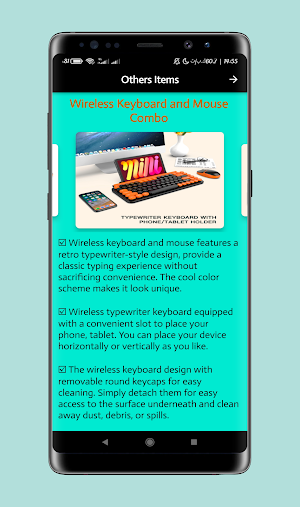
- MK345 Keyboard guide Other Related Items
Features of MK345 Keyboard guide app:-
+ Contains many pictures to see all designs of MK345 Keyboard guide .
+ Easy, clear and uncomplicated MK345 Keyboard guide .
+ Weekly updates MK345 Keyboard guide app.
+ MK345 Keyboard guide app beautiful appearance, decent and comfortable to the eye.
+ This MK345 Keyboard guide app rich in information and pictures.
If you like the MK345 Keyboard guide application, do not forget to rate us with five stars, leave your inquiries and comments and write to us in order to provide you .
At the end, we hope you have a great day within MK345 Keyboard guide app.
Disclaimer:
This mobile app is MK345 Keyboard guide . It is not an official app or part of it.
All images and names are copyright of their respective owners. All images and names in this application are available in public places. This application contains images for cosmetic and educational purposes. Any request to remove one of the logos, images and names will be honored.
Alternatives to MK345 Keyboard guide
Looking for apps like MK345 Keyboard guide? Here are 6 similar Android apps on Google Play. The highest rated is jbl clip 3 guide (4.6/5), and all 6 are free to download.
-
jbl clip 3 guide 4.6
-
sanag earbuds guide
-
fitvii smart watch guide
-
elephas mini projector guide
-
Epson WF3820 Pro guide
-
y13 smart watch guide
| App | Rating | Price | Installs | Last updated | Compare |
|---|---|---|---|---|---|
| MK345 Keyboard guide | – | Free | 5+ | Jul 17, 2024 | |
| jbl clip 3 guide | 4.6 / 5 | Free | 500+ | Jun 28, 2023 | Compare |
| sanag earbuds guide | – | Free | 100+ | Aug 29, 2024 | Compare |
| fitvii smart watch guide | – | Free | 100+ | Aug 11, 2024 | Compare |
| elephas mini projector guide | – | Free | 100+ | Oct 17, 2023 | Compare |
| Epson WF3820 Pro guide | – | Free | 10+ | Jul 14, 2024 | Compare |
| y13 smart watch guide | – | Free | 1,000+ | Jul 11, 2024 | Compare |
Similar apps on Google Play
- jbl clip 3 guide
- sanag earbuds guide
- fitvii smart watch guide
- elephas mini projector guide
- Epson WF3820 Pro guide
- y13 smart watch guide
- Wyze Camera V4 App Guide
- camtrix security camera guide
- digital usb microscope guide
- EURANS Smart Watch guide
- hp deskjet 3772 guide
- raycon earbuds guide
- Zosi Camera Guide
- grv smart watch app guide
- guide dji go 4
- rohs smart watch usher
- TOZO S2 Smart Watch guide
- galaxy watch fe guide
- Enomir smart watch guide
- wyze cam v4 manual
- blink outdoor 3rd gen guide
- netvue indoor camera guide
- Wyze Watch 47c Guide
- Egypt Treasures
- learn spanish guide
- learn repair washing machine
- oraimo watch pro guide
- led 4k projector guide
- m10 wireless earbuds guide
- wearfit pro watch guide
- mini hd projector guide
- epson i3110 printer guide
- xiaomi m365 pro 2 guide
- Medicheck
- honor earbuds x3 lite guide
- jbl flip 6 guide
- dji osmo mobile 6 guide
- hryfine smartwatch guide
- wifi door alarm guide
- deerc d20 guide
- honor band 6 guide
- mi smart band 8 guide
- colmi p71 smart watch guide
- galaxy watch fit 3 guide
- gizmo watch guide
- dji mimo 6 guide
- smart doorbell x9 guide
- xiaomi mi watch revolve guide
- fit pro smartwatch guide
- airpods pro 2 guide
- lake match puzzle
- KE3 Smartwatch Guide
- nexht camera guide
- jlab go air guide
- cam pan v2 guide
- wyze watch 47 guide
- kalinco smart watch guide
- haylou ls02 guide
- hp envy wireless printer guide
- fossil smartwatch guide
- agptek smartwatch guide
- blackview smart watch guide
- apple watch series 6 guide
- da fit smartwatch guide
- vtech smart watch guide
- tp link wifi extender hint
- d1 smart watch guide
- dji mini 4k manual
- dji go fly manual
- s9 ultra smart watch manual
- Ddidbi smart watch guide
- s12 ultra smartwatch guide
- hp officejet 8015e guide
- potensic atom drone usher
- x1 drone guide
- hp envy 6455e usher
- OnePlus Watch 2 Guide
- Ring Door View Cam Guide
- sony fx3 guide
- canon eos r6 mark ii guide
- fyy electronic bag guide
- Dodge Charger Hellcat guide
- Vevor120 Projector guide
- Go2 polariod camera guide
- Jupiter3 Scooter guide
- Ring Spotlight Camera Guide
- Merkury smart camera guide
- DJI RS 3 Pro App Guide
- Black Shark JoyBuds Pro guide
- Ring Stick camera guide
- roomba i3 plus guide
- Fitbit Alta HR guide
- dji mavic mini guide
- Hp Deskjet 4100 Guide
- Aukey Smartwatch Guide
- Sjrc F11s 4K Pro Guide
- ticwatch pro 3 ultra guide
- noise colorfit pro 3 guide
- beatxp smart watch guide
- huawei band 8 guide
- Nikon Z 30 Guide
- apple airpods user guide
- Tenda WiFi Router Guide
- E-twow GT SE Scooter Guide
- xiaomi air purifier 4 guide
- mi smart air fryer guide
- canon camera guide