

Note Canvas - Offline Class
ACE RESTAURANT GROUP Art & Design
All-in-One Digital Whiteboard: Your Hub for Creativity & Productivity
- Downloads
- 1K+
- on Google Play
- Price
- Free
- No in-app purchases
- Updated
- Jul 22
- 2026 · v1.0.2
Screenshots


About Note Canvas - Offline Class
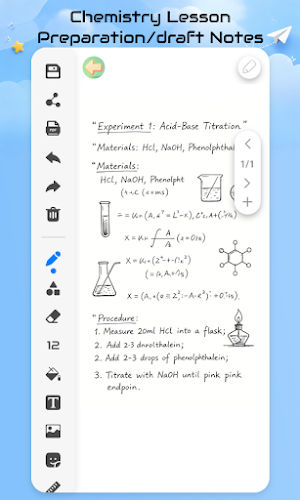
Whether you're organizing knowledge, refining ideas, or collaborating efficiently, this digital whiteboard is your "thinking partner." Hand-drawn sketches, PDF annotations, shape drawing, screenshot integration... full features, zero learning curve — easy for everyone to use.
🔹 Multi-Board Management
All boards are displayed as cards on the homepage. Quickly locate with the search bar, clearly see modification times. Manage your ideas and notes like folders — switch anytime, grab inspiration instantly.
🔹 Drawing Tools
Pencil, highlighter, eraser, shape pen... pick any color and thickness. The canvas extends infinitely, supporting every stage from rough drafts to finished work.
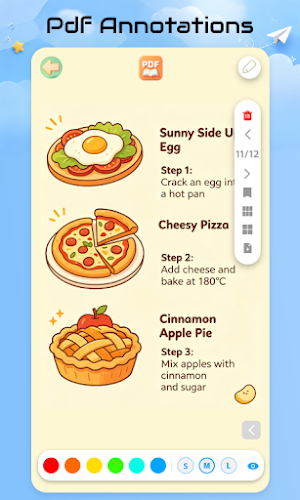
🔹 PDF Annotation
Open a PDF to draw, highlight, and add comments. Switch colors, font sizes, and styles at the bottom — make annotations stand out, double your study and work efficiency.
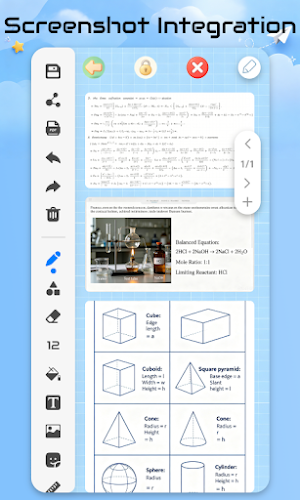
🔹 Screenshot Integration
Import screenshots, then edit with pens, shapes, and text tools. Turn scattered materials into complete notes — clear and organized for review or presentations.
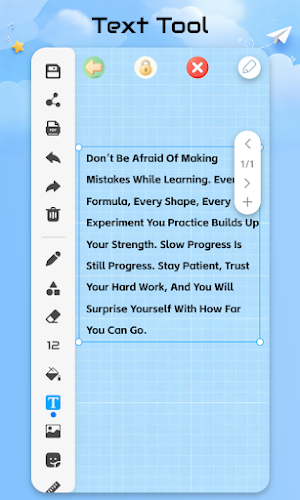
🔹 Text Tool
Text boxes support free dragging, resizing, and color changes. Input long passages with flexible layout — anchor your ideas with words, give your thinking more depth.
🔹 Shape Tool
2D lines and arrows, 3D cubes and spheres, wavy lines and protractors... choose fill and outline freely. Perfect for diagrams and mind maps — a joy for geometry lovers.
🔹 Canvas Colors
Dark mode, pastel tones, textured grids... switch the canvas style with one tap — make creation and learning more immersive.
✨ Why Choose It?
• All-scenario coverage: Study, create, work — one tool does it all
• Zero learning curve: Intuitive icons, anyone can start right away
• Endless possibilities: From fragments to systems, your ideas grow freely here
Open it now and let every idea, every note, have its own digital canvas.
🔹 Multi-Board Management
All boards are displayed as cards on the homepage. Quickly locate with the search bar, clearly see modification times. Manage your ideas and notes like folders — switch anytime, grab inspiration instantly.
🔹 Drawing Tools
Pencil, highlighter, eraser, shape pen... pick any color and thickness. The canvas extends infinitely, supporting every stage from rough drafts to finished work.
🔹 PDF Annotation
Open a PDF to draw, highlight, and add comments. Switch colors, font sizes, and styles at the bottom — make annotations stand out, double your study and work efficiency.
🔹 Screenshot Integration
Import screenshots, then edit with pens, shapes, and text tools. Turn scattered materials into complete notes — clear and organized for review or presentations.
🔹 Text Tool
Text boxes support free dragging, resizing, and color changes. Input long passages with flexible layout — anchor your ideas with words, give your thinking more depth.
🔹 Shape Tool
2D lines and arrows, 3D cubes and spheres, wavy lines and protractors... choose fill and outline freely. Perfect for diagrams and mind maps — a joy for geometry lovers.
🔹 Canvas Colors
Dark mode, pastel tones, textured grids... switch the canvas style with one tap — make creation and learning more immersive.
✨ Why Choose It?
• All-scenario coverage: Study, create, work — one tool does it all
• Zero learning curve: Intuitive icons, anyone can start right away
• Endless possibilities: From fragments to systems, your ideas grow freely here
Open it now and let every idea, every note, have its own digital canvas.
Alternatives to Note Canvas - Offline Class
Looking for apps like Note Canvas - Offline Class? Here are 6 similar Android apps on Google Play. 5 of the 6 are free to download.
-
Classic Hybrid Watch Face
-
Aivora - AI Ads & Templates
-
NoveToon
-
Manga AI: Comic Maker
-
AI Home: Design and Interior
-
ArtNova – AI Image Generator
| App | Rating | Price | Installs | Last updated | Compare |
|---|---|---|---|---|---|
| Note Canvas - Offline Class | – | Free | 1,000+ | Jul 22, 2026 | |
| Classic Hybrid Watch Face | – | 0.79 USD | 5+ | Aug 27, 2026 | Compare |
| Aivora - AI Ads & Templates | – | Free | 500+ | Jul 19, 2026 | Compare |
| NoveToon | – | Free | 1,000+ | Jul 24, 2026 | Compare |
| Manga AI: Comic Maker | – | Free | 100+ | – | Compare |
| AI Home: Design and Interior | – | Free | 1,000+ | Sep 24, 2026 | Compare |
| ArtNova – AI Image Generator | – | Free | 50+ | Jul 14, 2026 | Compare |
Similar apps on Google Play
- Classic Hybrid Watch Face
- Aivora - AI Ads & Templates
- NoveToon
- Manga AI: Comic Maker
- AI Home: Design and Interior
- ArtNova – AI Image Generator
- AuroraVID: AI Photo & Video
- Comic AI Studio
- OpenArt - AI Video Generator
- VideoX: Bring Photos Alive
- PixelProof
- AetherArt
- Persian Legacy Watch Face
- VidmorAI -Al Video Generator
- Solartist - AI Video Generator
- Avasar - Wedding Card Kankotri
- Ar Tattoo Drawing
- ArtAnimator - Animation Maker
- MeiGen AI Gallery
- Crystal Glass Widgets
- AI Lettering Tattoo Generator
- Football Logo Maker : Soccer
- ColorStory Coloring Book Maker
- TM Soudure et Métallerie
- AR Drawing: Trace & Draw Anime