
Screen Mirroring: Web Cast TV
Now Developer Tools In-app purchases Contains ads
TV cast and TV mirror app for screen share with tv, watch video on big screen.
- Downloads
- 10K+
- on Google Play
- Price
- Free
- In-app purchases
- Updated
- May 6
- 2024 · v1.2.0
Screenshots
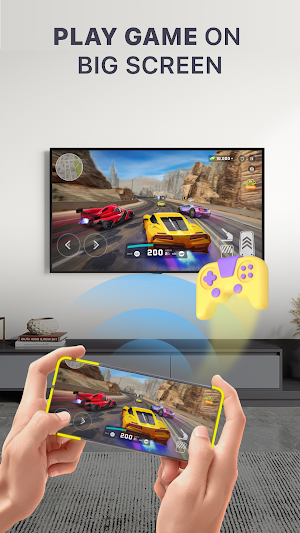


About Screen Mirroring: Web Cast TV
One connected, Stay Connected. Try the Screen Mirroring: Web Cast TV app to connect tv and share screens.
Fast, easy and user friendly. The screen share app provides a truly immersive viewing experience on the big screen. The anyview cast app enables you to cast online video to TV directly, including popular movies, sports live streams, TV shows, etc. With this screen mirror app, it is easy to cast image and video in HD quality and real time speed without cable. Access all types of media files on the big screen.
Connect to TV and enjoy the perfect features in cast to tv app:
👉 Easy connection:
- Simple and fast connection with just a click, cast screen
- Smart tv cast app interface is designed with eye-catching, easy to use
- Simple connection operation.
- Smooth content slideshows
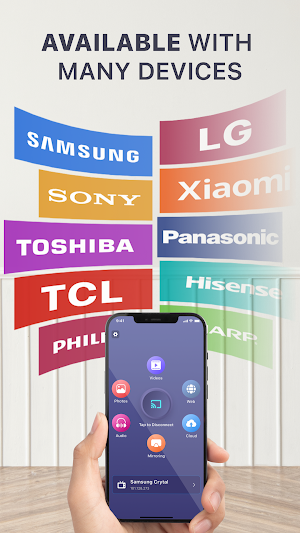
- Supported of all smart TVs, tv connect
👉 Screen mirroring for smart TV:
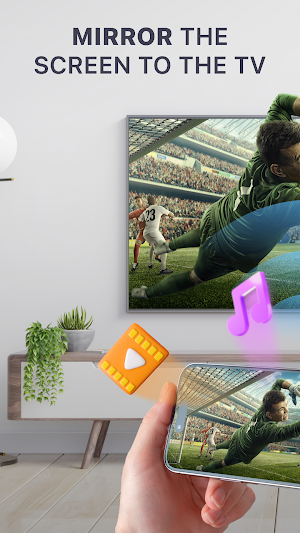
- Mirror your device's screen in real-time on your TV with the Screen Mirroring feature. Sharing presentations, streaming videos, or showcasing photos
- This TV screen mirroring app ensures a seamless and lag-free replication of your device's display on the larger screen.
👉 Cast Media:
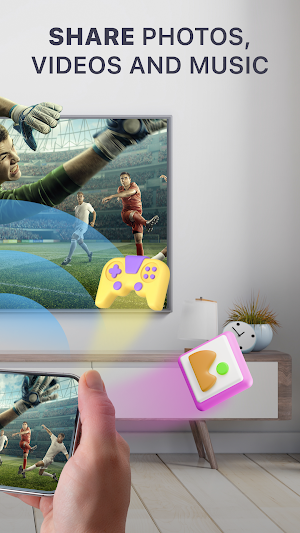
- Take your multimedia experience to the next level by casting a variety of content directly to your TV.
- With the cast to tv screen mirroring app, your can: cast picture, cast image, video cast, cast audio and web cast
- Cast the mobile game to your big screen TV
- Stream local files from phone to TV, stream to tv
Note: The cast phone to tv app helps to mirror your screen wireless over the Internet. Just make sure the two devices you use share the same wifi connection.
The miracast tv mirror app allows you to replicate your mobile device screen on your smart TV in real-time. Whether you're gaming, collaborating on presentations, or sharing memories with friends and family, the screen stream mirroring app ensures that your on-screen activities are mirrored instantaneously for a truly dynamic experience.
Use the tv cast screen mirroring app and be ready to play videos, photos, etc on any smart TV anywhere. Thanks for using the tv mirror technology app.
Fast, easy and user friendly. The screen share app provides a truly immersive viewing experience on the big screen. The anyview cast app enables you to cast online video to TV directly, including popular movies, sports live streams, TV shows, etc. With this screen mirror app, it is easy to cast image and video in HD quality and real time speed without cable. Access all types of media files on the big screen.
Connect to TV and enjoy the perfect features in cast to tv app:
👉 Easy connection:
- Simple and fast connection with just a click, cast screen
- Smart tv cast app interface is designed with eye-catching, easy to use
- Simple connection operation.
- Smooth content slideshows
- Supported of all smart TVs, tv connect
👉 Screen mirroring for smart TV:
- Mirror your device's screen in real-time on your TV with the Screen Mirroring feature. Sharing presentations, streaming videos, or showcasing photos
- This TV screen mirroring app ensures a seamless and lag-free replication of your device's display on the larger screen.
👉 Cast Media:
- Take your multimedia experience to the next level by casting a variety of content directly to your TV.
- With the cast to tv screen mirroring app, your can: cast picture, cast image, video cast, cast audio and web cast
- Cast the mobile game to your big screen TV
- Stream local files from phone to TV, stream to tv
Note: The cast phone to tv app helps to mirror your screen wireless over the Internet. Just make sure the two devices you use share the same wifi connection.
The miracast tv mirror app allows you to replicate your mobile device screen on your smart TV in real-time. Whether you're gaming, collaborating on presentations, or sharing memories with friends and family, the screen stream mirroring app ensures that your on-screen activities are mirrored instantaneously for a truly dynamic experience.
Use the tv cast screen mirroring app and be ready to play videos, photos, etc on any smart TV anywhere. Thanks for using the tv mirror technology app.
User reviews

G and I can make it work for you guys and we can get together for dinner and then I can make it work for you guys and we could talk 👄 😉 and 👍 and see what we could find.
Alternatives to Screen Mirroring: Web Cast TV
Looking for apps like Screen Mirroring: Web Cast TV? Here are 3 similar Android apps on Google Play. All of them are free to download.


| App | Rating | Price | Installs | Last updated | Compare |
|---|---|---|---|---|---|
| Screen Mirroring: Web Cast TV | – | Free | 10,000+ | May 6, 2024 | |
| CV Maker and AI CV Builder | – | Free | 100+ | May 9, 2024 | Compare |
| Flag Painting & Flag Coloring | – | Free | 1,000+ | Apr 5, 2024 | Compare |
| Universal TV Remote & TV Cast | – | Free | 10+ | May 17, 2024 | Compare |