

FileRescue-File Rescue Tool
VLOG24INDIA Tools
Scan recoverable files and save selected results safely.
- Downloads
- 100K+
- on Google Play
- Price
- Free
- No in-app purchases
- Updated
- Sep 18
- 2026 · v1.0.3
Screenshots

About FileRescue-File Rescue Tool
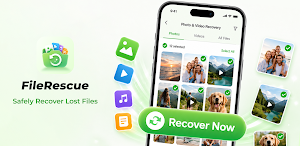
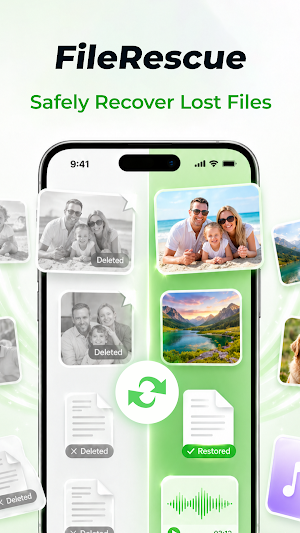
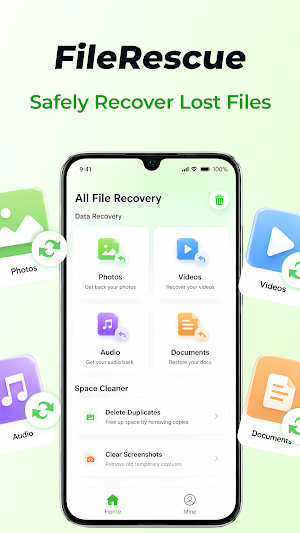
FileRescue is a simple file recovery tool designed to help users scan device storage for files that may still be recoverable, review detected results, and save selected files back to the device. It is built for common recovery needs such as photos, videos, audio files, and documents, giving users a clear way to start a scan and manage recovery results.
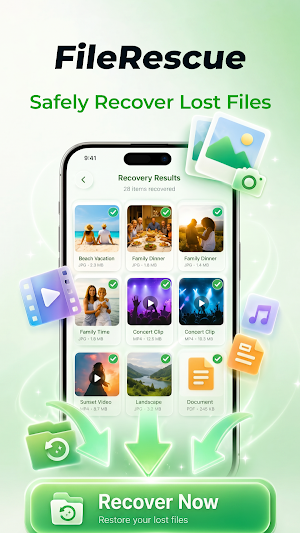
The app focuses on a user-initiated recovery workflow. When users open FileRescue, they can choose the type of file they want to scan, start the recovery process, and review the files found during scanning. Users remain in control of what to restore. The app does not automatically recover every detected item; instead, it allows users to inspect results and save only the files they choose.
FileRescue can be helpful after accidental deletion, missing media, or situations where users want to check whether recoverable files are still available on the device. Recovery results may vary depending on device storage conditions, how long ago the file was deleted, and whether the original data has already been overwritten. No recovery app can guarantee that every deleted file will be restored, and FileRescue presents results based on what can be detected during scanning.
Main features include:
- Scan for recoverable photos, videos, audio files, and documents
- Review detected files before restoring them
- Restore selected files back to local device storage
- Check recovery progress during longer tasks
- Receive recovery status or completion notifications
- Use a straightforward interface for file scanning and saving
FileRescue uses storage access only for core recovery functions. Broader storage access may be required because standard file selection APIs do not provide enough access for scanning recoverable files across device storage. The permission is used for user-started scanning, detecting recoverable files, and saving selected results. The app does not use file access for advertising targeting or unrelated personalization.
Some recovery tasks may take time, especially when scanning larger storage areas or processing many files. During these tasks, FileRescue may show a foreground notification so users can understand that scanning or recovery is still running. This helps keep the recovery status visible if the user leaves the app while the task continues. Notifications are used for recovery status and completion alerts, not for unrelated promotional messages.
FileRescue is intended to make file recovery easier to manage. Users can scan, review, select, and restore files with a clear recovery flow. The app works locally on the device and is designed around practical recovery steps rather than exaggerated promises. For best results, users should scan as soon as possible after accidental deletion, because recoverable data may become unavailable if storage is reused or overwritten.
The app focuses on a user-initiated recovery workflow. When users open FileRescue, they can choose the type of file they want to scan, start the recovery process, and review the files found during scanning. Users remain in control of what to restore. The app does not automatically recover every detected item; instead, it allows users to inspect results and save only the files they choose.
FileRescue can be helpful after accidental deletion, missing media, or situations where users want to check whether recoverable files are still available on the device. Recovery results may vary depending on device storage conditions, how long ago the file was deleted, and whether the original data has already been overwritten. No recovery app can guarantee that every deleted file will be restored, and FileRescue presents results based on what can be detected during scanning.
Main features include:
- Scan for recoverable photos, videos, audio files, and documents
- Review detected files before restoring them
- Restore selected files back to local device storage
- Check recovery progress during longer tasks
- Receive recovery status or completion notifications
- Use a straightforward interface for file scanning and saving
FileRescue uses storage access only for core recovery functions. Broader storage access may be required because standard file selection APIs do not provide enough access for scanning recoverable files across device storage. The permission is used for user-started scanning, detecting recoverable files, and saving selected results. The app does not use file access for advertising targeting or unrelated personalization.
Some recovery tasks may take time, especially when scanning larger storage areas or processing many files. During these tasks, FileRescue may show a foreground notification so users can understand that scanning or recovery is still running. This helps keep the recovery status visible if the user leaves the app while the task continues. Notifications are used for recovery status and completion alerts, not for unrelated promotional messages.
FileRescue is intended to make file recovery easier to manage. Users can scan, review, select, and restore files with a clear recovery flow. The app works locally on the device and is designed around practical recovery steps rather than exaggerated promises. For best results, users should scan as soon as possible after accidental deletion, because recoverable data may become unavailable if storage is reused or overwritten.
Alternatives to FileRescue-File Rescue Tool
Looking for apps like FileRescue-File Rescue Tool? Here are 3 similar Android apps on Google Play. The highest rated is Leaderboard Golf (4.6/5), and all 3 are free to download.



| App | Rating | Price | Installs | Last updated | Compare |
|---|---|---|---|---|---|
| FileRescue-File Rescue Tool | – | Free | 100,000+ | Sep 18, 2026 | |
| Fortect Mobile Security | 4.2 / 5 | Free | 10,000+ | Aug 17, 2026 | Compare |
| Sunsational Swim Instructor | – | Free | 1,000+ | Jul 25, 2026 | Compare |
| Leaderboard Golf | 4.6 / 5 | Free | 1,000+ | Oct 14, 2025 | Compare |