

Millo - Smart Blender
Millo Appliances Food & Drink
Blend your smoothies smarter
- Downloads
- 500+
- on Google Play
- Price
- Free
- No in-app purchases
- Updated
- Dec 28
- 2020 · v1.2
Screenshots
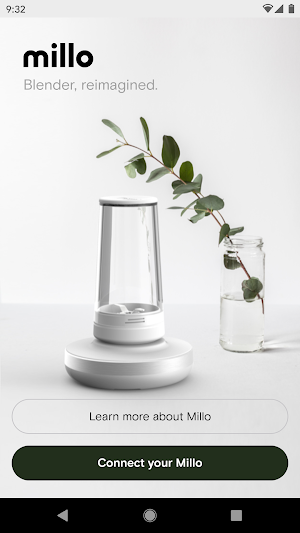
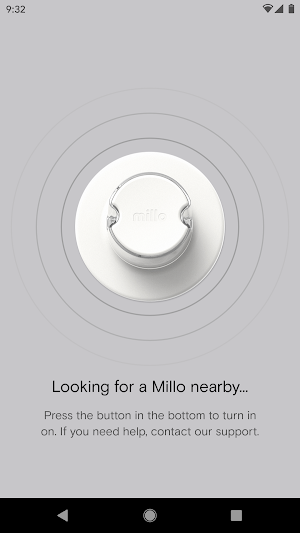
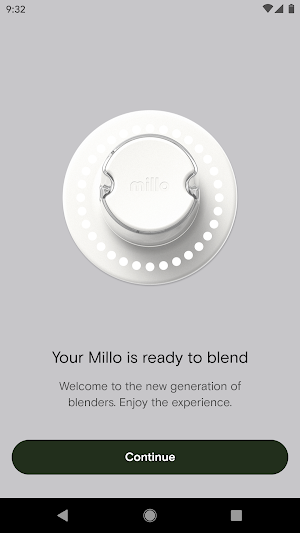
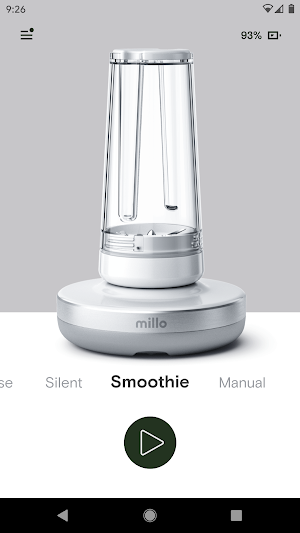


About Millo - Smart Blender
Make the world’s smartest blender even smarter with the millo app.
Experience the full potential of your millo, download the millo app today!
Control your millo from the comfort of your phone. And through regular updates delivered via the app, you will receive added features and functionality - making your smart blender even smarter.
Connect to your millo blender via Bluetooth to initiate your blend presets or customize the shortcut buttons* on your millo. You can even control the blend power directly from your smartphone. Keep your millo healthy and up to date - check your millo’s battery, update its firmware and even discover hidden features. The millo app is the essential companion for your millo.
Features :
- Connect via Bluetooth - millo uses Low Energy Bluetooth to connect with your smartphone, giving you a fast connection that will not drain your battery.
- Control from the App - Use the app to launch one of millo’s predefined presets, including Smart Blending, or choose one of your own saved patterns. For added convenience - you can also control blender speeds via the app’s on screen slider.
- Firmware Updates - We are constantly working on updates to make your millo a better, smarter, more powerful blender. Whenever a new firmware update is available a badge will appear in the millo app.
- Direct access to the millo team- You can get in touch with us directly via the app and share your questions, feedback or suggestions.
Coming later :
- Customize Shortcuts* - The three quick launch shortcut buttons on your millo can be customized using the app. Simply set them to any of the presets or saved patterns on your smartphone, and then all it takes is a single tap on your millo blender to make your favorite smoothies.
- Blending History - Using the app you can access your entire smoothie history — even those made without the app.
- Save Your Patterns - Any manual blend can be saved and later replayed, allowing you to recreate the perfect smoothie.
- Share Patterns - If you find a blending pattern you really like, share it with the world — or just a few select friends.
Experience the full potential of your millo, download the millo app today!
Control your millo from the comfort of your phone. And through regular updates delivered via the app, you will receive added features and functionality - making your smart blender even smarter.
Connect to your millo blender via Bluetooth to initiate your blend presets or customize the shortcut buttons* on your millo. You can even control the blend power directly from your smartphone. Keep your millo healthy and up to date - check your millo’s battery, update its firmware and even discover hidden features. The millo app is the essential companion for your millo.
Features :
- Connect via Bluetooth - millo uses Low Energy Bluetooth to connect with your smartphone, giving you a fast connection that will not drain your battery.
- Control from the App - Use the app to launch one of millo’s predefined presets, including Smart Blending, or choose one of your own saved patterns. For added convenience - you can also control blender speeds via the app’s on screen slider.
- Firmware Updates - We are constantly working on updates to make your millo a better, smarter, more powerful blender. Whenever a new firmware update is available a badge will appear in the millo app.
- Direct access to the millo team- You can get in touch with us directly via the app and share your questions, feedback or suggestions.
Coming later :
- Customize Shortcuts* - The three quick launch shortcut buttons on your millo can be customized using the app. Simply set them to any of the presets or saved patterns on your smartphone, and then all it takes is a single tap on your millo blender to make your favorite smoothies.
- Blending History - Using the app you can access your entire smoothie history — even those made without the app.
- Save Your Patterns - Any manual blend can be saved and later replayed, allowing you to recreate the perfect smoothie.
- Share Patterns - If you find a blending pattern you really like, share it with the world — or just a few select friends.
What’s new
Version 1.2 · Updated December 28, 2020
Improvement: firmware update speed
Alternatives to Millo - Smart Blender
Looking for apps like Millo - Smart Blender? Here are 6 similar Android apps on Google Play. All of them are free to download.
-
RoyalBuzz delivery App
-
Azeeema | عزيمة
-
Orange Pos
-
PlateSnap - Food Identifier
-
VEGAS | Доставка еды на дом
-
Pizza Vincenzo
| App | Rating | Price | Installs | Last updated | Compare |
|---|---|---|---|---|---|
| Millo - Smart Blender | – | Free | 500+ | Dec 28, 2020 | |
| RoyalBuzz delivery App | – | Free | 10+ | Aug 12, 2020 | Compare |
| Azeeema | عزيمة | – | Free | 100+ | Nov 26, 2023 | Compare |
| Orange Pos | – | Free | 50+ | Sep 16, 2023 | Compare |
| PlateSnap - Food Identifier | – | Free | 50+ | Jul 3, 2023 | Compare |
| VEGAS | Доставка еды на дом | – | Free | 1+ | Nov 8, 2023 | Compare |
| Pizza Vincenzo | – | Free | 10+ | Nov 15, 2019 | Compare |
Similar apps on Google Play
- RoyalBuzz delivery App
- Azeeema | عزيمة
- Orange Pos
- PlateSnap - Food Identifier
- VEGAS | Доставка еды на дом
- Pizza Vincenzo
- Restaurant Passion Admin Tools
- Bafra Kebab Bytów
- Shah G. Pizza und Kebab
- Stella's 24 Hour Eatery
- MealBytes - Restaurant Admin
- Comid
- The Burger Spot To Go
- Carrick Eats
- Passage to India North Shields
- CheffyHub
- Pizza U Jana
- GREEN TRUCK | Добруш
- Go!Gas
- ToppSalad
- Grapes
- Backstreet Burgers
- BBC Culinary Matrix
- s'Pizzawägele
- Receta de Cócteles - Fusion