
To-Do List - Schedule Planner
MakesEzy Productivity Contains ads
ToDo App — Your Elegant Task Manager for your day,Daily and Planned Activities
- Downloads
- 50+
- on Google Play
- Price
- Free
- No in-app purchases
- Updated
- Apr 14
- 2026 · v1.0.0
Screenshots
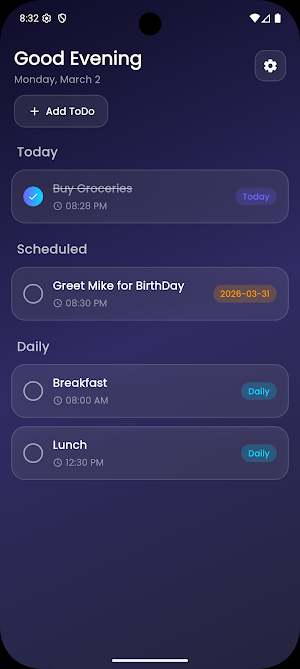


About To-Do List - Schedule Planner
ToDo App — Your Elegant Task Manager
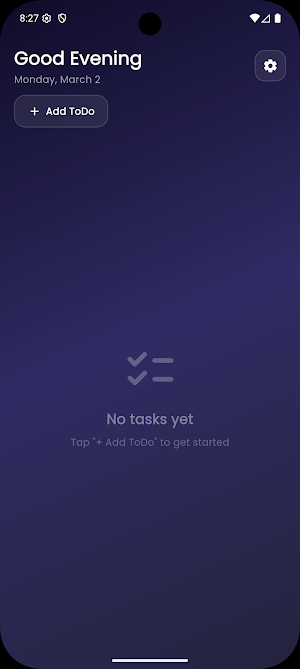
Take control of your day with a beautifully designed task manager that keeps things simple, fast, and completely offline. No sign-ups, no cloud — just you and your tasks.
Whether it's a one-time errand, a daily habit, or something planned for next week, ToDo App organizes everything in one sleek, glassmorphic interface.
🗂️ Smart Task Organization
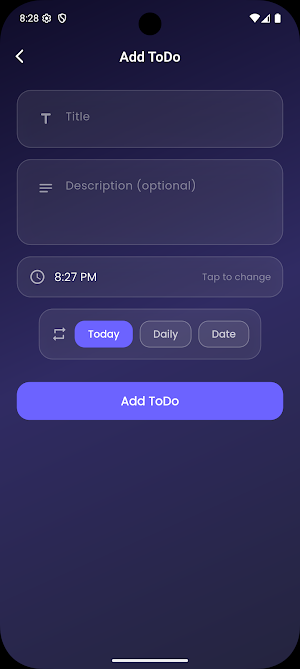
Categorize tasks into three types — Today, Daily, and Scheduled — so you always know what needs your attention right now and what's coming up.
🔔 Timely Reminders
Never miss a task again. Get notified 15 minutes before every task's scheduled time. Daily tasks automatically repeat, so you set them once and stay on track forever.
🌙 Gorgeous Light & Dark Themes
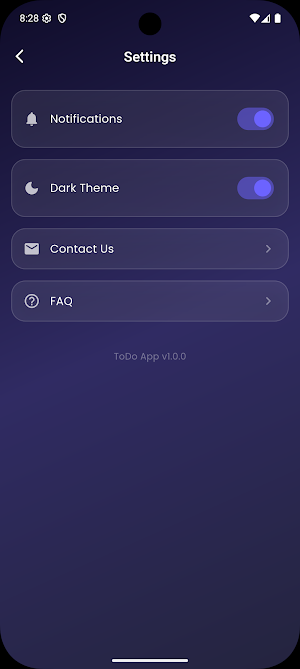
Switch seamlessly between a soft lavender light theme and a deep indigo dark theme. The stunning frosted-glass (glassmorphism) design looks beautiful either way.
✏️ Full Task Control
Create tasks with titles, descriptions, and specific times. Edit any detail on the fly, mark tasks as done with a satisfying animated checkmark, or delete them when they're no longer needed.
📴 100% Offline
All your data is stored securely on your device. No accounts, no internet required, no data collection. Your tasks stay private.
⚡ Smooth & Lightweight
Enjoy fluid animations, elegant page transitions, and a responsive UI
Take control of your day with a beautifully designed task manager that keeps things simple, fast, and completely offline. No sign-ups, no cloud — just you and your tasks.
Whether it's a one-time errand, a daily habit, or something planned for next week, ToDo App organizes everything in one sleek, glassmorphic interface.
🗂️ Smart Task Organization
Categorize tasks into three types — Today, Daily, and Scheduled — so you always know what needs your attention right now and what's coming up.
🔔 Timely Reminders
Never miss a task again. Get notified 15 minutes before every task's scheduled time. Daily tasks automatically repeat, so you set them once and stay on track forever.
🌙 Gorgeous Light & Dark Themes
Switch seamlessly between a soft lavender light theme and a deep indigo dark theme. The stunning frosted-glass (glassmorphism) design looks beautiful either way.
✏️ Full Task Control
Create tasks with titles, descriptions, and specific times. Edit any detail on the fly, mark tasks as done with a satisfying animated checkmark, or delete them when they're no longer needed.
📴 100% Offline
All your data is stored securely on your device. No accounts, no internet required, no data collection. Your tasks stay private.
⚡ Smooth & Lightweight
Enjoy fluid animations, elegant page transitions, and a responsive UI
What’s new
Version 1.0.0 · Updated April 14, 2026
ui and features improvements
Alternatives to To-Do List - Schedule Planner
Looking for apps like To-Do List - Schedule Planner? Here are 6 similar Android apps on Google Play. All of them are free to download.



| App | Rating | Price | Installs | Last updated | Compare |
|---|---|---|---|---|---|
| To-Do List - Schedule Planner | – | Free | 50+ | Apr 14, 2026 | |
| Scanify | – | Free | 10+ | – | Compare |
| Money Love | – | Free | 10+ | – | Compare |
| Explainly | – | Free | 5+ | Jun 24, 2026 | Compare |
| StudySnap - Study Helper | – | Free | 50+ | – | Compare |
| Image Tool Box | – | Free | 10+ | – | Compare |
| Bill Box | – | Free | 100+ | Apr 14, 2026 | Compare |