
Phone Switch: Move to new Phone
Tools In-app purchases Contains ads
Phone Switch is a convenient data migration app for Android.
- Rating
- 4.2
- 70.3K ratings
- Downloads
- 10M+
- on Google Play
- Price
- Free
- In-app purchases
- Updated
- Sep 14
- 2026 · v11.0.2
Screenshots

About Phone Switch: Move to new Phone
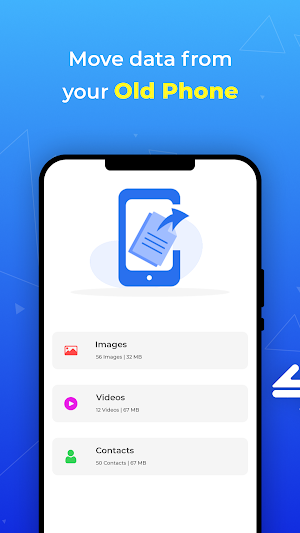
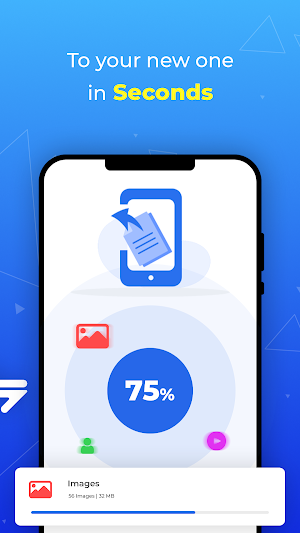
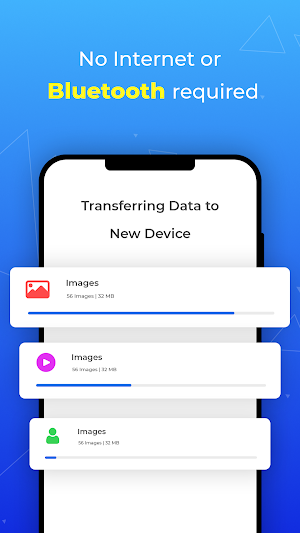
This app lets you move & transfer your contacts, SMS, call logs,notes,recordings, calendar , photos, music, videos,documents, and applications from your old phone to your shiny new one. Transfer happens over the air - No internet, Bluetooth, or cables are needed. An end-to-end connection is made through WiFi. Copy your data from your old device and transfer it to your new phone in seconds.
Features of Phone Switch
- Migrate data to your new device.
- Works via WiFi and does not require internet, cables, or Bluetooth.
- Data Transfer is secure at both ends. Simply scan the QR code to start the transfer.
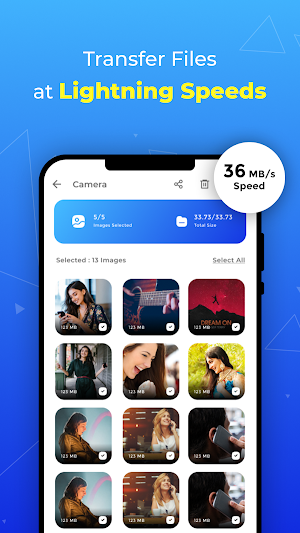
- Experience transfer speeds of upto 300 times faster than Bluetooth.
- Select data you need to transfer.
- After file selection, the app shows you an estimated completion time.
- Shows your transfer history in one place.
- The app displays free & used space on your phone.
- Comes with a Fast & Fluid UI.
How to use:
1. Give Phone Switch the permissions it requires.
2. As a sender, simply select the files you wish to transfer and hit "Send".
3. The app will create a personal hotspot, and a QR code will be shown on the screen.
4. To start the transfer by creating a connection, the receiver must scan the QR code.
5. The user can find all his transferred files on the transfer history page.
Features of Phone Switch
- Migrate data to your new device.
- Works via WiFi and does not require internet, cables, or Bluetooth.
- Data Transfer is secure at both ends. Simply scan the QR code to start the transfer.
- Experience transfer speeds of upto 300 times faster than Bluetooth.
- Select data you need to transfer.
- After file selection, the app shows you an estimated completion time.
- Shows your transfer history in one place.
- The app displays free & used space on your phone.
- Comes with a Fast & Fluid UI.
How to use:
1. Give Phone Switch the permissions it requires.
2. As a sender, simply select the files you wish to transfer and hit "Send".
3. The app will create a personal hotspot, and a QR code will be shown on the screen.
4. To start the transfer by creating a connection, the receiver must scan the QR code.
5. The user can find all his transferred files on the transfer history page.
What’s new
Version 11.0.2 · Updated September 14, 2026
- General maintenance and stability fixes - Addressed minor bugs across multiple screens
User reviews

Quite simple & easy to use

Easily moved my data from old device to new

Completely moved my data to new device in a short time

Helpful for transferring data with really good speed.

Easy & convenient
Alternatives to Phone Switch: Move to new Phone
Looking for apps like Phone Switch: Move to new Phone? Here are 6 similar Android apps on Google Play. The highest rated is MobileTrans-WhatsApp&Phone (4.9/5), and all 6 are free to download.
-
Mobile Clone and Transfer Data 4.7
-
Phone Clone 3.8
-
Duplicate Contact File Remover
-
Smart Switch Data Transfer 3.9
-
MobileTrans-WhatsApp&Phone 4.9
-
EasyShare
| App | Rating | Price | Installs | Last updated | Compare |
|---|---|---|---|---|---|
| Phone Switch: Move to new Phone | 4.2 / 5 | Free | 10,000,000+ | Sep 14, 2026 | |
| Mobile Clone and Transfer Data | 4.7 / 5 | Free | 50,000+ | Aug 13, 2026 | Compare |
| Phone Clone | 3.8 / 5 | Free | 100,000,000+ | Jan 19, 2020 | Compare |
| Duplicate Contact File Remover | – | Free | 50+ | Mar 31, 2022 | Compare |
| Smart Switch Data Transfer | 3.8 / 5 | Free | 50+ | Sep 12, 2022 | Compare |
| MobileTrans-WhatsApp&Phone | 4.9 / 5 | Free | 10,000,000+ | Sep 23, 2026 | Compare |
| EasyShare | – | Free | 1,000,000,000+ | Sep 29, 2026 | Compare |