
File Manager
Logic Utility & Tools App Tools Contains ads
Free,secure tool that helps you find file faster,manage files easily, and share.
- Downloads
- 10K+
- on Google Play
- Price
- Free
- No in-app purchases
- Updated
- Mar 7
- 2020 · v1.1.4
Screenshots


About File Manager
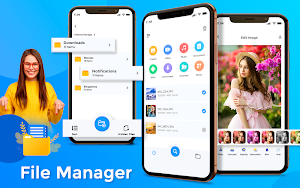
File Manager is a free, secure tool that helps you find file faster, manage files easily, and share them offline with others.
All files are no longer hidden in the mobile system. File manager will help you find file, categorize file easily.
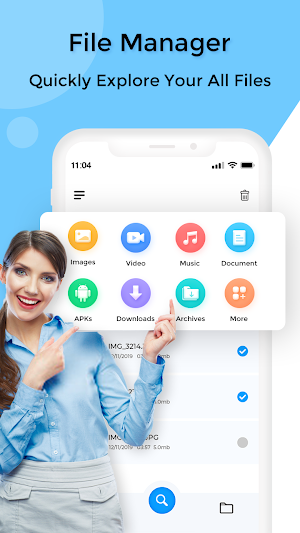
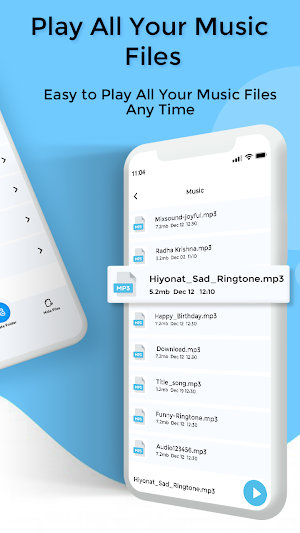
File manager app is free, really easy to use with file organizer by category: Images, Music, Movies, Documents, Apps,...
File Manager, you can easily manage your files and folders on your device and cloud storage's. What's more, you can find how many files & apps you have on your device at a glance immediately after opening File manager.
File storage Organize and manage your files and content such as pictures, music, videos or documents on your phone or tablet.
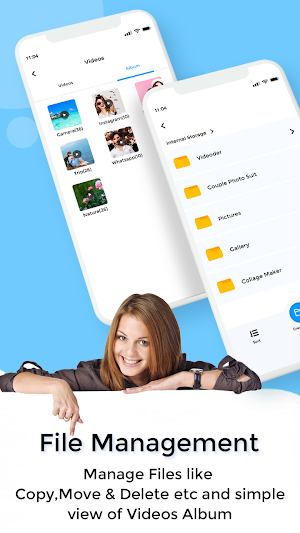
Storage manager supports every file management actions like open, search, navigate directory, copy and paste, cut, delete, rename, compress, decompress, transfer, download, bookmark, and organize.
File Manager Plus supports media files and major file formats including apk.
Clean Master & cleanup helps free up your storage space by removing junk, residual and cache files which slows down your phone.
Save time looking for photos, videos, and documents on your phone. Files uses filters rather than folders so your stuff is organized more intuitively.
file explorer Easy sharing, storage: Share your selected files with your friends, family via social networking, email or cloud storage tools quickly, conveniently using features. . share of the app. In particular, you can select multiple files at once.
Now you can protect your files and folders with a password. If your device has a fingerprint sensor you can use it to open encrypted files without a need to provide the password. The same applies for cloud storages, which can now be accessed with the fingerprint as well.
Feature:
-Application Manager - categorize, uninstall, backup, and create shortcuts to your applications.
-Basic features like cut, copy, delete, compress, extract etc. easily accessible.
-List and grid view for file manager.
-Multiple selection and various sorting support.
-Storage: View your storage stats and manage all folders on your device.
-Cleaner: Free up storage space on your device by deleting cache and junk files.
-File compression: Compress and decompress ZIP/RAR archives.
-Manage multiple files: Select multiple files for the same operation.
User reviews

Nice
Kk
Jabru 6....Mast 6... Hu daily use karu 6u...smooth chale 6.. Love it..!👌

Nice app
Good new
Alternatives to File Manager
Looking for apps like File Manager? Here are 6 similar Android apps on Google Play. The highest rated is QR Code Scanner : Barcode Scan (5.0/5), and all 6 are free to download.
-
QR Code Scanner - Barcode Scan
-
Navigation Bar - Back , Recent 3.6
-
PDF Reader - Read All PDF 4.6
-
Name On Cake Video Maker
-
Clock - Digital Clock Live Wal
-
QR Code Scanner : Barcode Scan 5.0
| App | Rating | Price | Installs | Last updated | Compare |
|---|---|---|---|---|---|
| File Manager | – | Free | 10,000+ | Mar 7, 2020 | |
| QR Code Scanner - Barcode Scan | – | Free | 1,000+ | Sep 21, 2022 | Compare |
| Navigation Bar - Back , Recent | 3.6 / 5 | Free | 100,000+ | Feb 24, 2021 | Compare |
| PDF Reader - Read All PDF | 4.6 / 5 | Free | 10,000+ | – | Compare |
| Name On Cake Video Maker | – | Free | 50,000+ | Oct 12, 2020 | Compare |
| Clock - Digital Clock Live Wal | – | Free | 50,000+ | Jul 9, 2025 | Compare |
| QR Code Scanner : Barcode Scan | 5.0 / 5 | Free | 100,000+ | – | Compare |
Compare File Manager with the top alternatives: ratings, updates, ASO score and keyword gaps →