
LG TV Screen Mirroring
LamnDesmond Tools Contains ads
Cast to LG TV & Screen Share for LG Smart TV : LG TV Screen Mirroring
- Downloads
- 100+
- on Google Play
- Price
- Free
- No in-app purchases
- Updated
- Aug 15
- 2025 · v1.0.0
Screenshots
About LG TV Screen Mirroring
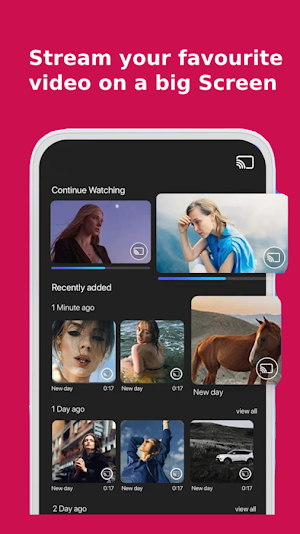
With LG TV screen mirroring app, you can easily connect your smartphone and LG Smart TV, which is a great for mirroring your smartphone's screen and audio to your smart TV using the Miracast capability. It creates a secure connection to keep your information, files, and apps safe.
With our Screen Mirroring (Cast to TV) app, you can easily access all of your games, photos, videos, and other applications on the big screen.
Features of Screen Share For LG TV:
> Share screen to android TV.
> Screen mirroring for any device to your LG TV.
> Easy to change mobile into Smart TV.
> Support Wireless Display or any sort of Display Dongles.
> No registration require to TV.
> TV and Mobile should be connected with the same WIFI network.
> Screen Mirroring is supported by all Android mobile phones.
> Specially Design For LG TV screen mirroring.
> Easy to use interface.
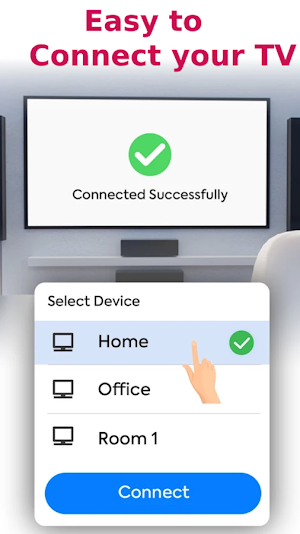
Follow the steps below to mirror your phone's screen on your TV using the LG Screen Mirroring app:
1- Make sure your phone and your LG Smart TV are both on the same WiFi network.
2- Activate Miracast display on the TV
3- Activate the wireless display option on your phone
4- Click on the select button and select your TV
5- Have fun!
Don't worry if you don't have a LG Smart TV or LG TV plus , we also support:
Vizio Smart TV, Roku Sticks and TV, Sony Bravia TV, Hisense TV, TCL Smart TV, Samsung smart TV.
With our Screen Mirroring (Cast to TV) app, you can easily access all of your games, photos, videos, and other applications on the big screen.
Features of Screen Share For LG TV:
> Share screen to android TV.
> Screen mirroring for any device to your LG TV.
> Easy to change mobile into Smart TV.
> Support Wireless Display or any sort of Display Dongles.
> No registration require to TV.
> TV and Mobile should be connected with the same WIFI network.
> Screen Mirroring is supported by all Android mobile phones.
> Specially Design For LG TV screen mirroring.
> Easy to use interface.
Follow the steps below to mirror your phone's screen on your TV using the LG Screen Mirroring app:
1- Make sure your phone and your LG Smart TV are both on the same WiFi network.
2- Activate Miracast display on the TV
3- Activate the wireless display option on your phone
4- Click on the select button and select your TV
5- Have fun!
Don't worry if you don't have a LG Smart TV or LG TV plus , we also support:
Vizio Smart TV, Roku Sticks and TV, Sony Bravia TV, Hisense TV, TCL Smart TV, Samsung smart TV.
Alternatives to LG TV Screen Mirroring
Looking for apps like LG TV Screen Mirroring? Here are 3 similar Android apps on Google Play. All of them are free to download.

| App | Rating | Price | Installs | Last updated | Compare |
|---|---|---|---|---|---|
| LG TV Screen Mirroring | – | Free | 100+ | Aug 15, 2025 | |
| Cineby: Watch TV & Shows | – | Free | 5,000+ | Aug 20, 2025 | Compare |
| Anyview Cast Mirroring | – | Free | 500+ | Aug 7, 2025 | Compare |
| FancyKey: Keyboard Themes | – | Free | – | – | Compare |