

LEAP RFID Connector
LEAP India Limited Tools
Zebra RFID bridge for LEAP — use Chrome with RFD8500 / RFD40 scanners
- Downloads
- 5+
- on Google Play
- Price
- Free
- No in-app purchases
- Updated
- Jul 31
- 2026 · v1.0.4
Screenshots


About LEAP RFID Connector
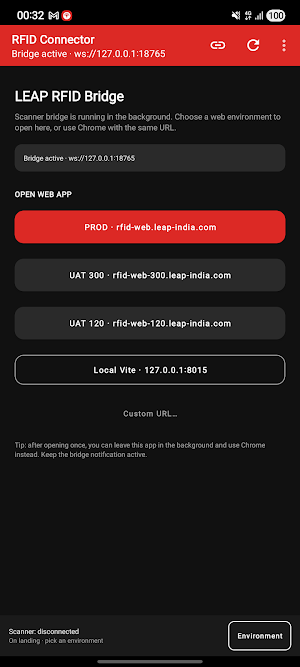
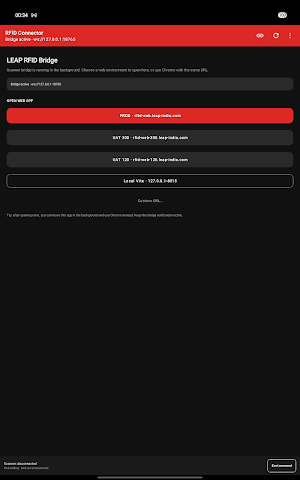
LEAP RFID Connector keeps a local scanner bridge running on your Android device so the LEAP RFID web app can talk to Zebra readers from Chrome (or another browser).
What it does
• Runs a background bridge (ws://127.0.0.1:18765) for the LEAP RFID web app
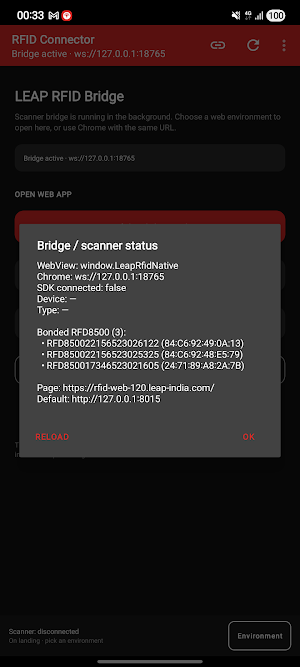
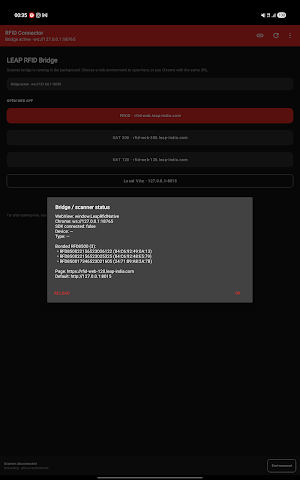
• Connects Zebra RFD8500 over Bluetooth and RFD40 over USB / eConnex
• Works with LEAP RFID at https://rfid-web.leap-india.com
• Optional in-app WebView shell for support and diagnostics
How to use
1. Install LEAP RFID Connector and allow Bluetooth / notifications when prompted
2. Keep the “LEAP RFID bridge active” notification visible while scanning
3. Open the LEAP RFID web app in Chrome on the same device
4. Connect your reader from the web app — tags flow through the local bridge
Who it’s for
Warehouse and yard operators using LEAP RFID with Zebra handheld readers. This is an enterprise companion app; sign-in and business data stay in the LEAP RFID web application.
Support
Contact your LEAP administrator.
What it does
• Runs a background bridge (ws://127.0.0.1:18765) for the LEAP RFID web app
• Connects Zebra RFD8500 over Bluetooth and RFD40 over USB / eConnex
• Works with LEAP RFID at https://rfid-web.leap-india.com
• Optional in-app WebView shell for support and diagnostics
How to use
1. Install LEAP RFID Connector and allow Bluetooth / notifications when prompted
2. Keep the “LEAP RFID bridge active” notification visible while scanning
3. Open the LEAP RFID web app in Chrome on the same device
4. Connect your reader from the web app — tags flow through the local bridge
Who it’s for
Warehouse and yard operators using LEAP RFID with Zebra handheld readers. This is an enterprise companion app; sign-in and business data stay in the LEAP RFID web application.
Support
Contact your LEAP administrator.
Alternatives to LEAP RFID Connector
Looking for apps like LEAP RFID Connector? Here are 6 similar Android apps on Google Play. The highest rated is Lexus (4.7/5), and all 6 are free to download.
-
Fly Vaunt 2.1
-
PDK Access by ProdataKey 2.3
-
Whisker 4.6
-
Lexus 4.7
-
ParkUsher: Find Parking Easily 4.0
-
BILT: 3D Instructions 4.4
| App | Rating | Price | Installs | Last updated | Compare |
|---|---|---|---|---|---|
| LEAP RFID Connector | – | Free | 5+ | Jul 31, 2026 | |
| Fly Vaunt | 2.1 / 5 | Free | 50,000+ | Oct 6, 2026 | Compare |
| PDK Access by ProdataKey | 2.3 / 5 | Free | 100,000+ | Oct 20, 2026 | Compare |
| Whisker | 4.6 / 5 | Free | 500,000+ | Oct 26, 2026 | Compare |
| Lexus | 4.7 / 5 | Free | 500,000+ | Oct 5, 2026 | Compare |
| ParkUsher: Find Parking Easily | 4.0 / 5 | Free | 50,000+ | Sep 24, 2026 | Compare |
| BILT: 3D Instructions | 4.4 / 5 | Free | 1,000,000+ | Jul 10, 2026 | Compare |