
Whiteboard: Canvas & Notes
Kunpi Tech Productivity Contains ads
Write, draw, teach and scan text with OCR on your digital whiteboard.
- Downloads
- 131+
- on Google Play
- Price
- Free
- No in-app purchases
- Updated
- Sep 25
- 2026 · v1.2.4
Screenshots


About Whiteboard: Canvas & Notes
Whiteboard: Canvas & Notes
Turn your Android phone or tablet into a flexible digital canvas for writing, drawing, teaching, planning and annotating documents.
Whiteboard helps you create handwritten notes, sketches, diagrams and visual ideas in one workspace. Choose from different paper styles, draw freely, work with PDFs, scan text with OCR and organize your work across multiple pages.
Whether you're studying, teaching, brainstorming or sketching an idea, Whiteboard gives you a flexible space to create.
• Write, Draw & Create
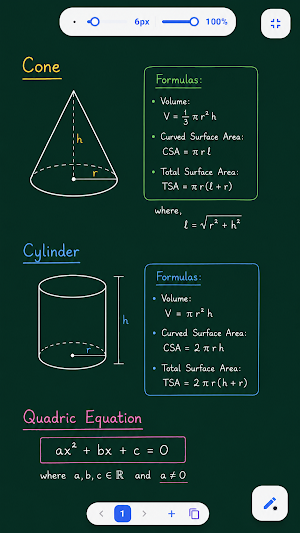
Create handwritten notes and drawings using a variety of writing and drawing tools.
Use tools for:
• Writing and sketching
• Calligraphy and chalk-style writing
• Highlighting and marking content
• Presentations and explanations
• Different stroke widths and opacity levels
Choose colors and customize your writing style to match your notes and ideas.
• Edit Your Drawings
Make changes to your canvas with editing tools designed for flexible note-taking and drawing.
Depending on the selected tool, you can:
• Erase strokes
• Make precise corrections
• Select content
• Move and transform selected elements
• Resize and rotate supported elements
• Duplicate content
• Import & Annotate PDFs
Import supported PDF documents and work directly with your content.
Use Whiteboard to:
• Write on PDF pages
• Highlight important information
• Add annotations
• Draw diagrams and explanations
• Mark study materials and worksheets
You can also add supported images and photos to your boards.
• Math, Shapes & Visual Learning
Create visual notes with tools for mathematics, science and diagrams.
Use supported tools and elements such as:
• Shapes and arrows
• Coordinate grids
• Number lines
• Venn diagrams
• Math symbols
• Greek symbols
• Science and chemistry elements
• Tables
These tools can help you create clearer explanations, lessons and study notes.
• Choose Your Canvas
Select a background that fits the way you work.
Available canvas styles can include:
• Blank canvas
• Square grid
• Dot grid
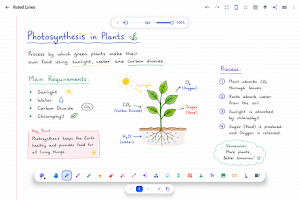
• Ruled lines
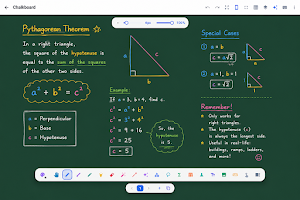
• Chalkboard
• Blackboard
Use different backgrounds for notes, calculations, diagrams, planning and creative work.
• Scan Text with OCR
Scan supported text from images or camera captures using OCR.
You can use extracted text in your digital workflow by copying it or adding it to your canvas, depending on the available options.
• Work Across Multiple Pages
Create multi-page boards and organize your ideas into projects.
Use pages for:
• Lecture notes
• Lessons
• Study materials
• Project planning
• Step-by-step explanations
• Multi-page documents
Move between pages and continue building your ideas in one workspace.
• Export & Share Your Work
Save and export supported whiteboards when you need to keep or share your work.
Export options may include supported formats such as:
• PDF
• PNG
• JPEG
Share your exported work using compatible apps installed on your device.
• Designed for Phones & Tablets
Whiteboard is designed to work across different Android screen sizes.
Use it for:
• Handwritten notes
• Teaching and tutoring
• Math and diagrams
• Brainstorming
• Planning
• PDF annotation
• Sketching and doodling
Compatible stylus and touch options can help you create a workflow that suits your device.
• Made for Students
Use Whiteboard to:
• Take digital notes
• Practice math
• Solve equations
• Create diagrams
• Annotate study materials
• Organize ideas across pages
• Made for Teaching
Use a digital canvas to explain ideas visually.
Write, draw, create diagrams and work with documents for lessons, tutoring and presentations.
• Made for Ideas
Sketch concepts, plan projects and turn ideas into visual boards.
From quick notes to detailed diagrams, Whiteboard gives you space to create and organize your work.
Create, write, draw and teach with your own digital canvas.
Download Whiteboard: Canvas & Notes and start creating.
Turn your Android phone or tablet into a flexible digital canvas for writing, drawing, teaching, planning and annotating documents.
Whiteboard helps you create handwritten notes, sketches, diagrams and visual ideas in one workspace. Choose from different paper styles, draw freely, work with PDFs, scan text with OCR and organize your work across multiple pages.
Whether you're studying, teaching, brainstorming or sketching an idea, Whiteboard gives you a flexible space to create.
• Write, Draw & Create
Create handwritten notes and drawings using a variety of writing and drawing tools.
Use tools for:
• Writing and sketching
• Calligraphy and chalk-style writing
• Highlighting and marking content
• Presentations and explanations
• Different stroke widths and opacity levels
Choose colors and customize your writing style to match your notes and ideas.
• Edit Your Drawings
Make changes to your canvas with editing tools designed for flexible note-taking and drawing.
Depending on the selected tool, you can:
• Erase strokes
• Make precise corrections
• Select content
• Move and transform selected elements
• Resize and rotate supported elements
• Duplicate content
• Import & Annotate PDFs
Import supported PDF documents and work directly with your content.
Use Whiteboard to:
• Write on PDF pages
• Highlight important information
• Add annotations
• Draw diagrams and explanations
• Mark study materials and worksheets
You can also add supported images and photos to your boards.
• Math, Shapes & Visual Learning
Create visual notes with tools for mathematics, science and diagrams.
Use supported tools and elements such as:
• Shapes and arrows
• Coordinate grids
• Number lines
• Venn diagrams
• Math symbols
• Greek symbols
• Science and chemistry elements
• Tables
These tools can help you create clearer explanations, lessons and study notes.
• Choose Your Canvas
Select a background that fits the way you work.
Available canvas styles can include:
• Blank canvas
• Square grid
• Dot grid
• Ruled lines
• Chalkboard
• Blackboard
Use different backgrounds for notes, calculations, diagrams, planning and creative work.
• Scan Text with OCR
Scan supported text from images or camera captures using OCR.
You can use extracted text in your digital workflow by copying it or adding it to your canvas, depending on the available options.
• Work Across Multiple Pages
Create multi-page boards and organize your ideas into projects.
Use pages for:
• Lecture notes
• Lessons
• Study materials
• Project planning
• Step-by-step explanations
• Multi-page documents
Move between pages and continue building your ideas in one workspace.
• Export & Share Your Work
Save and export supported whiteboards when you need to keep or share your work.
Export options may include supported formats such as:
• PNG
• JPEG
Share your exported work using compatible apps installed on your device.
• Designed for Phones & Tablets
Whiteboard is designed to work across different Android screen sizes.
Use it for:
• Handwritten notes
• Teaching and tutoring
• Math and diagrams
• Brainstorming
• Planning
• PDF annotation
• Sketching and doodling
Compatible stylus and touch options can help you create a workflow that suits your device.
• Made for Students
Use Whiteboard to:
• Take digital notes
• Practice math
• Solve equations
• Create diagrams
• Annotate study materials
• Organize ideas across pages
• Made for Teaching
Use a digital canvas to explain ideas visually.
Write, draw, create diagrams and work with documents for lessons, tutoring and presentations.
• Made for Ideas
Sketch concepts, plan projects and turn ideas into visual boards.
From quick notes to detailed diagrams, Whiteboard gives you space to create and organize your work.
Create, write, draw and teach with your own digital canvas.
Download Whiteboard: Canvas & Notes and start creating.
What’s new
Version 1.2.4 · Updated September 25, 2026
Bug fixes and Enhancement.
User reviews

It's good app.

Useful Application
Alternatives to Whiteboard: Canvas & Notes
Looking for apps like Whiteboard: Canvas & Notes? Here are 6 similar Android apps on Google Play. All of them are free to download.
-
PdfWizardHub: Pdf Editor
-
Arrow Escape: Arrow Go
-
Mumma: Pregnancy Tracker
-
Docvia: AI Document Scanner
-
Royal Checker: Board Game
-
GPS Camera: Map Photo Camera
| App | Rating | Price | Installs | Last updated | Compare |
|---|---|---|---|---|---|
| Whiteboard: Canvas & Notes | – | Free | 100+ | Sep 25, 2026 | |
| PdfWizardHub: Pdf Editor | – | Free | 1+ | Sep 1, 2026 | Compare |
| Arrow Escape: Arrow Go | – | Free | 5+ | – | Compare |
| Mumma: Pregnancy Tracker | – | Free | 1+ | – | Compare |
| Docvia: AI Document Scanner | – | Free | 1+ | Aug 21, 2026 | Compare |
| Royal Checker: Board Game | – | Free | 5+ | Sep 22, 2026 | Compare |
| GPS Camera: Map Photo Camera | – | Free | 100+ | Sep 22, 2026 | Compare |
Similar apps on Google Play
- PdfWizardHub: Pdf Editor
- Arrow Escape: Arrow Go
- Mumma: Pregnancy Tracker
- Docvia: AI Document Scanner
- Royal Checker: Board Game
- GPS Camera: Map Photo Camera
- Chant: Jap Counter Mantra
- DJ Mixer: Remix DJ Studio
- Gomoku: Five in a Row Game
- Connect Four: Four in a Row
- Bhagavad Gita: Gita Saar
- Yahtzee: Yahtzy Dice Fun
- Flag Quiz: Country Flag Quiz
- Zyvixa: Live Wallpapers
- Seven Dial: Analog Clock
- Sudoku: Number Puzzle
- MatchTone: Color Match Game
- Time Auction: Timing Challenge
- Color Link: Path Puzzle
- Wall Go: Strategy Board Game
- Kakuru Puzzle: Number Sum
- LiberHabit: Quit Smoking
- BaghBakri: Goats and Tigers
- Shikaku: Logic Puzzle
- Fuelon - Fuel Tracker
- Quick Buzzz
- Math Rush Race
- MyPack: Trip Packing List
- Disco Light: Flashing Flash
- RadioWalk Brazil: Online FM
- Hydraze: Water Reminder
- MySpendly: Expense Tracker
- Shagun Book: Manage Nimantran
- RadioWalk Australia
- RadioWalk Germany
- RadioWalk Pakistan
- RadioWalk India
- RadioWalk Canada Online Radio
- RadioWalk USA Online FM Radio
- RadioWalk UK Online FM Radio
- Shiftro: Sliding Puzzle Game
- CarPing: Scan, Notify, Connect
- MedPulse: Pill Reminder
- Yogam: Yoga & Meditation
- Crayonova - Coloring Book App
- Brain Hex - Hexa Puzzle
- Math Tug Clash - Fun Battle
- Heads or Tails - Coin Flip
- Dice Spin - Dice Roller
- AvatarForge — AI Avatar Maker
- Knight Tour - Brain Puzzle
- TaskLog – Voice Task Logger
- Ovoria Period Tracker
- Rebus: Picture Word Puzzle
- Say the Word on Beat – Rhythm
- PuzzleSweep - Word Puzzle
- Bottle Of Truth - Truth & Dare
- EmiEasy - Loan EMI Calculator
- MindRush: Millionaire Game
- ShayariWala: Dil Ki Shayari
- PahadiTune: Garhwali Kumaoni
- Animal SoundBox
- RadioWalk: FM & Internet Radio
- BarQRVault - QR & BarCode Scan
- SplitSmart
- Animal Sounds