
Projection Mapper
Kozo Technology Art & Design Contains ads
Map any surface and project video, images, or animated patterns onto it
- Downloads
- 100+
- on Google Play
- Price
- Free
- No in-app purchases
- Updated
- Jul 28
- 2026 · v2.6.1
Screenshots

About Projection Mapper
Projection Mapper turns any flat or multi-surface object into a canvas for
video, images, and animated light patterns.
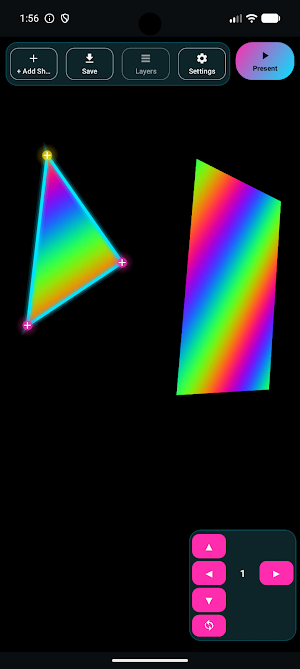
Map custom shapes — triangles, quads, or free-form polygons — onto the
physical surfaces you want to project onto, then drag each corner into place
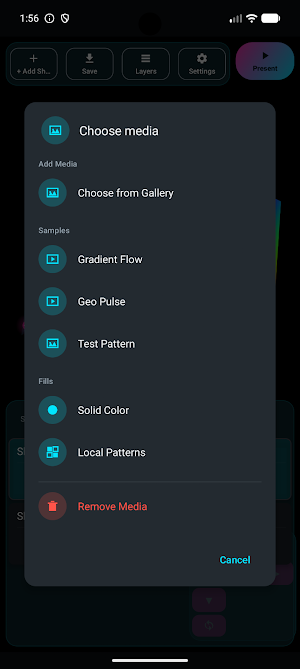
for a precise, perspective-correct fit. Assign a photo, a video, or a
built-in animated pattern to every shape, or group several shapes together to
share and sync one video across them.
When you're ready, switch to full-screen Present mode: on-screen controls
disappear, the display locks to your current orientation, and the screen
stays on for uninterrupted projection — just point your projector or screen
at the surface and go.
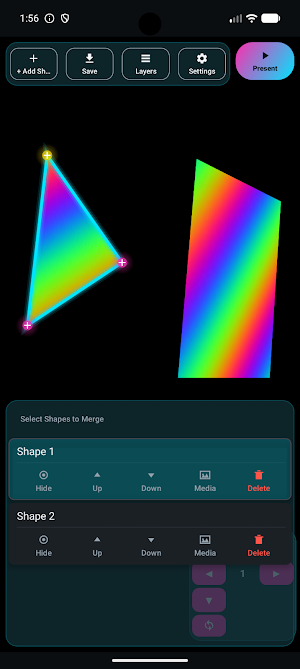
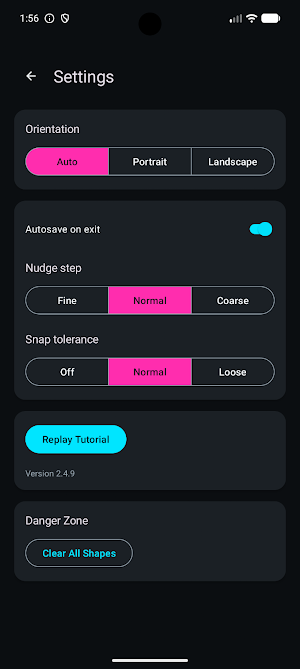
Fine-tune every mapping with a corner nudge pad, adjustable snap tolerance,
shape rotation, duplication, and a layer list for managing multiple shapes at
once. Build and save your own animated patterns in the Pattern Studio, or
pick from the built-in library. Save projects to a file and reopen or share
them any time.
Projection Mapper is completely free to use. A short rewarded ad unlocks
Present mode each time you open the app, and again every few minutes of
continued use.
video, images, and animated light patterns.
Map custom shapes — triangles, quads, or free-form polygons — onto the
physical surfaces you want to project onto, then drag each corner into place
for a precise, perspective-correct fit. Assign a photo, a video, or a
built-in animated pattern to every shape, or group several shapes together to
share and sync one video across them.
When you're ready, switch to full-screen Present mode: on-screen controls
disappear, the display locks to your current orientation, and the screen
stays on for uninterrupted projection — just point your projector or screen
at the surface and go.
Fine-tune every mapping with a corner nudge pad, adjustable snap tolerance,
shape rotation, duplication, and a layer list for managing multiple shapes at
once. Build and save your own animated patterns in the Pattern Studio, or
pick from the built-in library. Save projects to a file and reopen or share
them any time.
Projection Mapper is completely free to use. A short rewarded ad unlocks
Present mode each time you open the app, and again every few minutes of
continued use.
What’s new
Version 2.6.1 · Updated July 28, 2026
Minor patch.
Alternatives to Projection Mapper
Looking for apps like Projection Mapper? Here are 6 similar Android apps on Google Play. All of them are free to download.
-
Plant Parent
-
Visionary - Vision Board
-
Relationship Tracker
-
Home Inventory Manager
-
KindaSmart Camera
-
Simple Swipe Uninstaller
| App | Rating | Price | Installs | Last updated | Compare |
|---|---|---|---|---|---|
| Projection Mapper | – | Free | 100+ | Jul 28, 2026 | |
| Plant Parent | – | Free | 50+ | Oct 2, 2026 | Compare |
| Visionary - Vision Board | – | Free | 50+ | – | Compare |
| Relationship Tracker | – | Free | 10+ | Sep 5, 2026 | Compare |
| Home Inventory Manager | – | Free | 10+ | – | Compare |
| KindaSmart Camera | – | Free | 10+ | – | Compare |
| Simple Swipe Uninstaller | – | Free | 10+ | Aug 20, 2026 | Compare |
Compare Projection Mapper with the top alternatives: ratings, updates, ASO score and keyword gaps →