
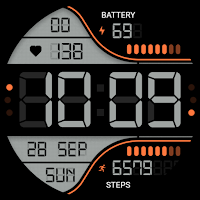
Digiwatch WatchFace
Personalization
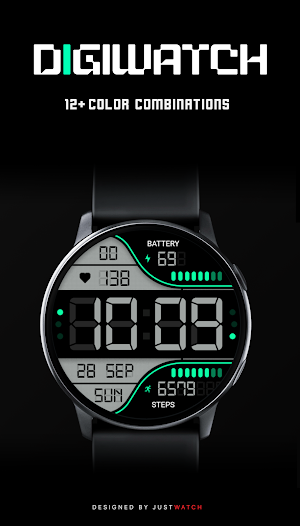
digital watch face designed for Wear OS with 15 color schemes.
- Rating
- 4.2
- 17 ratings
- Downloads
- 100+
- on Google Play
- Price
- $0.89
- No in-app purchases
- Updated
- Feb 21
- 2026
Screenshots


About Digiwatch WatchFace
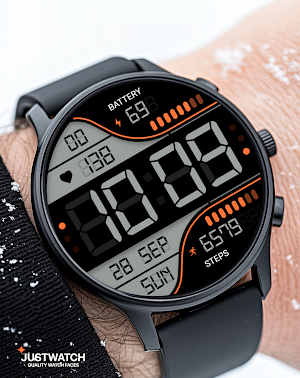
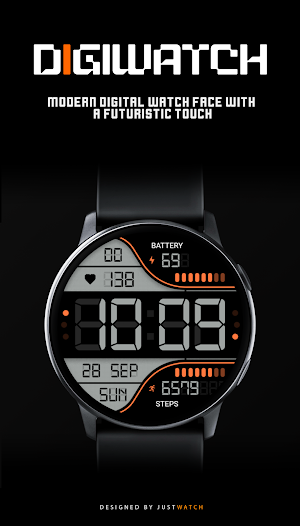
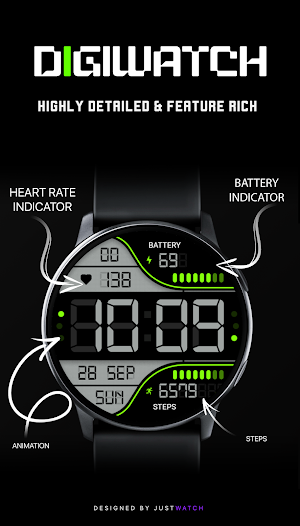
Digiwatch is a modern, high-contrast digital watch face that brings essential data to your wrist with clarity and style.
FEATURES
• Digital 12/24 hour time display
• Date and Day of the week
• Real-time Heart Rate monitoring
• Battery percentage indicator with charging status
• Step counter with visual progress bar
• Advanced Always-On Display (AOD) supported
• Optimized for battery efficiency
CUSTOMIZATION
• 10+ Unique Color Schemes: Change the look to match your style.
• Compatible with Galaxy Watch, Pixel Watch, and other Wear OS devices.
INSTALLATION
1. Ensure your watch is connected to your smartphone via Bluetooth.
2. Open the Play Store on your smartphone and search for 'Digiwatch'.
3. Select your watch device from the 'Install' dropdown menu.
4. Wait for the installation to complete. The watch face will appear in your watch's face selection menu.
Designed for Wear OS.
FEATURES
• Digital 12/24 hour time display
• Date and Day of the week
• Real-time Heart Rate monitoring
• Battery percentage indicator with charging status
• Step counter with visual progress bar
• Advanced Always-On Display (AOD) supported
• Optimized for battery efficiency
CUSTOMIZATION
• 10+ Unique Color Schemes: Change the look to match your style.
• Compatible with Galaxy Watch, Pixel Watch, and other Wear OS devices.
INSTALLATION
1. Ensure your watch is connected to your smartphone via Bluetooth.
2. Open the Play Store on your smartphone and search for 'Digiwatch'.
3. Select your watch device from the 'Install' dropdown menu.
4. Wait for the installation to complete. The watch face will appear in your watch's face selection menu.
Designed for Wear OS.
What’s new
Updated February 21, 2026
1.0 • Initial Release.
User reviews

Cool

awesome work

Truly a Master piece

This is my new favorite watch face. It is so easy to read. It looks great! Thanks for designing it. 👍

Wow... What a great looking face... Big digits really go great with my watch ultra.

love it 😍
Alternatives to Digiwatch WatchFace
Looking for apps like Digiwatch WatchFace? Here are 6 similar Android apps on Google Play.
-
LMwatch bw electronic 04
-
JW207 jwstudio watchface
-
DigiWatch WatchFace 03
-
KZY097
-
【Customize】Trapezoid Info
-
Digital Watch Face MB399
| App | Rating | Price | Installs | Last updated | Compare |
|---|---|---|---|---|---|
| Digiwatch WatchFace | 4.2 / 5 | $0.89 | 100+ | Feb 21, 2026 | |
| LMwatch bw electronic 04 | – | 1.5 USD | 50+ | Aug 17, 2025 | Compare |
| JW207 jwstudio watchface | – | 1.49 USD | 100+ | Jun 28, 2026 | Compare |
| DigiWatch WatchFace 03 | – | 1.49 USD | 100+ | Apr 17, 2026 | Compare |
| KZY097 | – | 0.99 USD | 50+ | Sep 10, 2025 | Compare |
| 【Customize】Trapezoid Info | – | 2.99 USD | 100+ | Sep 11, 2026 | Compare |
| Digital Watch Face MB399 | – | 1.49 USD | 100+ | Aug 6, 2026 | Compare |
Similar apps on Google Play
- LMwatch bw electronic 04
- JW207 jwstudio watchface
- DigiWatch WatchFace 03
- KZY097
- 【Customize】Trapezoid Info
- Digital Watch Face MB399
- SY46 Watch Face for Wear OS
- Oled - Digital v5 | watch face
- perslot20
- SG-92
- Digital animated clock
- SG-83
- GYD001: Retro watchface
- SY03 Wear OS Watch Face
- Cuppa Digital Watch Face
- OMG 457 - Retro Digital
- Endlesstimer- for wear os 5
- GRUNGE - Digital Watch face
- Digitron Watch Face
- Athena Digital Watch Face
- Watch Face J1
- Oogly Spazio HR
- ARS Spec Ops Digital
- OMG 454 - Modern Retro Watch
- DigiWatch Digital WatchFace 02
- Khaki-for galaxy watch 7