

JLPT Tango - Japanese Vocab
Locale Labs Education Contains ads
JLPT N5–N1 Repetition Learning
- Downloads
- 2.6K+
- on Google Play
- Price
- Free
- No in-app purchases
- Updated
- Sep 11
- 2026 · v1.2.7
Screenshots


About JLPT Tango - Japanese Vocab
JLPT Tango is a basic Japanese vocabulary app for learners preparing for the Japanese-Language Proficiency Test (JLPT).
The word Tango in the app name comes from the Japanese word 単語(たんご), which means “word.” The moment you see the app name, you have already learned your first Japanese word.
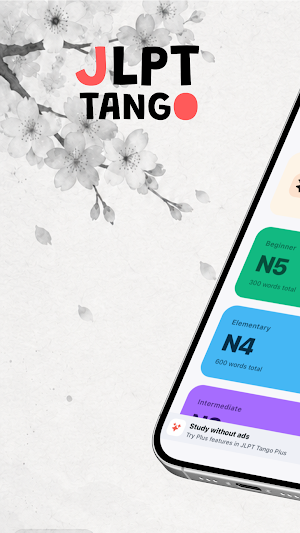
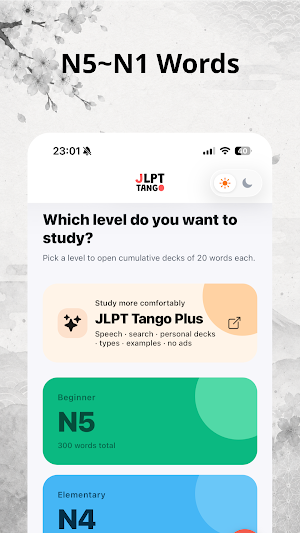
From the beginner N5 level to the advanced N1 level, you can study and repeatedly review Japanese vocabulary organized by JLPT level.
Rather than simply viewing words once and moving on, JLPT Tango uses a learning queue system. Words you have memorized are removed from the queue, while words you are unsure about are sent to the back of the queue. This allows you to naturally review the words you have not fully memorized yet.
Key Features
1. JLPT N5–N1 Vocabulary by Level
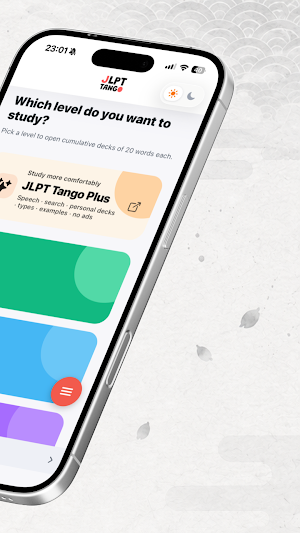
JLPT Tango provides vocabulary lists for all five JLPT levels: N5, N4, N3, N2, and N1.
Whether you are just starting Japanese or preparing for advanced JLPT vocabulary, you can study words that match your current level.
2. Cumulative Decks in Sets of 50 Words
Decks contain 20 words by default and are organized cumulatively.
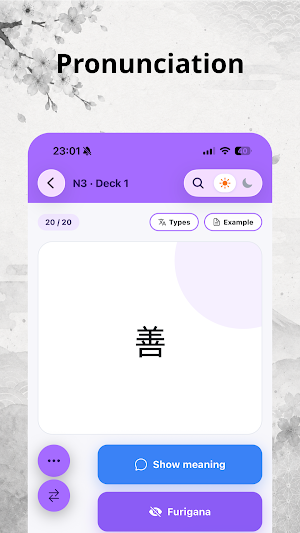
For example, Deck 1 includes words 1–20, Deck 2 includes words 1–40, and Deck 3 includes words 1–60. You can also customize the deck size in increments of 10 words, allowing you to learn new vocabulary while naturally reviewing previously studied words.
3. Learning Queue-Based Repetition
Each time you start a new study session, the word order is shuffled.
Words marked as “Memorized” are removed from the current learning queue, while words marked as “Not Memorized” are moved to the end of the queue.
This helps you reduce words you already know and focus on repeatedly reviewing the words you still find difficult.
4. Continue Where You Left Off
Even if you leave the app during a study session, your current learning queue is saved.
When you open the app again, you can continue from where you left off, making it easy to study during short breaks, commutes, or school travel time.
5. Review Count Tracking
JLPT Tango records how many times you complete each vocabulary list.
You can check how many times you have reviewed each list and easily track your progress through review count badges.
6. Hiragana and Katakana Charts
The app provides hiragana and katakana charts.
7. Light / Dark / System Theme
JLPT Tango supports Light Mode, Dark Mode, and System Theme.
You can study Japanese vocabulary with a comfortable screen setting that matches your environment.
8. Data Reset
The app provides a menu for resetting your study records and saved data.
When you want to start studying from the beginning again, you can clear your learning progress.
Recommended For
Learners preparing for JLPT N5, N4, N3, N2, or N1
Learners who want to memorize Japanese vocabulary by JLPT level
Learners who want to separate memorized and unmemorized words for review
Learners who want to study hiragana and katakana together
Learners who want to consistently review Japanese vocabulary in short study sessions
Study Japanese vocabulary step by step with JLPT Tango, and remember words longer through repetition-based review learning.
The word Tango in the app name comes from the Japanese word 単語(たんご), which means “word.” The moment you see the app name, you have already learned your first Japanese word.
From the beginner N5 level to the advanced N1 level, you can study and repeatedly review Japanese vocabulary organized by JLPT level.
Rather than simply viewing words once and moving on, JLPT Tango uses a learning queue system. Words you have memorized are removed from the queue, while words you are unsure about are sent to the back of the queue. This allows you to naturally review the words you have not fully memorized yet.
Key Features
1. JLPT N5–N1 Vocabulary by Level
JLPT Tango provides vocabulary lists for all five JLPT levels: N5, N4, N3, N2, and N1.
Whether you are just starting Japanese or preparing for advanced JLPT vocabulary, you can study words that match your current level.
2. Cumulative Decks in Sets of 50 Words
Decks contain 20 words by default and are organized cumulatively.
For example, Deck 1 includes words 1–20, Deck 2 includes words 1–40, and Deck 3 includes words 1–60. You can also customize the deck size in increments of 10 words, allowing you to learn new vocabulary while naturally reviewing previously studied words.
3. Learning Queue-Based Repetition
Each time you start a new study session, the word order is shuffled.
Words marked as “Memorized” are removed from the current learning queue, while words marked as “Not Memorized” are moved to the end of the queue.
This helps you reduce words you already know and focus on repeatedly reviewing the words you still find difficult.
4. Continue Where You Left Off
Even if you leave the app during a study session, your current learning queue is saved.
When you open the app again, you can continue from where you left off, making it easy to study during short breaks, commutes, or school travel time.
5. Review Count Tracking
JLPT Tango records how many times you complete each vocabulary list.
You can check how many times you have reviewed each list and easily track your progress through review count badges.
6. Hiragana and Katakana Charts
The app provides hiragana and katakana charts.
7. Light / Dark / System Theme
JLPT Tango supports Light Mode, Dark Mode, and System Theme.
You can study Japanese vocabulary with a comfortable screen setting that matches your environment.
8. Data Reset
The app provides a menu for resetting your study records and saved data.
When you want to start studying from the beginning again, you can clear your learning progress.
Recommended For
Learners preparing for JLPT N5, N4, N3, N2, or N1
Learners who want to memorize Japanese vocabulary by JLPT level
Learners who want to separate memorized and unmemorized words for review
Learners who want to study hiragana and katakana together
Learners who want to consistently review Japanese vocabulary in short study sessions
Study Japanese vocabulary step by step with JLPT Tango, and remember words longer through repetition-based review learning.
What’s new
Version 1.2.7 · Updated September 11, 2026
Improved overall stability and usability.
Alternatives to JLPT Tango - Japanese Vocab
Looking for apps like JLPT Tango - Japanese Vocab? Here are 6 similar Android apps on Google Play. All of them are free to download.
-
Mind Science Knowledge Quiz
-
Populo
-
High On Literature
-
Feynman AI: Learn Anything
-
Exam Prep Pro
-
APM PMQ Exam Prep 2026
| App | Rating | Price | Installs | Last updated | Compare |
|---|---|---|---|---|---|
| JLPT Tango - Japanese Vocab | – | Free | 1,000+ | Sep 11, 2026 | |
| Mind Science Knowledge Quiz | – | Free | 0+ | Apr 29, 2026 | Compare |
| Populo | – | Free | 500+ | – | Compare |
| High On Literature | – | Free | 10+ | – | Compare |
| Feynman AI: Learn Anything | – | Free | 100+ | Oct 18, 2026 | Compare |
| Exam Prep Pro | – | Free | 1,000+ | Sep 17, 2026 | Compare |
| APM PMQ Exam Prep 2026 | – | Free | 5+ | – | Compare |
Similar apps on Google Play
- Mind Science Knowledge Quiz
- Populo
- High On Literature
- Feynman AI: Learn Anything
- Exam Prep Pro
- APM PMQ Exam Prep 2026
- Bilexis: İngilizce Öğren
- Geminura
- Tusiye
- Life in the UK Test 2026
- Spanish-Bengali Dictionary
- LT Konstitucijos testai
- w3 Schools app
- Ethio Ministry
- হিন্দি ভাষা শিক্ষা | বাংলায়
- Memorizes AI
- WikiVort
- MEC Overseas
- ProServe Alberta 2026
- English Adventure Lab
- Timer for Kids - RoutinePal
- DHA Nurse Exam Prep Dubai
- The Zebra Insurance App
- Pocket Chinese Reader
- Aviation Careers in Africa